
How to provide remote technical support?


What is remote technical support?
Remote technical support is IT help delivered online, where specialists fix software, hardware, and network issues from afar instead of visiting in person.
- It solves tech problems fast, often in real time.
- It keeps remote and hybrid teams productive from anywhere.
- It cuts the cost of travel and on-site IT visits.
Remote and hybrid work is now a core part of business life. Many employees want fully remote or flexible roles. This brings more family time and real cost savings. However, it also raises new worries for companies.
The main concern is not trust or tracking output. Instead, it is making sure staff get all the help they need. For example, urgent IT faults and system crashes can stall work fast. In-house IT teams cannot rush to many home offices at once. So fixes may take days. This is where remote technical support comes in.
In a remote working environment, strong tech support is a must. A solid IT network also makes the shift to home-based work much smoother. So what is remote technical support, how does it work, and which tools help?
How remote technical support works
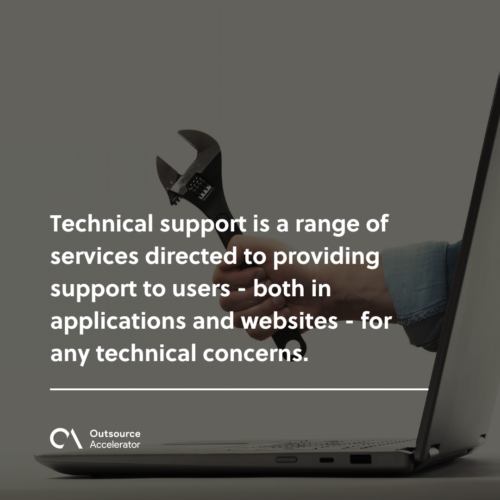
Technical support is a set of services that help users with tech concerns. It covers both apps and websites. Support specialists work around the clock and solve issues in real time.
The main goal is simple. It gives users, mostly employees, the help they need to do their daily tasks. Remote technical support works the same way. The one difference is that everything happens online.
With stable internet and the right app, staff can share access to a computer or phone. Then the support team can step in and fix the issue. Many providers also lean on cloud computing to deliver this help at scale.
However, not all firms have the tools to run their own support team. So many choose to outsource to trusted third-party providers. Some do not yet see how much it shapes the overall satisfaction of their end users.
In general, remote technical support has four levels. Each level sets the type of help a concern needs:
- Level-one tech support
- Level-two tech support
- Level-three tech support
- Non-specified levels
So the level of support changes with the size and type of the issue.
Useful tips to provide remote technical support
Below are proven ways to keep remote technical support smooth and productive. Each tip is simple to apply.
Have a 24/7 call line
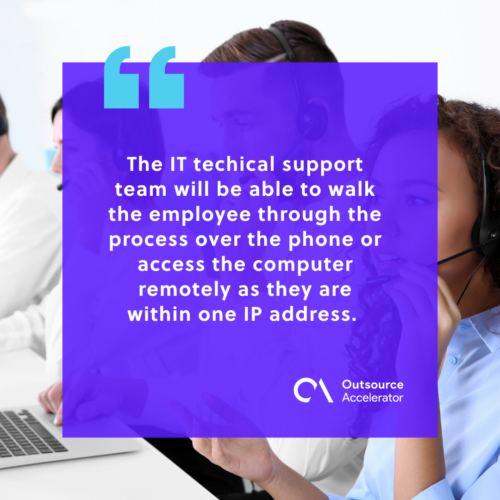
Call lines work well for large teams. They let staff reach support fast for any concern. The IT team can then guide the user by phone or access the computer online.
This method is cost-effective and low-stress. For example, there is little wait time, so work keeps moving. The call line also helps with minor issues, such as password or account access.
Outsource a third-party
Outsourcing a remote technical support team is one of the smartest moves a company can make. First, it cuts the spend on IT hardware and software. The provider supplies the tools instead.
As a result, you save on salaries, benefits, and yearly training. The contract can also include remote workers from the provider. This setup is efficient, since all staff sit in one system. So troubleshooting stays quick and simple. Many firms treat this as part of broader IT services outsourcing.
For instance, Remote Employee does the heavy work of hiring and training remote workers for their clients. Tapping them is a great way to ensure security, compliance, and quality services without the extra costs.
Finally, outsourcing gives you better access to modern IT tools. This can lift daily operations and speed up work. A dedicated outsourced help desk can handle the steady flow of tickets too.
Provide all technology
The employer must supply all the tech staff need to work well. This includes laptops, adapters, cords, and other accessories. With the right kit on hand, staff can work the way they like.
Next, the IT team can set up the tools for calls, sharing, and file transfer. This builds a smooth, team-friendly space. It also keeps the door open for any tech concerns. These basics matter whether you use in-house staff or remote staffing from a provider.
Increasing efficiency through remote technical support
Remote work brings real challenges. Communication is one, since internet links can be shaky. Sometimes staff are slow to reply too.
On top of that, repairs are harder from a distance. IT staff cannot visit each home to run checks. So firms must use remote technical support tools such as TeamViewer, Windows Remote Assistance, and Chrome Remote Desktop. These apps let IT staff access computers and fix issues fast.
With a few tweaks to IP settings, they can connect from anywhere. Still, the tech is only half the story. Trust in your team and staff sits at the core of remote work. Without it, a remote team will struggle to work well.
Frequently asked questions
What is the difference between remote and on-site technical support?
Remote support fixes issues online from any location. On-site support needs a technician to visit in person. Remote help is faster and cheaper for most common problems.
What tools are used for remote technical support?
Teams often use remote desktop apps to connect to a device. Common options include TeamViewer, Windows Remote Assistance, and Chrome Remote Desktop. Ticketing and chat tools support the workflow too.
Is remote technical support secure?
Yes, when it follows strong security rules. For example, good providers use encrypted sessions and strict access controls. Clear policies also keep company data safe.
Should small businesses outsource remote technical support?
Often, yes. Outsourcing saves on hardware, training, and salaries. It also gives small firms access to skilled staff and modern tools they could not easily build alone.
What are the levels of remote technical support?
There are usually three main levels plus non-specified cases. Level one handles simple issues, like passwords. Higher levels take on complex, technical problems that need deeper skills.






 Independent





