
Best email finder tools for sales and outreach in 2026


What is the best email finder for sales?
The best email finder for sales is the one that pairs accurate, verified data with fast workflows, clear pricing, and CRM sync; Snov.io is a strong all-in-one pick to try first.
- Pick a tool with built-in verification to cut bounces.
- Match the tool to how you work, whether that is LinkedIn or bulk lists.
- Test one first, then measure bounce rate and reply rate.
Finding verified business emails at scale is hard. Bad data wastes outreach time and hurts deliverability. So if you are comparing email finders for 2026, start with tools that pair strong data with clear pricing, fast workflows, and CRM sync.
A solid option to try first is the Snov.io email finder tool. It is credit-based, with verification and outreach in one place. First, we cover quick picks in a table. Next, we dive into full reviews with pricing, public review scores, and what stood out in hands-on tests.
Best email finder tools
| Tool | Why it’s worth a look | Starting price | Best for |
| Snov.io | Unified finder + verifier + outreach; flexible credits | From free; paid tiers vary by credits | SMBs and agencies that want an all-in-one prospecting stack |
| Hunter | Simple domain & person search; clean bulk tools | Usage-based credits; free tier available | Quick research and domain-level discovery |
| Skrapp.io | LinkedIn-centric workflow; bulk finder & verifier | From ~$49/month on public page | Recruiters and SDRs sourcing on LinkedIn |
| Anymail Finder | Pay-only-for-verified model; bulk search | From ~$97/month on listings | Lists where verified delivery matters most |
| Apollo | Finder + huge B2B database + sequencing | Free tier; paid tiers with credit system | Teams that want data + outreach in one UI |
| UpLead | Real-time verification, 50+ filters, CRM sync | Tiered pricing; contact sales for details | Precise B2B filters and enrichment |
| GetProspect | Chrome extension for LinkedIn + list tools | Tiered plans; includes verification credits per plan (per listings) | Budget-minded lead list building |
| Findymail | Strong single-email accuracy; minimalist UI | From ~$49/month on listings | Hand-picked, high-accuracy prospecting |
Best email finder tools in 2026
The right choice depends on how you work.
If you live in LinkedIn, you will prefer a Chrome-first finder with fast profile lookups. If you build large domain lists, you will need bulk credits, queue speed, and bounce control.
And if you want to run outreach without switching tabs, pick a platform that bundles sequences with finding and verification. As a result, it can save hours each week. For more options, see these lead generation tools.
Quick picks by use case
- Free or low-cost start: Hunter, Snov.io, and Findymail offer starter tiers. So they are good for testing search limits first.
- Bulk list building: Snov.io, Hunter, and UpLead support bulk domain and CSV workflows plus verification to cut bounces.
- All-in-one (data plus outreach): Apollo and Snov.io bundle sequencing with find and verify to reduce tool sprawl.
Testing snapshot
In trials, the fastest workflows combined:
- A Chrome extension that resolves on profile or company pages
- Bulk CSV for domains, and
- Built-in verification to keep bounce rates down
Platforms with clear credit accounting were easier to forecast for monthly use. For example, listings and vendor pages confirm credit-based pricing and export rules (such as Apollo’s credit framework and Snov.io’s “1 credit per prospect/verify”).
1. Snov.io
Capterra rating: ★★★★☆ 4.5/5 (215 reviews)
Snov.io combines email finding, verification, and outreach in one workspace. So teams can move from research to sending without switching tools.
Credits apply to finding, verifying, and enrichment. As a result, budgeting stays predictable for mixed tasks. The Chrome extension works on websites and LinkedIn. Meanwhile, bulk search handles domain files and CSVs.
Drip campaigns, templates, and basic CRM help small teams stay on top of follow-ups. For deliverability, verification and placement checks help control bounce risk before a big send.
Pricing is credit-based, with a free tier to try the core features.
| Feature | Why it helps |
| Finder + verifier + outreach | Fewer context switches for prospecting and follow-ups |
| Credit system | Predictable budgeting across find/verify |
| Chrome extension | On-page discovery while browsing targets |
| Bulk domain & CSV | Faster list creation for campaigns |
| Basic CRM & templates | Keep sequences moving without extra tools |
Pricing & plans
Snov.io uses credits across finding, verification, and related actions. So a free tier lets you test before you upgrade.
Each found prospect or email check usually costs 1 credit. Deliverability checks cost more. Tiers vary by monthly credits, not per-seat licenses. As a result, small teams that share workloads get more value.
Review the current credit mix and caps on the pricing page before you scale usage.
Reviews & testing notes
Public reviews average 4.5/5, with solid value-for-money scores.
Users like having finding and outreach in one place. Some mention a learning curve in campaign setup, which eased after a few runs. In tests, the credit model worked well for mixed find and verify days. As a result, built-in verification reduced bounces on cold campaigns.
Check recent Capterra reviews for context by team size and use case.
2. Hunter
Capterra rating: ★★★★☆ 4.6/5 (698 reviews)
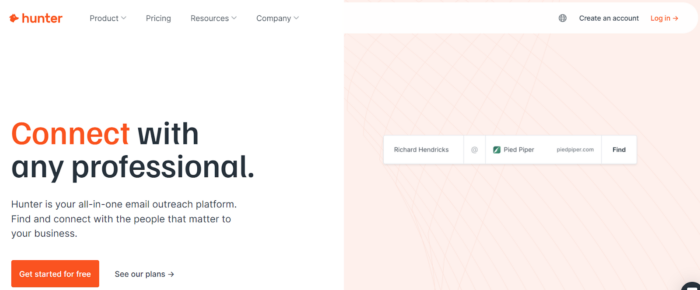
Hunter focuses on domain search, person search, and verification. It has a clean UI and handy bulk tools. In addition, the platform crawls the web for public professional emails and shows sources for clarity.
A free tier helps with quick checks. Meanwhile, paid plans scale credits each month. In addition, it includes a basic cold email sender for simple campaigns.
For teams doing lots of company research, the domain view speeds shortlist building. In addition, bulk tasks and CSV export support easy hand-off to CRMs.
| Feature | Why it helps |
| Domain & person search | Fast discovery at company and contact levels |
| Source visibility | Traceable findings from the public web |
| Bulk finder/verify | Batch processing for campaigns |
| Usage-based credits | Flexible month-to-month scaling |
Pricing & plans
Hunter runs on a credit model with monthly limits. Repeated searches or verifies count once per calendar month. So it is friendly to iterative work.
A free plan exists for light usage. For teams that spike on volume, step up to higher credit bands. As a result, per-lookup costs stay stable.
Review the vendor’s pricing page for current limits and add-ons.
Reviews & testing notes
With 4.6/5 on Capterra, reviewers call out ease of use and simple bulk tools.
In trials, Hunter did well on domain-level discovery. CSV workflows were quick to clean and export. For heavy outreach, pair it with a dedicated sequencing platform if you need deeper campaign logic. A good list of cold calling software can round out that stack.
3. Skrapp.io
Capterra rating: ★★★★☆ 4.5/5 (57 reviews)
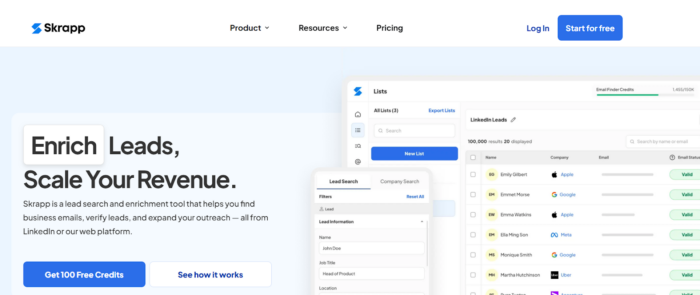
Skrapp.io centers on LinkedIn-driven prospecting. It has a Chrome workflow plus a bulk finder and verifier.
In addition, it is popular with recruiters and SDRs who source right from profiles. Meanwhile, the UI favors quick actions: capture, verify, export.
Pricing on public pages starts in the mid-market monthly range. So it is accessible for small teams. CSV import and export plus team features simplify list building. For domain research, bulk tools round out the profile-first experience.
| Feature | Why it helps |
| LinkedIn-centric extension | Speedy profile capture for people-first search |
| Bulk finder & verifier | Build and clean lists in one place |
| Simple pricing tiers | Easy to budget for small teams |
Pricing & plans
Public listings show paid plans from about $49/month, plus a free option. If your team is heavy on LinkedIn sourcing, the extension-first model shortens the time from profile view to CSV. So confirm current caps and team seats on the official pricing page before rollout.
Reviews & testing notes
Capterra users rate Skrapp.io 4.5/5 and cite an efficient Chrome experience. In tests, the extension sped up profile capture. Meanwhile, bulk verify kept lists clean before a CRM import. If you rely more on domain-wide discovery, pair Skrapp.io with a strong bulk domain search.
4. Anymail Finder
Capterra rating: ★★★★☆ 4.3/5 (27 reviews)
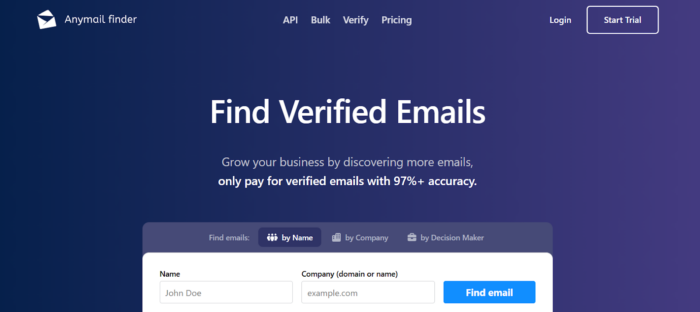
Anymail Finder is known for a pay-only-for-verified model. So it appeals to bounce-averse teams. In addition, it supports single, bulk, and API lookups.
Meanwhile, the interface is minimal, which keeps the focus on correct delivery. As a result, it fits lists that must pass strict checks before outreach.
Pricing on listings starts at a higher monthly tier. So it works best when verified delivery offsets the cost.
| Feature | Why it helps |
| Verified-only billing | Spend aligns with deliverable results |
| Bulk & API | Slot into existing list workflows |
| Simplicity | Less setup, faster checks |
Pricing & plans
Marketplace pages show from about $97/month, with a focus on verified results. If your team measures success by deliverable contacts, not raw volume, the model can pay off.
Confirm the exact verification and refund rules before a large import.
Reviews & testing notes
Capterra shows 4.3/5 from a smaller review base. In tests, it fits well as a final validation step on top of other finders.
For research-heavy work, combine it with a tool that excels at domain discovery. Then run final checks here.
5. Apollo
Capterra rating: ★★★★☆ 4.5/5 (379 reviews)
Apollo blends a B2B contact database, email finding, and multi-step sequences. For example, sales teams like having discovery and outreach together. In addition, it has CRM integrations and export rules set by a credit system.
Meanwhile, the platform scales from free to advanced tiers. In addition, it includes a Chrome extension for on-page prospecting. If you need scoring, intent signals, and automations, Apollo’s suite cuts the number of separate tools. It works well alongside dedicated sales intelligence platforms.
Check the Fair Use policy and credit math for exports before you commit.
| Feature | Why it helps |
| Large B2B database + sequences | Research and send from one place |
| Credit system & exports | Clear rules for usage and syncing |
| Integrations (Salesforce, HubSpot, etc.) | Fits into existing sales ops |
Pricing & plans
Apollo offers a free tier and paid plans set by a credit and Fair Use policy. Export credits apply when you send data outside Apollo (CSV, CRM, or API).
Review current caps. Paying accounts can scale a lot. Still, model exports and high-volume use against your team size.
Reviews & testing notes
Public ratings land around 4.5/5 on Capterra, with praise for filters and sequencing. In trials, having finder and outreach in one view sped up hand-offs.
As with any all-in-one, verify your required fields and export flow during a pilot.
6. UpLead
Capterra rating: ★★★★☆ 4.6/5 (76 reviews)
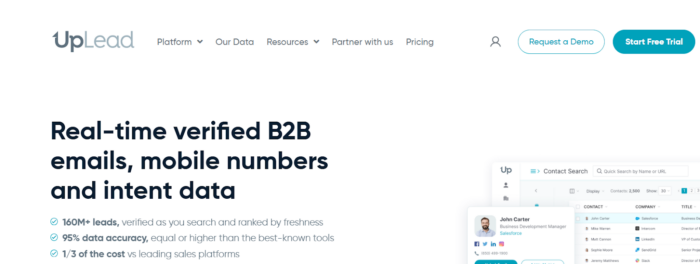
Meanwhile, UpLead focuses on high-quality B2B data. It offers real-time email verification, 50+ filters, and CRM integrations. So it is a good fit when you need tight targeting across industries and regions. In addition, teams like the filter depth and enrichment detail.
So CSV export and API support make it easy to pass data to sales tools. If you value precision over raw volume, UpLead is worth a pilot. It also pairs well with wider B2B data providers.
| Feature | Why it helps |
| Real-time verification | Fewer bounces at send time |
| 50+ filters | Narrow down to ICP quickly |
| CRM & Zapier integration | Easier sync into pipelines |
Pricing & plans
UpLead offers tiered plans. Contact sales for current pricing if your volume is high or you need custom fields. So align filters and verification to your monthly send goals. As a result, you will not under-credit peak campaigns.
Reviews & testing notes
Capterra shows 4.6/5, with praise for targeting and verification. In tests, UpLead did well on strict ICP filters and enrichment.
Reviewers mention mixed results on niche segments. So pilot your exact industry before rollout.
7. GetProspect
Capterra rating: ★★★★☆ 4.5/5 (≈90 to 93 reviews across locales)
GetProspect offers LinkedIn-friendly prospecting. In addition, it has a Chrome extension, list management, and export tools. So it is a budget option for building targeted lists without heavy spend.
Plans include verification credits in many tiers on marketplace listings. For teams that split sourcing and outreach across tools, the extension-to-CSV flow is simple. As a result, list building stays fast.
Check current limits on daily lookups and exports.
| Feature | Why it helps |
| Chrome extension | Quick capture while browsing |
| Included verification credits | Cleaner lists without separate fees |
| Team invites & lists | Organize prospecting workstreams |
Pricing & plans
Listings show several tiers with verification credits bundled. If you are price-sensitive but need steady list growth, model monthly credits against new leads per rep. So you avoid running short mid-month.
Confirm daily caps and API options if you plan automation.
Reviews & testing notes
Capterra locales show about 4.5/5 overall. Users note ease of use, though older reviews flag data freshness. In tests, the extension made profile capture quick. Meanwhile, a verifier pass before export helped reduce bounces.
8. Findymail
Capterra rating: ★★★★★ 4.9/5 (7 reviews)
Meanwhile, Findymail aims for high-accuracy single lookups and a minimal UI. So it is useful when you need fewer, highly reliable contacts rather than huge lists.
First, a free trial is available, and listings show a simple monthly plan. Meanwhile, Chrome support helps grab on-page contacts. In addition, verification is part of the flow.
For small teams that value accuracy above all, Findymail is a nimble option.
| Feature | Why it helps |
| High single-email accuracy (per reviews) | Reduce bounce risk on targeted outreach |
| Simple pricing | Easy to trial without heavy commitment |
| Lightweight Chrome flow | Minimal clicks from page to CSV |
Pricing & plans
Capterra shows a start at about $49/month with a free trial. If your team works a targeted account list, a small, accurate batch can beat a large, noisy one.
Confirm current credit counts and any hard caps on daily lookups.
Reviews & testing notes
Reviews average 4.9/5 from a small sample. In trials, single-email accuracy was reliable for manual prospecting and account research.
For large monthly targets, pair it with a bulk-friendly finder. Then use Findymail to validate high-value contacts.
How to choose the best email finder tools in 2026
To win the lead generation race, look past flashy features. Instead, focus on the factors that drive deliverability and speed from your email finder tools.
Accuracy
Accuracy drives deliverability. So look for finders with built-in verification or a clear hand-off to a verifier. Public track records from review sites help too.
Listings and vendor pages that document verification and refund rules scored higher. For example, tools with source transparency, like Hunter’s public-web sources, helped reduce bounces during tests.
Speed and usability
This list favors tools with a Chrome extension, fast bulk queues, and easy export. Time-to-first-list matters when you build pipelines weekly.
Clear credit accounting, visible progress on bulk jobs, and simple CSV mapping made a real difference.
Pricing
Credit models dominate this category. So this list captured starting tiers and export limits from vendor pages and marketplaces (Snov.io, Hunter, Apollo). It also noted free plans for trials.
Pricing changes often. Because of this, we added a check date and urge you to confirm tiers before purchase.
CRM integration
Integrations shorten the path from research to outreach. So this list favored tools with documented syncs to Salesforce, HubSpot, or Zapier.
Apollo and UpLead highlight native connections. Meanwhile, Snov.io and Hunter support exports and add-ons that plug into CRMs or sheets.
Finding the right email finder tool for your sales stack
If you are testing one tool first, start with Snov.io. It covers finding, verifying, and sending in one workflow, with strong value at SMB scale.
For quick domain research and simple credits, Hunter is easy to adopt.
If you work almost entirely from LinkedIn, Skrapp.io and GetProspect keep profile-to-CSV fast.
Teams that want data depth plus sequences in one platform should trial Apollo. It also supports appointment setting workflows.
If you need strict verification economics, Anymail Finder makes sense for verified results.
For boutique, high-accuracy lookups, Findymail is a lightweight pick.
Match the tool to your volume, channels, and stack. Then pilot with a small campaign. Next, measure bounce rate and reply rate. Finally, lock in the plan that proves its value on real prospects.
Frequently asked questions
What is an email finder tool?
An email finder tool locates business email addresses for outreach. In addition, most verify each email. So you get contacts that are more likely to reach a real inbox.
Are email finder tools accurate?
The best ones are quite accurate, but no tool is perfect. So pick one with built-in verification. As a result, you cut bounces and protect your sender reputation.
How much do email finder tools cost?
First, many offer free tiers to start. Meanwhile, paid plans often run from about $49/month. Most use credits, so cost scales with how many lookups you need.
Which email finder is best for LinkedIn prospecting?
Skrapp.io and GetProspect are strong LinkedIn picks. In addition, both use a Chrome extension for fast profile capture. So they suit recruiters and SDRs who source from profiles.
Do email finder tools integrate with a CRM?
Yes, most do. For example, Apollo and UpLead offer native syncs to Salesforce and HubSpot. Meanwhile, Snov.io and Hunter support exports and Zapier connectors.
Key takeaways
- The best email finder for sales pairs accurate data with verification, speed, and CRM sync.
- Snov.io is a strong all-in-one pick to try first.
- LinkedIn-first teams should look at Skrapp.io or GetProspect.
- Apollo and UpLead lead on data depth and native CRM syncs.
- Pilot one tool, then measure bounce rate and reply rate before you scale.






 Independent





