
Microlearning: What you need to know


What is microlearning in simple terms?
Microlearning is a way of teaching that delivers content in short, focused bursts, usually under ten minutes, so learners stay engaged and remember more.
- Each lesson covers one idea and takes only a few minutes to finish.
- Short formats like videos, quizzes, and infographics suit busy staff.
- It fits mobile screens, so people can learn on the go.
Traditional learning has long been the norm around the world. For example, a teacher shares information with students in one or two hour blocks. Then their skills get checked through activities and written tests.
This method has worked well for many learners in the past. However, times have changed, and so have attention spans.
With the rise of social media and fast entertainment, the average human attention span keeps shrinking. To fight this, the idea of microlearning was born.
Microlearning shares content in small, bite-sized chunks. As a result, it captures and holds a learner’s focus while teaching them. In addition, this article covers its meaning, benefits, challenges, and examples. You will also learn the best practices for building a microlearning program for staff.
What is microlearning?
Microlearning is an approach to teaching where information comes in small doses. Micro lessons are built to be easy to digest and quick to finish, usually under ten minutes.
Microlearning asks little effort from learners and covers simple topics. Because of this, it suits portable learning well.

But how does microlearning work? And why is it seen as a fix for fading attention spans?
When a learner first meets new information, they hold on to most of it. Over time, though, memory starts to fade. With microlearning, learners can recall small parts of the content again and again. As a result, they keep more of what they learned.
This process lifts a learner’s knowledge retention and output. It also supports steady continuous learning across a team.
The benefits of microlearning
Microlearning offers many gains to employers and their staff. In the world of workplace learning, it stands out as a useful tool for growth. Here are some of the main benefits.
Easy delivery
With the right tools, building microlearning courses is simple. As a result, it saves the time you would spend on in-person sessions or long manuals.
Quicker completion
Microlearning is quick to finish by design. For example, it teaches a new skill or refreshes knowledge in just a few minutes.
Improved engagement
Microlearning modules are fast to complete. They also lift engagement by copying the addictive feel of social media. For example, short videos hold attention better than slide decks or long reports.
Better retention
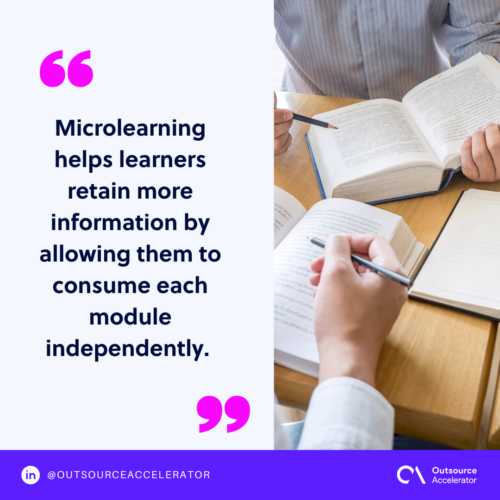
Learners who use microlearning spot the right action and the goal more easily. Because the content is so accessible, they take in each module on its own. As a result, they retain more over time. This also aids knowledge transfer between senior and new staff.
Improved on-the-job training
Microlearning lets trainees learn in a short time without pausing their daily tasks. So work keeps moving while skills grow.
Offers flexibility to learners
Traditional learning management system (LMS) courses tend to be rigid. They rarely allow for different paces or styles. Microlearning, on the other hand, supports self-paced study.
Because of this, learners finish and revisit modules whenever it suits them. As a result, completion rates go up. In addition, training feels like a chance to grow, not a chore. This flexibility also helps with upskilling and reskilling as roles change.
The challenges in microlearning
Microlearning is a strong fix for short attention spans. Still, it is far from perfect. It also brings a few challenges for employers. Here are some of them.
Conflict in complex topics and in-depth training
Microlearning shares information fast, but it may not suit complex topics. If a skill needs deep, longer study, another format may work better. Another hurdle is designing modules that keep learners engaged the whole way through.
Managing and maintaining a vast amount of content
Splitting broad topics into many small lessons means lots of content to build and manage. If you do not organize it well from the start, confusion can creep in. As a result, files may get lost or duplicated.
Additional expertise may be required
For the learner, microlearning poses little to no trouble. However, the same is not always true for the creator. Extra skill may be needed to build good modules.
It takes a real expert to break topics into short lessons while keeping them effective. Still, these challenges are not impossible to solve. The next section shares some examples of microlearning for ideas.
Examples of microlearning
Microlearning content can take many forms. The one constant is that each piece stays short and clear. Below are the usual formats with real examples.
Texts
Microlearning texts may come as short paragraphs, messages, or hints. So keep them simple and only a few sentences long. Otherwise, learners may lose interest.
One example is Merriam-Webster’s Word of the Day. Each entry gives one word and a few lines of meaning. It is quick, useful, and arrives once a day. So users learn a new word daily and practice it in real chats.
Images
Microlearning images turn complex ideas into simple visuals. They use visual communication to make ideas easy to grasp. This form uses little text and clean graphics.
Infographics are a perfect example. They may include facts and stats that show key points. Some images also work as instructions. For example, earthquake guides tell people to drop, cover, and hold on with one clear graphic.

Audio
You can use audio clips such as speech snippets or music. With these, you can test listening skills while keeping learners engaged.
Videos
Short, snappy videos explain ideas in just a few minutes. You can also drop microlearning images into a relevant clip. Audio-visual content is one of the most common formats.
It appeals to both auditory and visual learners. As a result, it meets many needs at once. With videos, learners can rewind and rewatch as needed. This supports the self-paced feel of microlearning. Many clips are also built for mobile, so people learn on the go. Ready-made online learning platforms make it easy to host these videos.
Interactive elements
Work assessments can become games or quizzes instead of long written tests. Also, these are fun and need real input. So they suit hands-on learners with short attention spans. A great example is Duolingo’s language lessons. The whole app uses gamification, with scores and levels to mark progress.
Microlearning best practices
A clear plan is key to good microlearning. So keep these best practices in mind.
Identify objectives
First, set clear goals for the project. First, gather your team and agree on the topics, the target skills, and the mistakes to avoid. A short brainstorm gets everyone on the same page. It also surfaces concerns and fixes early. As a result, the whole build runs more smoothly.
Use gamification
Remember to add interactive content to your lessons. As a result, this lifts both fun and engagement. Naturally, learners study more when they enjoy it.
Incorporate micro assessments
Like the lessons, micro assessments come in small chunks. For example, they may be short quizzes or pop-up questions. These help you check if a learner grasps the topic.
Choose the most appropriate and effective format
Text-based quizzes are not always the best choice, especially when overused. For each goal, pick the format that fits best. Sometimes a fresh angle helps. For example, try an image-based quiz or a game-show style test.
Keep it straightforward
A micro lesson should take only a few minutes. So skip any detail that does not add value. Extra information only raises the risk of losing interest. When you set a goal, stay specific and focused on the outcome.
Assure mobile-friendliness
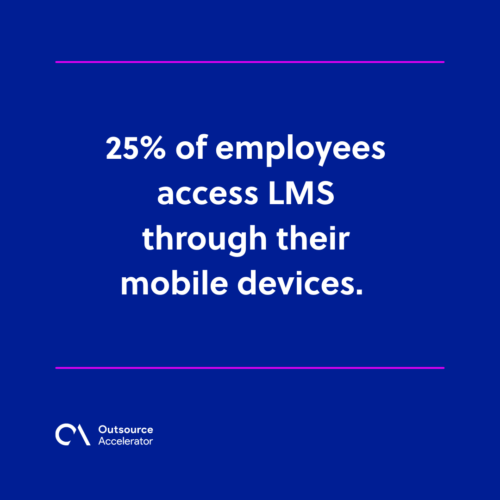
25% of employees access an LMS through mobile devices. So make sure your program and lessons work well on phones. This helps you meet your audience where they are. Remote teams gain too, since good offshore team training often runs on mobile.
Microlearning cultivates a competitive workforce
The benefits of microlearning make it a real asset for businesses. Training new staff and refreshing skilled ones can be hard to do often. Without the right method, these efforts may fall flat.
Microlearning lifts knowledge retention, even in this age of short attention spans. It is also a more affordable way to train staff. In addition, its courses are quicker to build and finish.
They give learners better engagement and more flexibility. So they beat traditional learning in most cases. By following the best practices above, you can train your team well.
Frequently asked questions about microlearning
How long should a microlearning lesson be?
Most microlearning lessons run under ten minutes. Many last just two to five minutes. The goal is one clear idea per lesson. So keep each one short and focused.
Is microlearning suitable for all types of training?
Not always. It shines for quick skills, refreshers, and compliance topics. For deep or complex subjects, though, a longer format may work better. So mix microlearning with other methods when needed.
How is microlearning different from traditional eLearning?
Traditional eLearning often uses long courses and set schedules. Microlearning breaks content into small, self-paced pieces. As a result, learners finish faster and remember more.
What tools do I need to create microlearning?
You can start with a simple authoring tool or an LMS. In addition, many platforms support video, quizzes, and mobile access. So you can build and share lessons without a big budget.
Does microlearning improve knowledge retention?
Yes, it does. Short lessons and repeated recall help ideas stick. Because of this, learners hold on to more over time than with one long session.






 Independent





