Web design trends 2026: Building user-friendly, responsive websites that convert

What are the top web design trends for 2026?
The top web design trends in 2026 pair strong visuals with practical usability, so sites look good and convert visitors into customers.
- Responsive, mobile-first layouts are now the baseline for every site.
- Clean design, AI features, and accessibility drive better user experience.
- Speed, sustainability, and clear content help pages rank and convert.
In fact, a website is more than a digital storefront. It is a key tool for engaging users, driving sales, and building trust. So the best web design trends blend fresh ideas with simple, user-first choices.
Whether you launch a new site or update an old one, these trends help you stay ahead. For a bigger build, many teams also lean on professional website development services. Next, let us look at the practices that keep users coming back.
1. Why responsive design is non-negotiable
In 2026, responsive web design is no longer a trend. Instead, it is a basic need. Today, mobile devices drive more than half of global web traffic. As a result, a site must adjust smoothly to every screen size.
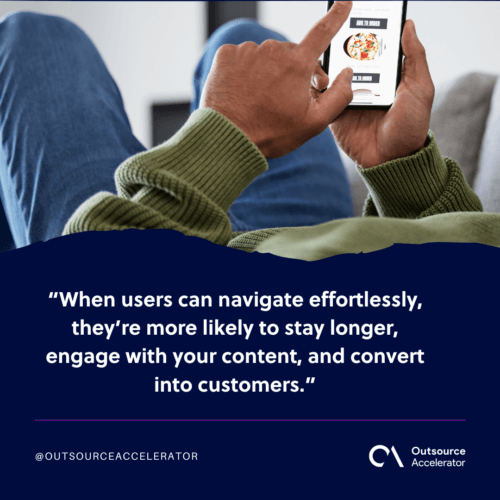
Still, responsive design is more than a technical fix. It is about usability and access for all. When users navigate with ease, they stay longer and engage more. However, a poor mobile experience raises bounce rates and loses sales.
Key elements of responsive design in 2026:
- Fluid grids: layouts that adjust to different screen sizes.
- Flexible images: scalable images that stay clear without slowing load times.
- Touch-friendly features: buttons and forms that are easy to tap on small screens.
2. Minimalist design: Less is more
Minimalism has shaped web design for years. Yet its use keeps changing. In 2026, minimalism is about more than looks. It creates a clean, calm space that puts user intent first.
First, visitors arrive with clear goals. So a cluttered layout can block their path and cause frustration. Instead, a minimalist approach uses white space, simple menus, and clear calls to action. As a result, users focus on what matters most. Good UI and UX design makes this focus feel effortless.
Best practices for minimalist web design:
- Limit colors and typefaces for a cohesive look.
- Use white space to highlight key elements.
- Choose simple menus that guide users with ease.
3. Dark mode and high-contrast designs
Still, dark mode is not just a trend. It is a real user preference. Many people find dark themes easier on the eyes in low light. So a dark mode toggle gives visitors more control over how they view your site.
In addition, high-contrast design is gaining ground. These layouts use bold, clashing colors to boost readability. As a result, buttons and links stand out and draw the eye.
Pro tip: make sure your dark mode meets accessibility rules, so text stays clear against the background.
4. AI integration: Smarter user experiences
Artificial intelligence has left a clear mark on web design. It offers tools that build smarter, more personal experiences. For example, chatbots that provide instant customer support can lift satisfaction fast.
AI can also shape a stronger user experience across the whole site. Here are common examples:
- Chatbots: answer questions in real time and reduce bounce rates.
- Personalization: show tailored products or content based on user behavior.
- Voice search optimization: design for spoken queries, which keep growing.
5. Micro-interactions: Small details, big impact
First, micro-interactions are small animations that react to what users do. Think of a button that changes color on hover. Or a form field that shakes when the entry is wrong.
These small touches add a layer of fun. As a result, your site feels more polished and alive. Popular micro-interaction trends include:
- Smooth transitions between pages.
- Animated progress bars for forms or loading screens.
- Hover effects on clickable elements.
6. Sustainability in web design
The world grows more conscious of the environment. So green web design is now a real trend. Eco-friendly sites cut their carbon footprint through faster performance and clean hosting.
Tips for a sustainable website:
- Keep heavy items like autoplay videos and large images to a minimum.
- Optimize code for faster load times.
- Choose green hosts that use renewable energy.
7. Content-first design: Prioritizing value
Still, the phrase “content is king” holds true. A stunning site falls flat without valuable, engaging content. So a content-first design shapes your layout around clear, useful information.
Strong content also feeds your digital marketing and helps pages rank. Here is how to get there:
- Plan your content hierarchy before you start the design.
- Break up text with bullets, images, and clear headings.
- Add storytelling to connect with your audience.
8. Accessibility: Inclusive design for all
First, accessibility is no longer optional. It is a must for any website. Inclusive design lets people with disabilities use your site with ease. Beyond meeting WCAG standards, it also lifts your brand and widens your reach.
Key accessibility features:
- Text alternatives for images (alt text).
- Keyboard-friendly navigation.
- Descriptive link text for better context.
- High-contrast text and resizable fonts.
9. The role of visual storytelling
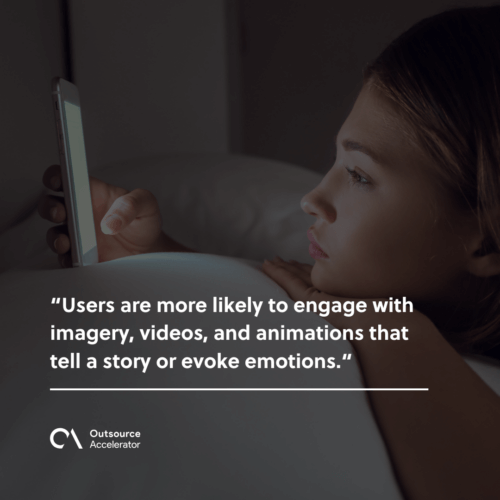
Also, visuals have always mattered in web design. In 2026, though, visual storytelling takes center stage. Users engage more with images, videos, and animations that tell a story. So consider hero images, video backgrounds, or interactive infographics. Still, these elements should support the content, not drown it.
10. Voice and gesture-based navigation
As technology moves fast, users find new ways to interact with sites. Voice commands and gesture-based navigation now cater to tech-savvy visitors. As a result, these features can future-proof your site and reach a wider audience.
Getting started with voice and gesture design:
- Use question-based keywords and natural language for voice search.
- Add gesture features like swipe navigation for mobile users.
Ready to transform your website?
Building a user-friendly, responsive site is not just about chasing web design trends. First, it is about knowing your audience and meeting their needs. So stay informed and act on the practices above.
Whether you want better functionality, a fresh look, or faster speed, expert help pays off. For teams that lack in-house skills, web design outsourcing is a practical route. As a result, you get a modern site without a big hiring push.
Frequently asked questions about web design trends
What is the most important web design trend for 2026?
Responsive, mobile-first design remains the top priority. More than half of web traffic now comes from phones. So a site that adapts to every screen wins more time and sales from visitors.
Do web design trends really affect conversions?
Yes, they do. Clean layouts, fast load times, and clear calls to action reduce friction. As a result, more visitors take the step you want, such as buying or signing up.
How does AI change modern web design?
AI adds chatbots, tailored content, and voice search support. So users get help fast and see items that fit their needs. This makes the whole experience feel personal and smooth.
Is accessibility a web design trend or a requirement?
It is both. Inclusive design helps people with disabilities use your site. It also meets legal standards and grows your reach. So treat accessibility as a core rule, not an extra.
Should small businesses outsource their web design?
Often, yes. Many small firms lack in-house design skills or time. So outsourcing gives them a modern, responsive site at a lower cost than a full team.





 Independent