
Remote employee time tracking: How to choose the right software

Remote employee time tracking: Your simple guide to choosing software
Remote employee time tracking helps managers see how distant teams spend their hours, stay productive, and hit deadlines. More businesses now lean on remote workers to stay agile, cut costs, and run around the clock. As a result, hiring talent across borders has moved from a trend to a smart business move.
As Ruffy Galang, CEO of Remote Employee, told Rolling Stone, “Outsourcing is no longer just an option; it’s becoming necessary for businesses that want to stay competitive.”
Still, remote teams bring real challenges. Tracking hours, checking progress, and lining up people across time zones can overwhelm even seasoned managers. So the right tool matters. This guide breaks down what leaders need to know about remote employee time tracking and the features that make it work.
What is remote employee time tracking?
Remote employee time tracking is the use of software to record how off-site staff spend their work hours, so managers can confirm productivity, bill accurately, and keep projects on schedule.
- It logs hours, tasks, and activity in one place instead of on manual sheets.
- It gives managers clear visibility without constant check-ins or micromanaging.
- It supports fair pay, better planning, and smoother teamwork across locations.
In short, good time tracking software turns scattered hours into clear data. Because of this, teams work with more trust and less guesswork.
Remote employee time tracking: 7 essential features to look for
Remote work needs tools that build accountability, productivity, and transparency. The right software can lift team performance and keep projects on track. Here are seven key features to weigh when you pick a time tracking tool for offshored teams.
Real-time tracking
First, real-time tracking lets managers view work progress as it happens. It shows how time flows across tasks and projects. As a result, it is easier to spot bottlenecks or slow, time-heavy work.
Automated timesheets
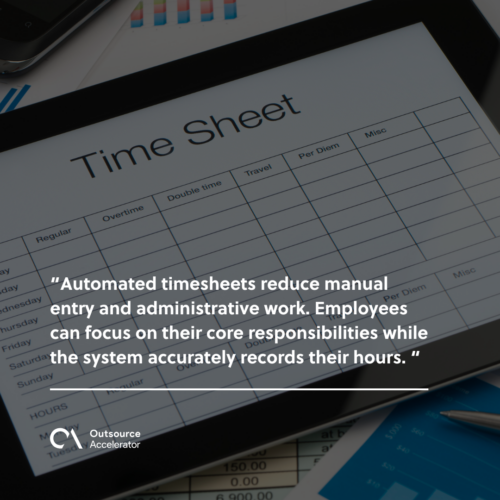
Next, automated timesheets cut manual entry and admin work. Staff can focus on their core tasks while the system records their hours. In addition, this feature makes payroll and reports much simpler. Tools like time tracking software for remote employees handle this for you.
Activity monitoring
Activity monitoring tools track app use, keystrokes, and mouse moves during work hours. These insights show engagement without constant check-ins. Meanwhile, they help keep a balanced and fair work setup. For context, many firms pair this with employee monitoring software to keep the picture clear.
Project and task management
Built-in task and project features let teams assign, track, and finish work in one place. When time tracking lines up with project goals, remote teams stay organized. As a result, they meet deadlines with less stress.
Customizable reporting
For example, custom reports show time data in the format each business needs. Managers can pull summaries by project, team member, or date range. So planning and resource choices get easier to defend.
Offline tracking
Offline tracking records work even when the internet drops. Once the connection returns, the system syncs the data on its own. Because of this, remote staff in any time zone stay productive.
Integration capabilities
Your tool should fit with other software you already use. That includes project management software, payroll, and chat apps. Smooth links create one central workflow. As a result, people switch between apps far less often.
A tool with these features strengthens remote team management. In turn, it supports clear, honest, and efficient work. Pairing it with team productivity apps can push results even higher.
Important considerations before integrating remote employee time tracking
Adding a time tracking system takes careful planning. To protect productivity and trust, weigh a few factors first. The points below can guide a smooth rollout.
Company goals and workflow
First, name your goals. Clear goals show how time tracking fits your current work. Whether you want better accountability, simpler billing, or tighter timelines, the system should match daily workflows.
Employee privacy
Employee privacy builds trust and lowers pushback. When you respect it, morale goes up and resistance goes down. So time tracking should balance useful insight with personal boundaries. This matters most in remote setups, where work and home life often blur. In short, it helps you avoid micromanagement, which can erode autonomy and trust.
Legal compliance
Labor laws on work hours and monitoring differ by region. For example, some areas limit what you can record. So review the rules before you launch. This helps you dodge legal trouble and keeps your practices ethical.
Team communication
A new system needs clear talk with the remote team you’re managing. Staff should know why you chose the tool, how it works, and what they gain. As a result, honest dialogue builds buy-in and cuts confusion.
System usability
In addition, a simple platform gets used every day. Tools with a clean interface help remote workers focus on tasks, not menus. So pick software people can learn fast.
Scalability
Your tool should grow with the business. As teams expand or new units form, the system must adapt. Because of this, you avoid constant upgrades and broken workflows. Smooth growth also supports steady workplace productivity.
Data security
Finally, time tracking tools hold sensitive staff data. So choose software with strong security built in. This protects information and keeps trust across your remote teams. Weighing these factors first helps you pick tools that support both happy staff and smooth operations.
Tap into high-performing virtual staff through Remote Employee
Finally, find top virtual talent that drives productivity and growth. Remote Employee connects businesses to skilled professionals ready to deliver across many roles. So you can tap into high performers who adapt to your goals.
With Remote Employee, you get top-tier talent plus lower costs, better efficiency, and smooth teamwork. These traits matter most when you manage virtual teams backed by solid time tracking software.
Get in touch with Remote Employee today and explore smarter staffing built around your needs.
Frequently asked questions about remote employee time tracking
Is remote employee time tracking legal?
Yes, in most regions it is legal when done openly. Still, rules differ by country and state. So tell staff what you track and why, and check local labor laws before you start. Clear consent keeps you compliant and keeps trust intact.
Does time tracking hurt employee morale?
It does not have to. Morale drops when tracking feels like spying. So focus on outcomes, not every keystroke, and share the data with your team. When staff see fair billing and lighter admin work, most accept it quickly.
What is the difference between time tracking and employee monitoring?
Time tracking records hours worked on tasks and projects. Monitoring goes further and watches app use or activity levels. Many tools blend both. For balance, pick the lightest option that still gives you the insight you need.
How do I track hours across different time zones?
Good software logs each person’s local time and syncs it to one dashboard. As a result, you see all hours in a single view. Offline tracking helps too, since it records work even when the connection drops.
What should I look for first in time tracking software?
Start with real-time tracking, automated timesheets, and easy reporting. Next, check that it integrates with your payroll and project tools. Finally, make sure it scales as your remote team grows.






 Independent





