
11 reasons behind dropped calls


Why do calls fail or get dropped?
A call fails or drops when the signal between your phone and the cell tower breaks, often due to blocked reception, distance, network overload, or a device fault.
- Most dropped calls trace back to weak or blocked signal.
- Crowded areas, dead zones, and bad weather also play a part.
- Simple fixes like Wi-Fi calling and updates cut the risk.
A call failed at the wrong moment is a pain that most of us know well. For example, picture an important business call or a warm chat with a loved one, cut off with no warning. It is not just annoying. It also disrupts daily life.
Dropped calls can hurt productivity and strain relationships. They can even affect safety. So let us look at what causes them and how to prevent them.
What are dropped calls?
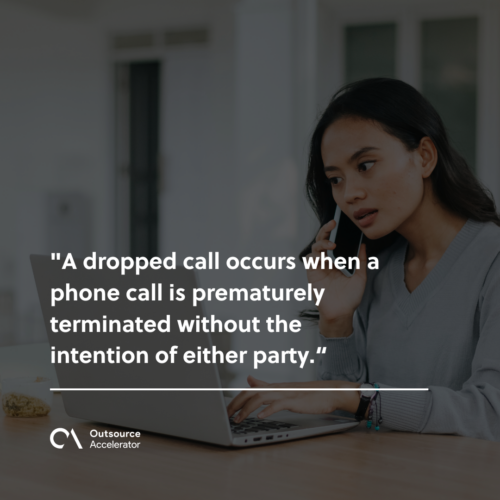
A dropped call happens when a call ends early with no intent from either side. It can strike at any time. For example, it may happen indoors, outdoors, or while you travel.
Knowing the root causes is key. As a result, you can address and prevent this common issue.
Top 11 causes of dropped calls
Anyone can get a call failed mid-conversation. Certain factors make it more likely. So let us look at the 11 common causes behind this issue.
1. Blocked reception
One common cause is blocked reception. Physical barriers like buildings, tunnels, or dense trees can block the smooth flow of signals between your phone and the nearest cell tower.
For example, imagine standing at the base of a tall tower. You try to talk while your signal bounces off concrete walls. As a result, the call drops.
2. Cell tower distance
Another factor is how close you are to a cell tower. If you are on the edge of a city or in a remote area, your phone may struggle to hold a steady link.
Signal strength fades the farther you get from a tower. So it is like shouting across a wide canyon. Your message may not arrive intact.
3. Crowded areas
Picture a busy concert with thousands of people on their phones. The sheer number of devices in one spot can overload the local network. As a result, calls drop.
In crowded areas, your phone competes for signal. Sometimes it loses that fight.
4. Dead zones
Dead zones frustrate every mobile user. These are spots where signals vanish. So you get stranded in a digital void.
Dead zones often show up in rural areas where towers are scarce. However, they can surprise you in cities too.
5. Weather interference
Believe it or not, weather can cause a call failed too. Rain, snow, or a strong thunderstorm can disturb radio waves. As a result, your signal weakens.
It is like a radio station getting fuzzy in a storm. In this case, though, the weather is what disrupts your phone signal.
6. Open apps overload
Our phones are powerful. They can run many apps at once. However, too many open apps strain your phone’s resources. So you may hit connection issues.
It is like trying to talk while juggling a dozen tasks. Eventually, something has to give. Alternatively, you can check out the top reliable phone messaging apps here.
7. Outdated operating system
Skipping software updates may seem harmless. However, an outdated operating system can cause calls to drop.
These updates often improve your phone’s connection protocols. As a result, your phone talks to cell towers more smoothly.

8. Network congestion
Sometimes the carrier network itself is the problem. During peak hours, too much traffic can clog a tower. As a result, some calls get dropped even with strong bars.
Switching to a less busy band or waiting a few minutes can help. So can moving to a spot with a clearer line to another tower.
9. App settings oversight
Sometimes the fix is right in front of us. Wrong app settings can block your phone from holding a steady link.
So take a moment to review your settings. Make sure your communication apps are set up for smooth use.
10. Device malfunctions
In rare cases, a dropped call points to a device fault. Hardware issues, software glitches, or both can hurt your phone’s ability to stay linked.
So treat your device with care. Also, fix issues fast to help prevent dropped calls.
11. Troublesome SIM card
Many people overlook the SIM card. However, a faulty or loose SIM can quietly disrupt your calls.
So make sure your SIM sits snugly and is free from damage. Sometimes a simple reinsert or swap is the fix your phone needs.
How to prevent dropped calls
Thankfully, a few simple steps can help you prevent a call failed mid-chat.
Signal boosters
A signal booster can improve your phone’s connection a lot. These devices amplify the signal. As a result, calls drop less often.
Wi-Fi calling
Using Wi-Fi calling can be a game-changer. When your cell signal drops, Wi-Fi calling takes over. So it helps most in places with weak reception.
Airplane mode reset
When nothing else works, try a simple trick. Toggle airplane mode on and then off. This quick reset helps your phone relink with the nearest tower. As a result, it may clear the issue.
Keep apps updated
Update your apps and operating system often. It is like caring for a well-oiled machine. So your phone runs at its best and drops fewer calls.
Optimize app settings
Take a proactive step and review your app settings now and then. Make sure your communication apps are set for top performance. As a result, you cut the risk of connection hiccups.

How to fix dropped calls in a cloud-based system
Many teams now make calls through a cloud tool like a softphone. So here are some tips to avoid dropping them:
- Check your internet speed. Make sure it is stable and fast enough for reliable calls.
- Contact your internet service provider (ISP) if calls keep dropping in a cloud system.
- Verify that your router works well and has the right settings for top performance.
- Consider a wired connection instead of Wi-Fi. As a result, you get a more stable link.
Businesses that run high call volumes often go further. For example, they compare VoIP call center solutions and pick from the best VoIP providers for reliability. In addition, robust call center software and modern contact center platforms can cut dropped calls further.
Say goodbye to dropped calls
As we wave goodbye to dropped calls, the wins go beyond personal ease.
In call centers, every cut-off chat is a missed chance. So preventing dropped calls is vital for customer satisfaction and smooth operations. Many teams also lean on managed call center services to keep call quality high.
Still, the impact is broad. Seamless communication lifts productivity and satisfaction for people and firms alike. As a result, getting cut off mid-call can become a thing of the past.
Frequently asked questions
What does it mean when a call failed on my phone?
A call failed means the connection did not complete or held for only a moment. Often the cause is weak signal, network overload, or a SIM issue.
Why do my calls keep dropping in the same spot?
That spot is likely a dead zone or a blocked-signal area. So a booster or Wi-Fi calling can help there.
Can Wi-Fi calling stop dropped calls?
Often, yes. Wi-Fi calling routes the call over your internet. As a result, it helps when your cell signal is weak.
How do I fix dropped calls on a softphone?
First, check your internet speed and router. Next, try a wired connection. Then contact your ISP if the problem stays.
Does weather really cause a call to fail?
Yes. Heavy rain, snow, or storms can disturb radio waves. So your signal may weaken during bad weather.
Key takeaways
- A call fails when the signal between phone and tower breaks.
- Common causes include blocked reception, distance, crowds, and network overload.
- Wi-Fi calling, updates, and boosters are simple, effective fixes.
- For business calls, strong VoIP tools and call center software cut drops.






 Independent





