
Virtual project management explained


What is virtual project management?
Virtual project management is the practice of planning and running projects with a remote team that works across different places and time zones.
- Team members collaborate online instead of in one office.
- Managers track tasks and progress in real time.
- It cuts costs and opens access to global talent.
Planning and running projects takes a lot of resources. Not long ago, managers needed plenty of time and energy for one project.
The internet changed that. So key tasks and teamwork can now happen remotely.
Remote working is now common across the globe. In fact, it brings many clear benefits. Virtual project management lets owners plan and run projects with faster delivery.
Outsourced is a leading outsourcing firm in the Philippines that offers dedicated offshore experts in project management that handle any project and ensure it is completed successfully so that businesses can focus on their core competencies.
This article covers virtual project management. So it explains the benefits, the setup, and what the work involves.
Defining virtual project management
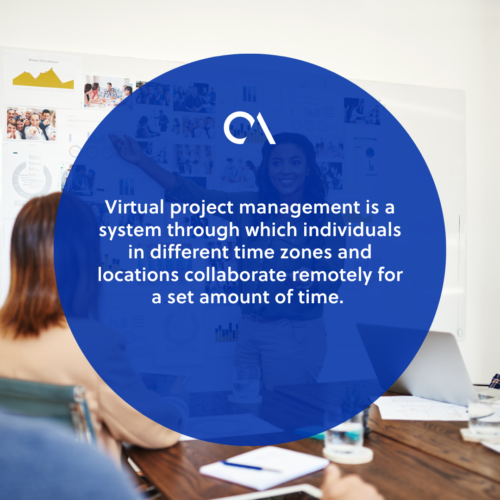
Virtual project management lets people in different places work together. In short, they collaborate remotely for a set time. It also means tracking tasks in real time. As a result, everything stays on schedule.
Team members may sit far apart. Still, they share skills, work ethic, and goals. So the project becomes a group effort, even from a distance. To learn more, see these types of project management teams can explore.
The virtual project manager’s job is clear. First, they make sure the team knows the company’s goals. Then they take full ownership of the outcome.
Benefits and Challenges of Virtual Project Management
Digital tools have made remote work the future of business. This includes project management. The shift brings many benefits. Still, it also brings a few challenges. Here are some of them.
| Benefits | Challenges |
| Reduced operational expenses | Issues in building trust |
| Increased productivity | Monitoring progress |
| Increased efficiency | Barriers in office culture |
| Working with a global talent pool | Slow communication |
Benefit: Reduced operational expenses
Virtual teams do not need to work on-site. This is also true with a trusted provider like Sourcefit that offers project-based services. So the firm can lower its operating costs. For example, it saves on office space, equipment, and some staff costs.
Managing projects remotely removes many old expenses. As a result, firms save money without big changes to their model.
Challenge: Building trust
Lack of trust can be a big issue in remote work. Firms must trust that their virtual teams will deliver.
Some owners worry when staff work out of sight. So they fear the work will slip. Building trust takes time. Still, a strong remote work culture speeds it up.
Benefit: Increased productivity
With flexibility and support, remote workers often do more. For example, they enjoy quiet, focused workspaces. Sometimes, they even work longer hours.
Remote work also lets firms run around the clock. So it is a big plus, especially for SMEs.
Challenge: Monitoring progress
Progress tracking ties back to trust. Even with full confidence, managers need metrics. Without them, things can spiral fast.
It is harder to track progress with virtual teams. For example, leaders cannot just drop by a desk for an update. So the right remote employee time tracking tools help fill that gap.
Benefit: Increased efficiency
Virtual project management lifts efficiency. Remote workers skip commutes and long physical meetings. So they save real time each day.
Their positive mindset helps too. As a result, they can rest, work out, or spend time with loved ones. In turn, this boosts their focus at work.
Challenge: Barriers in office culture
Office culture can help or hurt. Virtual work may suffer when a firm shifts from analog to digital.
Old habits die hard. So if stakeholders reject remote work, it will likely fail.
Benefit: Work with a global talent pool
Leaders can hire from anywhere in the world. So there are no more geographic limits. A global talent pool also brings fresh views on hard problems.
Hiring and onboarding get easier too. For example, HR can screen candidates online. For firms with no in-house recruiters, it helps to outsource this task to trusted staffing providers like Remote Employee. As a result, they can find skilled workers fast.
Challenge: Slow communication
Time is a constant constraint on any project. Work flows best when processes are smooth. However, with virtual teams, replies can lag.
Regular contact is vital for any project. So use an instant messaging tool as well as email. Teams that face common remote employee challenges often start here.
Tools for virtual project management
There is no single rule for picking the best tools. In fact, no one app meets every need of a virtual team.
Each tool offers different features. So the team should list its needs first. Then it can choose the right software. Here are some common picks for remote teams.
Google Workspace
Formerly G Suite, Google Workspace bundles many office tools in one. For example, it includes Gmail, Calendar, Docs, and Meet. It also has Drive, so file sharing stays easy.
Microsoft 365
Microsoft 365 offers a full set of work tools too. In fact, it is a strong alternative to Google Workspace. It has Outlook, Calendar, Word, and Teams. Meanwhile, OneDrive handles cloud storage and sharing.
Trello
Trello is a simple, popular collaboration tool. It lets teams organize projects into boards. So members can see tasks, owners, and progress at a glance.
Asana
Asana works much like Trello. It shows projects, tasks, and owners in one place. In addition, it makes task tracking easy. So teams can set priorities and hit deadlines.
Monday.com
Monday.com uses one clear dashboard for project status. So planning workloads and tasks gets simple. Team members also get alerts on new tasks and comments.
Airtable
Airtable suits people who love spreadsheets. In short, it feels like Google Sheets with more power. For example, it adds Kanban boards, task lists, and schedules.
ProofHub
ProofHub makes task management easy. It supports tasks, subtasks, and multiple lists per project. It also offers templates, chat, reports, and online proofing.
Wrike
Wrike is a cloud app with time and budget tracking. It also has a Gantt chart timeline. In addition, it offers live editing, file management, and request forms.
Project Manager
ProjectManager is an award-winning task and project tool. It fits teams with both virtual and on-site members. For example, it offers time tracking, resource management, and cloud planning. So it supports flexible teamwork across the whole cycle.
Keys to successful virtual project management
Keep consistency in contacting the virtual team.
Check in with the team on a regular basis. Ask if they need help, and confirm the project is on track. So remind them of tasks, ideas, and upcoming events.
Set checkpoint sessions through routine calls and clear channels. In short, keep calls brief and to the point.
Establish a welcoming environment.
A supportive workplace grows on trust. So make sure the team can rely on one another. Continuous support also helps everyone reach goals faster.
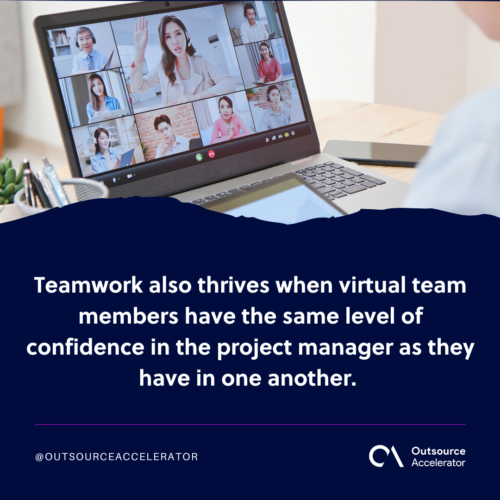
Teamwork thrives when the team trusts the manager too. For example, team-building activities can energize remote staff. In addition, treat each person well and value their input.
Use a variety of communication channels.
Hold weekly team meetings to review deliverables. You can also send daily updates through a chat tool. So mix your channels to reach the whole team.
Diverse styles boost engagement too. As a result, quieter members can share big issues. So no one gets left out of key talks.
Let each team member decide on their deliverables.
Ownership grows when staff set their own schedules. In fact, they tend to follow plans they helped build.
So ask each member for a time estimate each week. Then encourage them to set their own task goals. As a result, stress drops and output rises.
Maximize the use of project management software.
Invest in the right project management tools. This matters most across time zones and places. So teams can collaborate with ease. Strong remote work adoption makes these tools even more useful.
These tools keep everyone focused on goals. For example, they send reminders and milestone alerts. So pick a tool with quick onboarding and clear schedule updates.
FAQ about virtual project management
How is virtual project management different from traditional project management?
Both aim to deliver projects on time. Still, virtual teams work remotely, not in one office. So managers rely more on online tools and clear communication.
What skills does a virtual project manager need?
They need strong communication and time management. In addition, they need to build trust from a distance. Good tool skills also help a lot.
What are the best tools for virtual project management?
Popular picks include Trello, Asana, and Monday.com. Wrike and ProofHub also work well. So choose the tool that fits your team’s needs.
What are the main benefits of virtual project management?
It cuts costs and lifts productivity. It also opens access to global talent. As a result, firms gain flexibility and speed.
What are the biggest challenges of virtual project management?
Trust, progress tracking, and slow communication top the list. Office culture can also get in the way. Still, clear tools and routines solve most of these.
Key takeaways
- Virtual project management runs projects with a remote team.
- It cuts costs and opens access to global talent.
- Trust and communication are the main challenges to manage.
- Tools like Trello, Asana, and Wrike keep teams aligned.
- Clear routines and check-ins drive project success.






 Independent





