
Operational planning: Your guide to creating an operations plan


What does operational planning do for a business?
Operational planning turns your big-picture strategy into clear daily actions, owners, and deadlines that teams can actually follow.
- It defines what to do, who does it, and by when.
- It covers a short window, usually one year or less.
- It keeps daily work tied to your bigger goals.
Operational planning is the quiet hero behind strong businesses. Strategy often gets the spotlight. Still, it is the daily execution, powered by a solid operational plan, that keeps teams moving.
Without it, even great strategies can stall.
A clear operational plan gives your vision structure. It also gives your team direction. As a result, big goals turn into practical steps.
In this guide, we explore what operational planning is and how it differs from other types of planning. We also show how you can build an effective operational plan for your business.
What is operational planning?
Operational planning is the process of turning strategic goals into clear steps. Think of it as the link between vision and execution.
An operational plan spells out what to do, who owns it, when it is due, and how you measure success.
It usually covers a short window, often one fiscal year. So it focuses on specific teams, departments, or projects.
An operational plan usually includes:
- Key activities and initiatives
- Timelines and deadlines
- Resource allocation
- Team roles and responsibilities
- Performance indicators
Without a set operational plan, even a brilliant strategy can fall flat. So this step is worth getting right. It also connects closely to your broader operations strategy.
Operational planning vs Strategic planning vs Tactical planning
Some people think strategic, tactical, and operational planning are just buzzwords.
In reality, all three help businesses stay aligned, focused, and on track. So they matter more than they sound.
To make the differences clear, here is a quick comparison by timeframe, focus, and level:
| Planning Type | Timeframe | Focus | Level |
| Strategic Planning | 3 to 5 years | Vision, mission, long-term goals | Company-wide |
| Tactical Planning | 1 to 3 years | Departmental goals, resource allocation | Mid-level |
| Operational Planning | 1 year or less | Day-to-day tasks and project execution | Team-level |
Here is a quick analogy. Strategic planning picks your destination. Tactical planning selects your route. Meanwhile, operational planning is getting in the car and driving there.
Each layer supports the next. Strategic goals guide tactical plans. In turn, tactical plans guide operational actions. So when all three align, your business is set up to win.
What are the steps to build an operational plan?
Building an operational plan is not just a to-do list. Instead, it lays out a clear roadmap your team can follow with confidence.
One small gap can cause bottlenecks, miscommunication, or missed goals. So it is worth getting right.
The good news? It is simpler than it sounds. Here are six essential steps to guide you.
Step 1: Start with strategic goals
Every strong operational plan begins with the big picture.
What are your company goals for the year? Your plan should support those goals and turn them into concrete actions. So think of it as reverse-engineering your vision.
Step 2: Define key activities
Now map out what needs to happen to get there. For example, this could include projects, campaigns, deliverables, or internal improvements.
Be as specific as you can. “Improve customer experience” is vague. In contrast, “Launch a new support chatbot by Q2” is clear and easy to act on. Reviewing the right project management types can help you frame this work.
Step 3: Assign roles and responsibilities
This step is key. Who is doing what? Make sure each task has a clear owner.
When roles are fuzzy, work slips or gets doubled up. However, when roles are clear, everyone knows the plan and who to ask.
Step 4: Set deadlines and milestones
Once tasks are mapped and assigned, put them on the calendar. Break projects into smaller milestones. Then set realistic deadlines.
Tools like Gantt charts or timeline views in platforms like monday.com make progress easy to see. As a result, you spot bottlenecks early.
Step 5: Allocate resources
Your team needs the right tools, budget, and support. So make sure each task has what it needs to move without delays.
This covers staffing, software, and logistics. If a skill is missing, resource augmentation can fill the gap fast.
Step 6: Track performance
Do not just set it and forget it. Instead, pick key performance indicators (KPIs) to track how the plan is working.
Regular check-ins help too. For example, weekly or monthly reviews let you spot issues early and adjust course.
When these steps come together, you get more than a plan. In short, you get a playbook for execution. It keeps your team focused, productive, and aligned. Clear workflow management keeps that playbook running smoothly.
5 Benefits of operational planning
Done right, operational planning brings clarity, structure, and momentum to daily work.
Here are five reasons it matters more than ever:
1. Improved efficiency
Let us face it: confusion slows down even great teams.
With a solid plan, everyone knows what to do, by when, and by whom. As a result, you cut wasted time, doubled work, and delays.
2. Better resource management
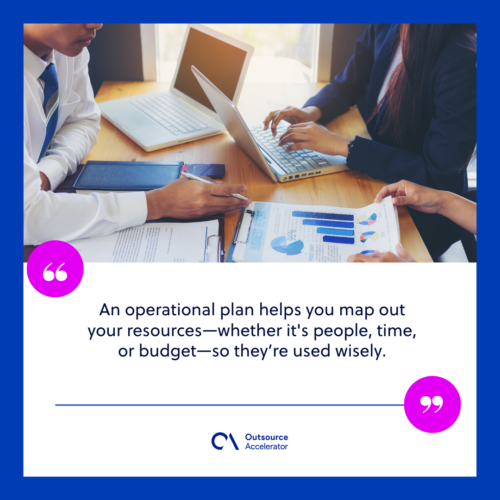
An operational plan helps you map your resources, whether people, time, or budget. So they get used wisely.
You can spot gaps before they turn into issues. This matters most in growing teams. Because of this, people stay productive without burning out.
3. Enhanced team alignment
When priorities are unclear, teams pull in different directions. Operational planning keeps everyone on the same page. So daily tasks stay tied to bigger goals.
It also boosts cross-team collaboration. As a result, departments feel a stronger sense of shared purpose.
4. Agility and adaptability
Change is a constant in business. Markets shift, and customer needs evolve fast.
Still, if you have laid out your goals and tasks, it is easier to pivot. A good operational plan works like a flexible frame. It also supports business continuity when disruptions hit.
5. Clearer accountability
When every task has a named owner, nothing falls through the cracks. So people take ownership of their work.
This also makes reviews simpler. As a result, you can reward wins and fix gaps with less guesswork.
How monday.com simplifies operational planning
A great plan sets the foundation. But the right tools bring that plan to life.
From setting timelines to tracking progress, technology makes daily execution easier. So teams stay aligned, even when work moves fast across many departments.
One such tool is monday.com, a flexible Work OS. It helps teams build custom workflows, track key work, and collaborate in real time. Its visual layout makes plans easy to build and adjust. Meanwhile, automations handle repeat tasks like reminders and status updates.
With timelines, owners, and resources in one place, teams stay focused on results. So they spend less time chasing information.
Whether you run one project or many, a platform like monday.com takes the stress out of operational planning. As a result, your team can execute with clarity and confidence.
Frequently asked questions
What is the main goal of operational planning?
The goal is to turn strategy into daily action. So each team knows what to do, who owns it, and by when.
How is operational planning different from strategic planning?
Strategic planning sets long-term goals over three to five years. In contrast, operational planning handles the daily work of one year or less.
How often should an operational plan be reviewed?
Review it on a regular basis, such as weekly or monthly. As a result, you catch issues early and adjust fast.
Who should own the operational plan?
Team leads or department managers usually own it. Still, each task inside the plan needs its own clear owner.
What tools help with operational planning?
Work platforms, Gantt charts, and KPI dashboards all help. For example, a Work OS keeps timelines, owners, and resources in one place.
Key takeaways
- Operational planning turns strategy into clear daily actions.
- It covers a short window, usually one year or less.
- Follow six steps: goals, activities, roles, deadlines, resources, and tracking.
- Good plans boost efficiency, alignment, agility, and accountability.
- The right tools make plans easy to build, adjust, and track.






 Independent





