
Top 5 effective automation tools to increase workplace productivity


What are the best automation tools to boost workplace productivity?
The best automation tools for workplace productivity are Hive, HubSpot, ActiveCampaign, Keap, and Mailchimp, each built to cut manual work and speed up daily tasks.
- Automation frees staff from repeat tasks so they can focus on core work.
- It reduces human error and keeps workflows moving.
- The right tool depends on your budget, your team size, and your goals.
Top 5 effective automation tools
Business environments keep changing to fit a fast-paced global market. As technology improves, more companies fold digital upgrades into their work. In recent years, that shift sped up across almost every sector.
When face-to-face work became harder, many firms turned to IT solutions to stay afloat. Today, most of them keep those upgrades in place. The reason is simple. Digital automation[1] has raised their productivity.
How does automation increase productivity?
Automation lifts workplace productivity in many ways. For example, it smooths workflow and cuts the amount of manual work people need to do.
In their Lean Advantage report, Hubstaff found that employees who used AI and automation cut their unproductive time by 30 minutes per day. As a result, this equaled $12,500 in reclaimed productivity.
Below are just a few ways automation improves productivity. To go deeper, you can also review the wider benefits of automation for a business.
1. It reduces time spent doing menial tasks
Some tasks repeat every day. For instance, staff often answer the same FAQs and run email marketing[2] campaigns by hand. When you hand these to automation, you save real time and effort.
Freeing staff from minor tasks pays off. As a result, they can focus on the core parts of their job.

2. Automation increases job satisfaction, improving worker productivity
Automation can lift how staff feel about their work. When AI takes over the boring, tedious, or risky parts of a job, morale often goes up.
Happier staff tend to work better. As a result, workplace productivity climbs too. For more ideas, see these proven ways to boost workplace productivity.
3. It reduces the risk of human error
Human error is a leading cause of workplace slowdowns that cause loss of productivity.
These slips happen for many reasons. For example, they stem from tired staff, thin technical skills, or a simple lapse in judgment. They are almost always by accident. Still, they cause delays in the workflow.
You can limit this by automating steps and handing routine work to machines and AI. Because AI does not tire, it works steadily for hours. As a result, the risk of error drops while output rises.
4. It facilitates smoother logistics processes
Modern software can streamline a business’s workflow and logistics. Because of this, teams move goods and data with less friction.
Automation in logistics has led to an increase in productivity. For instance, firms hand tasks like inventory tracking and customer data to AI. As a result, they gain speed and accuracy. Many teams pair this with wider workflow automation benefits across departments.

Which businesses benefit from automation tools that increase productivity?
Almost any company can gain from automation. Still, some stand to gain more than others.
Firms in the financial sector are a good example. They lean heavily on data processing and analysis. So they can automate a large share of their work.
As noted earlier, this gives staff more time for tasks that cannot be automated. Another big winner is the business process outsourcing (BPO) sector.
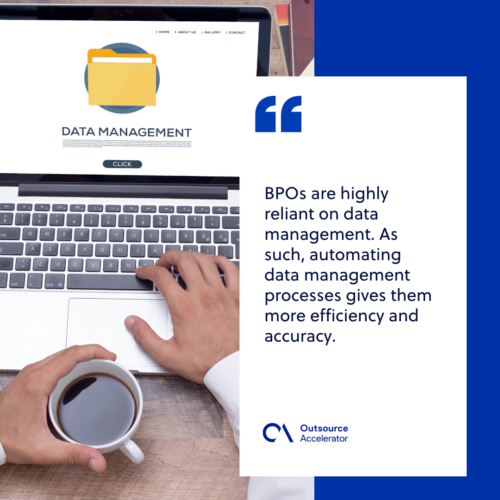
Automation does more than free BPO staff from dull back-office work. In addition, it boosts accuracy and speed. Because BPOs rely so much on data, automating data tasks helps them a lot. For more on this, see how to raise BPO productivity.
5 best automation tools to boost productivity in the workplace
There are many options when you pick an automation tool. So read on to see our top choices for your business.
1. Hive
Do you want a tool you can shape to your needs? Then Hive is a strong fit. It also lets you link up other software with ease.
Hive is a project management tool that automates across thousands of apps. For example, it connects with Zoom, Gmail, and Dropbox. As a result, you keep working no matter what tool your coworkers use.
It also has a feature called Hive Automate. Here, you build recipes that trigger off set actions. You can also run them with IF or IF/ELSE rules, repeat steps, or other recipes.
2. HubSpot
HubSpot is among the most powerful customer relationship management (CRM) platforms. With it, you can automate many customer-facing tasks, such as email marketing.
It is not just for email, though. For example, you can automate data updates and team lead rotation. Like Hive Automate, it also builds workflows that trigger on set conditions. So your team gets a nudge the moment a client acts.
3. ActiveCampaign
For small firms on a tight budget, ActiveCampaign may be the right fit. It costs less than many rivals. Even so, it gives you features close to HubSpot and other pricier tools.
ActiveCampaign also links with other platforms. For example, it works with WordPress and Shopify.
4. Keap
Keap is an all-in-one marketing, sales, and CRM tool. It was once called Infusionsoft. It suits a small business with fewer than 25 staff that wants to automate sales and lead generation.
Keap gives you all you need to automate a sales process. For example, it covers lead capture, contact management, and email marketing. It also links with Zapier, Salesforce, and Google Apps.
5. Mailchimp
Mailchimp is a leading pick for complex emails and newsletters. Its platform is simple and easy to use. As a result, it earns a spot among the top automation tools.
Mailchimp does more than email, too. For example, it helps build lead-capture pages and run A/B tests. It also offers email segmentation, so you can sort subscribers by category. If email is your main need, you can also weigh whether to outsource email marketing instead.
How to identify automation tools that increase workplace productivity
Choosing the right automation software can feel hard. There are so many tools, each with its own features and trade-offs. So it is easy to feel swamped.
Still, there is a simple way to shrink the list. Before you settle on any tool, ask yourself these questions:
- Is the software easy to use?
- Will it scale as your brand grows?
- Can it work across many teams or industries?
- Does it fit your budget?
Remember, you will likely rely on this tool for a long time. So pick one that answers at least three, if not all, of the questions above. That way, your automation is far more likely to raise productivity.
Frequently asked questions
How does automation improve productivity?
Automation takes over repeat tasks and cuts human error. As a result, staff spend less time on busywork and more time on core goals.
Which automation tool is best for a small business?
ActiveCampaign and Keap suit small firms well. Both offer strong features at a lower cost than many larger platforms.
Do I need coding skills to use automation tools?
No. Tools like Hive, HubSpot, and Mailchimp use simple visual builders. So most teams can set up workflows without code.
Can automation replace my staff?
No. Automation handles routine tasks, not judgment or creative work. It frees staff to focus on higher-value work instead.
How do I choose the right tool?
Match the tool to your budget, team size, and goals. Check that it is easy to use and can scale as you grow.
Key takeaways
- Automation raises productivity by cutting manual work and human error.
- Hive, HubSpot, ActiveCampaign, Keap, and Mailchimp are top tools to consider.
- Financial firms and BPOs gain the most because they run on data.
- Pick a tool that is easy to use, scalable, and within budget.






 Independent





