
A beginner’s guide to iOS app development


iOS app development can feel hard at first, but a clear plan makes it manageable. New apps launch in the app store every day, so good preparation helps yours stand out.
What is iOS app development in simple terms?
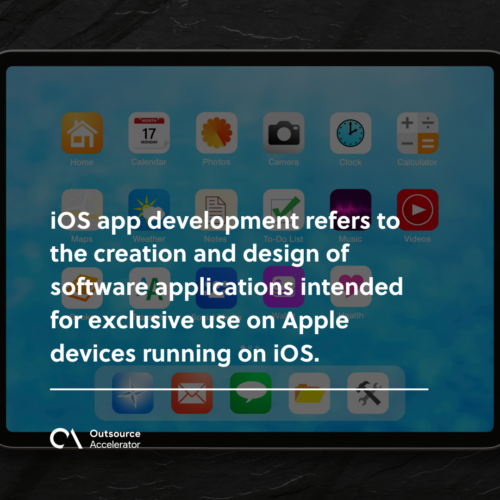
iOS app development is the process of designing and building software apps for Apple devices that run on iOS, such as the iPhone and iPad.
- It needs a Mac and the Apple developer program.
- It follows strict App Store review rules.
- It can be as rewarding as building for Android.
Technology keeps moving fast, so many apps pop up in every app store each day. People use them for messaging, education, gaming, entertainment, and more. iOS app development is a careful process. It is also competitive, since you face many platforms. So unless you are an expert, you should set up a plan first.
What is iOS app development?
iOS app development means building software apps made only for Apple devices running on iOS. Developers sometimes hesitate before creating an application for iOS. If you are new to the field, it helps to learn the basics of mobile app development first.
First, the Apple developer program needs a Mac running the latest macOS. This gear usually costs more than a Windows setup. Second, the App Store has strict review rules before an app gets approved. Still, iOS app development stays as easy and lucrative as building for Android. In fact, it carries a certain prestige. All it takes is the right skills and resources.
Why should you choose iOS vs Android?
Before you plan an app for Apple users, let us talk about why iOS app development often wins over its competitor, Android. Here are the main reasons to choose iOS. It also helps to compare notes on Android app development before you decide.
- iOS devices run faster than most Android devices
- iOS apps run smoother with fewer glitches
- With Apple’s updates, devices work in similar ways, so users navigate with ease
- All iOS apps can now run on macOS
- Apps are easy to share among iOS devices
- iOS has an integrated development environment
- All Apple devices have advanced app features
iOS app development: Things to do before writing an app
You may want to dive in and start coding right away. However, it is smart to set up first. Here are the things to do before you start your iOS app development.
Create a detailed plan
First, create a detailed plan and define your end goal. Decide every part of the process, from whether you want an app for iPhone or iPad to the purpose of your app. In addition, there is a strong preference for high-performing apps, so build yours to match.
Do market research
Any business process should start with market research. So check whether your app will meet the needs of your target market. In turn, research shows you which needs to focus on. It also helps to see if your app has real competition, so you can make it unique. For bigger projects, you can outsource app development to speed things up.
Create coding style guidelines
A coding style is the set of rules a developer follows in a given language. For example, you can set rules for indentation, variables, and other details. There are no fixed rules, so teams write guidelines to keep code consistent. As a result, the code is easier to read and follow. Clear guidelines also help when you work with skilled mobile app developers.
Decide on your dependency management
Managing your app’s dependencies is key, yet tricky. This is where dependency managers help. Here are three tools you can use.
CocoaPods
CocoaPods is a dependency manager for code in Swift and Objective-C. Its large third-party library helps you scale projects. In fact, it is a top way to manage dependencies common to RubyGems.
Github Submodules
This option organizes your dependencies into submodules. So it is useful for developers who use Git as a version control system.
Carthage
Carthage is built to be the simplest way to add frameworks to your Cocoa app. For example, it uses xcodebuild to create framework binaries. As a result, it is more flexible and less intrusive than CocoaPods.
Plan continuous integration and continuous delivery
Your app’s continuous integration (CI) and continuous delivery (CD) are key to a smooth release. These steps automate tests and releases. In turn, they reduce bugs and ease the load on the QA team. So you can use CI/CD tools built for mobile, such as Appcircle, Bitrise, and Nevercode.
Set up pricing and promotion strategy
As you plan your app, think about how you will promote and sell it. For the price, you can factor in the build time, expenses, and features. It also helps to watch current mobile app development trends. In the end, your pricing and promotion plan will shape whether your application succeeds.
Frequently asked questions about iOS app development
Do I need a Mac for iOS app development?
Yes, you do. Apple’s tools, like Xcode, run only on macOS. So you need a Mac to build, test, and submit iOS apps.
Which language is used for iOS app development?
Swift is the main language today. Older apps also use Objective-C. However, most new projects start with Swift for its speed and clean syntax.
How long does it take to build an iOS app?
Simple apps can take a few months. More complex apps take longer. So timing depends on features, testing, and team size.
Is it cheaper to outsource iOS app development?
Often, yes. Outsourcing can cut costs and give you skilled talent fast. As a result, many startups hire offshore teams for their first build.
iOS or Android first: which should I build?
It depends on your audience. Still, many brands start with iOS for its loyal, high-spend users. Next, they expand to Android once the app proves itself.






 Independent






