
Top 10 employee record management software


What is the best employee record management software?
The best employee record management software keeps all staff data in one secure, cloud-based platform that HR, payroll, and finance can share.
- It stores contracts, tax forms, reviews, and training records in one place.
- As a result, it cuts manual work and lowers compliance risk.
- Top picks in 2026 include BambooHR, Gusto, Rippling, and Paycor.
List of employee record management software
HR teams today handle more data than ever. Compliance rules, remote work, and higher staff expectations all add pressure. So keeping clean personnel records stays a top priority.
According to Forbes, 70% of HR specialists use three to six apps to finish one job. Why do that? After all, one tool can do it: employee record management software.
These tools bring everything into one secure platform. For example, they hold contracts, reviews, payroll files, and training records. In this article, we explain what the software does and why it matters. We also show the platforms that stand out. So if clunky spreadsheets frustrate you, read on.
What is employee record management software?
Employee record management software is a digital system that stores, sorts, and manages staff data in one place.
It covers a wide range of HR data, including:
- Personal details (name, address, contact info)
- Employment contracts and job history
- Tax forms and payroll data
- Training records and certifications
- Performance reviews
- Time-off balances and attendance
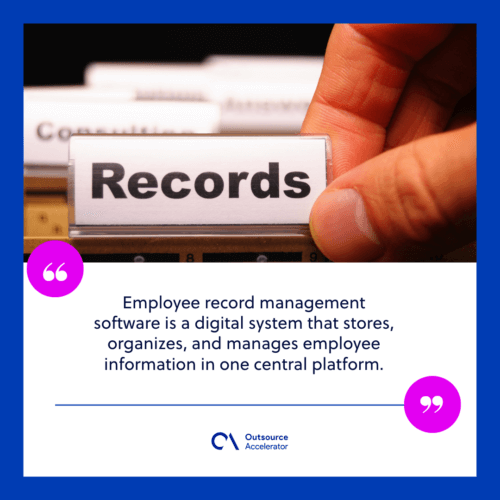
Spreadsheets, emails, and messy folders slow teams down. So firms use this software instead. As a result, their workforce data stays consistent, compliant, and easy to reach.
Most tools are cloud-based and secure. They also grow with your team. In addition, they help HR speed up onboarding, improve teamwork, and cut paperwork. Some firms pair the software with human resource outsourcing to save even more time.
5 Benefits of using employee record management tools
Employee record management software does more than tidy HR’s desk. So here is what it can do for your team.
1. Time savings
Manual HR tasks waste hours. For example, updating records or filing paperwork eats up the day. Digital tools automate this work. As a result, HR can focus on higher-value tasks.
2. Fewer errors
Data entry mistakes can cost you in payroll errors or compliance issues. However, this software cuts that risk. It standardizes input fields and flags anything that looks off.
3. Remote accessibility
Cloud tools let HR and staff open documents from anywhere. So they suit hybrid and remote teams well.
4. Better collaboration
Does payroll need to check work hours? Does finance need salary data? Record systems let teams work from one source of truth. Meanwhile, permissions keep sensitive data safe.
5. Real-time reporting
Most modern tools include dashboards and analytics. So with a few clicks, you can track workforce metrics. These include turnover rates, staff tenure, and upcoming contract renewals.
Features to look for in employee file management software
Not every platform is built the same. So here are the features that truly matter in employee record management software.
- Secure document storage. Look for encryption, multi-factor login, and detailed user permissions. Also make sure the tool meets relevant privacy regulations for your location and industry.
- Automated workflows. The system should alert you when contracts expire, certifications lapse, or documents go missing.
- Customizable fields. Every business tracks different data. So make sure the tool lets you shape employee profiles to fit your needs.
- Employee self-service portals. Staff should be able to log in, update details, and download tax forms without HR’s help.
- Integration with HR and payroll systems. The software should link to your payroll, benefits, and time-tracking tools. As a result, data stays accurate and you skip double entry.
- Mobile access. Your HR team should not be stuck at a desk. So a mobile-friendly design helps them approve changes on the go.
- Scalable pricing. Pick a plan that flexes by user or feature. Then it can grow with your company.
10 best employee record management software
Here are ten top-rated platforms. Each one offers features to suit a different business size and need.
1. BambooHR
Best for: Small to midsize businesses
BambooHR pairs a friendly interface with strong HR features. For example, it covers staff data, onboarding, and performance tracking. Its cloud setup keeps records secure and easy to manage. It also adds e-signatures and document storage. So records stay accurate and current.
2. Gusto
Best for: Startups and small businesses
Gusto blends payroll, HR, and benefits in one clean platform. It files new-hire documents, stores tax forms, and sends compliance alerts. So small teams onboard staff with ease. In addition, built-in payroll keeps fragmented systems from piling up.
3. Zoho People
Best for: Custom workflow needs
Zoho People offers flexible profiles, workflows, and forms. So it fits firms with complex or niche needs. It also handles time tracking, performance, and document storage in one place. Meanwhile, links to other Zoho tools add extra flexibility.
4. Breathe
Best for: Small businesses in the US and UK
Breathe keeps HR simple for small teams. It manages records, absences, and performance. Its secure storage keeps files tidy and compliant. Users also praise its clear, easy layout. So it suits teams that want to go digital without fuss.
5. SAP SuccessFactors
Best for: Global enterprises
SAP SuccessFactors is a full HCM suite for large firms. It brings strong reporting, global compliance, and workforce analytics. It also offers deep document management and role-based access. So it handles everything from hiring to reviews. Its depth means a steeper learning curve. Still, it delivers strong returns.
6. Namely
Best for: Mid-sized U.S. businesses
Namely offers a modern interface with modules for records, payroll, benefits, and reviews. Users praise its compliance tools and role-based permissions. So sensitive data stays with the right people. It also supports self-service. As a result, admin work drops. This tool suits firms moving from manual HR to a digital-first setup. For deeper reviews, it pairs well with performance management systems.
7. Deputy
Best for: Shift-based and hourly workforces
Deputy is known for its scheduling tools. Yet it also handles staff records well. It links work schedules with employee profiles. So it helps you meet labor laws. Its mobile app gives staff quick access to details and time-off balances. As a result, it fits retail, hospitality, and healthcare.
8. Rippling
Best for: Fast-growing startups
Rippling automates records, devices, and app access in one platform. It stands out for its IT and HR link. For example, it can set up documents, software, and payroll in under 90 seconds. It also tracks compliance and links to over 500 apps. So it suits fast-scaling tech firms.
9. Eddy
Best for: Small local businesses
Eddy is built for small firms that want simple tools. It needs no technical skill. It offers document storage, onboarding checklists, and profile management. So everything stays tidy and easy to reach. It also adds time tracking and PTO management.
10. Paycor
Best for: Compliance-heavy industries
Paycor offers HR, payroll, and records with a strong compliance focus. It adds robust reporting, e-signing, and alerts for missing files. So it suits healthcare, finance, and education. Its scale also fits both mid-sized firms and larger ones. Teams that also need a searchable staff directory often add employee database software.
Importance of managing employee records
Managing records is about more than paperwork. In fact, it is key to a compliant, secure, and efficient workplace.
Organized records support the law and protect sensitive data. They also prepare you for audits. In addition, they give HR clear insights for better decisions.
Legal compliance
Federal and state laws set record-keeping rules. So U.S. firms must keep some records for set periods. Under the Fair Labor Standards Act (FLSA), you must keep wage records for at least three years. Otherwise, you risk fines, lawsuits, or penalties.
Security and privacy
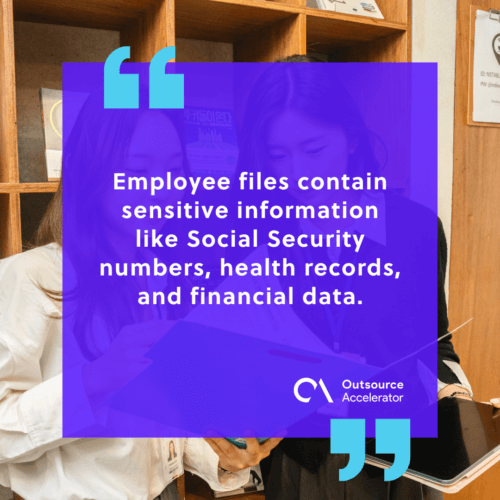
Employee files hold sensitive data. For example, they include Social Security numbers, health records, and bank details. A secure digital tool guards this data from breaches. As a result, you lower risk and build staff trust.
Audit preparedness
You never know when an audit will hit. It may come from the IRS or a labor board. However, quick access to clean records saves time, money, and stress.
HR decision-making
You cannot plan your workforce without clear data. So a strong record system helps HR leaders track hiring trends, results, and training needs in real time.
Discover digital employee record management solutions
Are you still working from folders, spreadsheets, or legacy systems? Then you waste time and add risk. Digital employee record management software offers a faster, safer, and smarter way to handle staff data.
Here is what to do next:
- Assess your current process. What works, and where are the gaps?
- Make a feature list. What are your must-haves, such as security, integrations, or mobile access?
- Compare vendors. Use free trials and request demos. Payroll-first teams can also weigh payroll software options.
- Involve your team. HR, IT, and finance should all weigh in.
- Plan for training. Roll it out well so everyone knows how to use the new system.
The result? A leaner, faster HR team and a better staff experience from day one.
Frequently asked questions
What does employee record management software do?
It stores and manages staff data in one secure platform. This includes contracts, tax forms, reviews, and training records. So HR can find and update files with ease.
Is employee record management software secure?
Good tools use encryption, multi-factor login, and user permissions. So only the right people can open sensitive files. This helps you meet privacy laws too.
How is it different from HR software?
HR software often covers a broad set of tasks. Record management focuses on storing and managing staff files. However, many platforms now blend both in one system.
Can small businesses use these tools?
Yes. Options like Gusto, Breathe, and Eddy are built for small teams. They keep pricing and setup simple. So you can start without a large HR department.
How long should I keep employee records?
It depends on the record and the law. Under the FLSA, you must keep wage records for at least three years. Always check the rules for your location and industry.
Key takeaways
- Employee record management software keeps all staff data in one secure place.
- It saves time, cuts errors, and lowers compliance risk.
- Look for secure storage, automation, integrations, and mobile access.
- Top picks include BambooHR, Gusto, Rippling, SAP SuccessFactors, and Paycor.
- Clean records also support audits and smarter HR decisions.






 Independent





