
The ultimate remote employee safety checklist

What is a remote employee safety checklist?
A remote employee safety checklist is a simple list of steps that keeps off-site workers safe, healthy, and secure across their workspace, devices, and well-being.
In short, it covers every risk a home-based worker can face. Here is what a good checklist does:
- It guides a safe, ergonomic, and hazard-free workspace.
- It locks down data, devices, and networks.
- It protects mental health and work-life balance.
Remote work is now a norm in our connected world. Thanks to better tech, many people can work from home. For example, a Buffer report found that more people prefer remote work, with 71% saying they want a fully remote arrangement. However, home-based work has its own risks, such as burnout and strain from poor ergonomics. So the safety and well-being of remote employees must never be compromised. Keep reading to learn what goes into a remote employee safety checklist and why you need one.
What is remote employee safety?
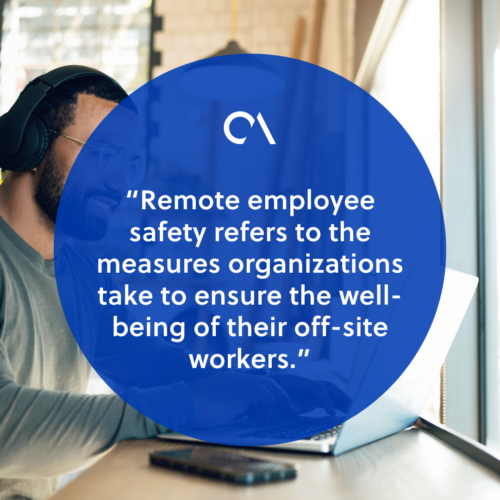
Remote employee safety is the set of steps a company takes to protect off-site workers. First, it means spotting risks. Then it means setting clear rules to reduce them. So it covers physical and mental health, plus a safe and secure working environment.
Importance of remote employee safety
Workers who feel safe can focus and do their best. In addition, a safe setup cuts the chance of accidents and injuries. As a result, it lowers legal risk for the company. Moreover, safety lifts retention, because people stay loyal to firms that care. Strong safety habits also help solve common employee retention problems.
Benefits of implementing a remote employee safety checklist
Companies like GitHub show how a safety checklist can do wonders. For example, they taught staff about data safety and disaster readiness. Since then, their teams have gained peace of mind. As a result, they deliver great service without worry.
A remote employee safety checklist brings real gains to staff and employers. For example, it delivers:
- Enhanced productivity. When staff feel secure, they focus better.
- Reduced absenteeism. Safety incidents are closely tied to absence rates. So steps that prevent injury cut absence and help your improving your overall retention rate.
- Improved mental well-being. Remote work can blur work and home life. So a checklist offers guides for mental health.
- Compliance with regulations. Firms must meet safety rules, even for remote staff. So a checklist supports legal compliance and helps prevent lawsuits.
Beyond these gains, a checklist also builds trust. The benefits of remote work grow when people feel protected.
Things to include in a remote employee safety checklist
A thorough remote employee safety checklist covers several key areas. For example, it includes the points below.
1. Setting up a safe remote workspace
Ergonomic considerations
✔ Appropriate desk and chair setup. The right tools matter a lot. So invest in ergonomic furniture, because it supports good posture and prevents strain.
✔ Proper lighting and ventilation. Natural light and fresh air keep people healthy. So set up the workspace in a bright, well-aired spot.
Electrical safety
✔ Check power outlets and cords. Inspect outlets and cords often for wear.
✔ Prevent electrical hazards. Also, use surge protectors and unplug idle devices to stay safe.
Fire safety
✔ Smoke detectors and fire extinguishers. Remind staff to install smoke alarms and keep an extinguisher close. In addition, run virtual fire drills so everyone knows the plan.
✔ Create a fire escape plan. Set clear steps for leaving the home in a fire.
2. Creating a secure digital environment
Network security
✔ Use secure Wi-Fi connections. Stress the need for safe Wi-Fi. So ask staff to use strong passwords and secure their routers.
✔ Set up firewalls and antivirus software. Staff should install trusted antivirus tools and turn on firewalls. As a result, they block common cyber threats. Clear cybersecurity best practices make this routine.
Data protection
✔ Secure file storage and backup. Use encrypted cloud storage to guard sensitive data. Also, back up key files to prevent data loss.
✔ Encrypt sensitive data. Encryption turns data into unreadable text that only approved users can open. So teach staff to encrypt private files for an extra layer of safety.
Password security
✔ Implement strong password policies. Use complex passwords and update them often.
✔ Two-factor authentication. Also, use two-factor authentication. So you add security beyond a password alone.
3. Ensuring physical safety
First aid kit and emergency contacts
✔ Basic first aid supplies. Staff should keep basic first aid items close. So guide them on building a personal kit.
✔ Emergency contact numbers. In addition, compile a list of contacts, including local services and company staff.
Trip and fall hazards
✔ Clear clutter and maintain a tidy workspace. A tidy desk cuts the risk of falls. So remind staff to organize cables and keep the area clear.
✔ Proper cable management. Also, use cable organizers to stop trips. This simple step prevents injury and keeps the space neat.
4. Psychological well-being
Work-life balance
✔ Ensure boundaries between work and personal life. Avoiding burnout is key for the long run. So stress clear limits between work hours and personal time.
✔ Manage stress and burnout. Offer tools for stress and mental health. In addition, regular check-ins help managers spot burnout early. For more, see how to improve mental health in the workplace.
Communication and support
✔ Regular check-ins with colleagues and managers. Regular contact builds belonging. So encourage team meetings and one-on-one chats.
✔ Access to employee assistance programs (EAPs). Also, offer EAPs that give mental health support and counseling.

5. Training and education
Provide remote work safety training
✔ Identifying potential risks and hazards. Train staff to spot risks in their remote setup.
✔ Educating employees on best safety practices. Also, run regular sessions on digital and physical safety. Managers who manage a remote team should make this a habit.
Resources and references
✔ Recommended safety websites and guides. Share trusted resources, such as government guidelines and industry tips.
✔ Additional reading materials. Finally, suggest articles and books to build a culture of learning.
Tick all the boxes with Remote Employee
The ultimate remote employee safety checklist goes beyond mere compliance: it reflects a commitment to the well-being of your team.
By addressing physical and digital safety concerns, businesses can create an environment where employees feel secure, supported, and empowered to do their best work.
One way to ensure you tick all the boxes on your remote employee safety checklist is by partnering with a trusted BPO provider like Remote Employee.
Remote Employee is ranked 3rd among the top 40 BPO companies in the Philippines to work with. Working with Remote Employee can promote safety for your remote workers by:
- Implementing robust cybersecurity measures
- Ensuring secure data handling
- Protecting sensitive information
A trusted outsourcing provider like us can give you access to comprehensive training programs on cybersecurity best practices for your remote staff, creating a secure virtual work environment.
Visit our website to learn more about how Remote Employee can help you and your workers!
Frequently asked questions
What should a remote employee safety checklist include?
It should cover the workspace, digital security, physical safety, and well-being. So it spans ergonomics, Wi-Fi security, first aid, and mental health. Training ties it all together.
Why is remote employee safety important?
Safe workers focus better and stay longer. In addition, a safe setup cuts accidents and legal risk. So safety protects both your people and your business.
How can remote workers keep company data secure?
They should use secure Wi-Fi, strong passwords, and two-factor authentication. Also, they should encrypt files and back them up. Trusted antivirus and firewalls add more protection.
How do you prevent burnout for remote employees?
Set clear limits between work and home life. Then hold regular check-ins to spot stress early. Access to employee assistance programs helps too.
Who is responsible for remote employee safety?
Both the company and the worker share the duty. Employers set rules, tools, and training. Meanwhile, staff follow the steps and keep their own space safe.






 Independent






