
Advantages and disadvantages of using a softphone

What is a softphone, and what are its pros and cons?
A softphone is calling software that turns a computer, tablet, or smartphone into a full phone over the internet, and its main trade-off is mobility and low cost versus a constant need for power and a stable connection.
- A softphone uses VoIP to make and take calls from any device, anywhere.
- The upside is mobility, lower cost, easy scaling, and software features hardphones lack.
- The downside is reliance on the internet and battery power to keep working.
Businesses once relied on landlines and desk phones. However, the rise of the internet made it easy to call from a computer or smartphone. That tool is a softphone. So keep reading to learn how a softphone works, plus its clear advantages and disadvantages.
What is a softphone?
A softphone is telephony software you install on a computer, laptop, or tablet to make calls over the internet.
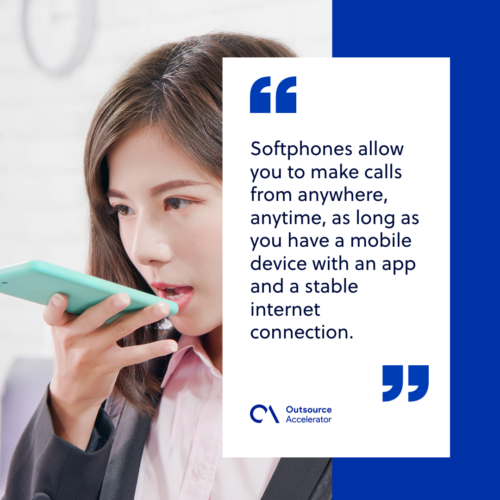
In short, a softphone lets you call from anywhere, anytime. You just need a device with the app and a stable internet connection.
Traditional phones stay in one place and use landline wiring. A softphone is different. It turns your device into a working phone you can take on the go.
To make it work, you will need a stable internet connection. It uses Voice over Internet Processing (VoIP) technology to send and receive audio through your device’s microphone or speakers.
Softphone vs. Hardphone
Softphones and hardphones are alike in one way. Both let you call other people.
However, the key difference is the format. A softphone runs as an app or software. A hardphone is a physical desk unit.
As a result, softphones are far more mobile than hardphones. In addition, they connect with other software and apps, while hardphones stay limited to the hardware itself. For teams that also run strong business communication across channels, that flexibility matters a lot.
How does a softphone work?
In fact, a softphone works much like a regular phone. First, you dial a number in the app on your device. Then you wait for the other person to pick up.
The main difference is the keypad. You dial on a virtual one instead of physical buttons. Once the app is set up, you just need a headset, a microphone, and a speaker to make calls.
Like a regular phone, your softphone provider gives you a real phone number. You can also get one with a local area code if you need it.
Physical phones use a PBX box on site. Softphones are different. They use a cloud-based system that runs on your internet connection. In many ways, this setup builds on the same shift toward cloud computing that now powers most business tools.
Advantages of a softphone
A softphone comes with several clear advantages that hardphone users do not get.
Increased mobility
For example, you can install softphone apps on your phone or tablet and take calls from anywhere. A physical phone, by contrast, can only stay in one place.
As a result, this added mobility lets you take important calls even when you are away from the office or your desk.
Cost-efficient
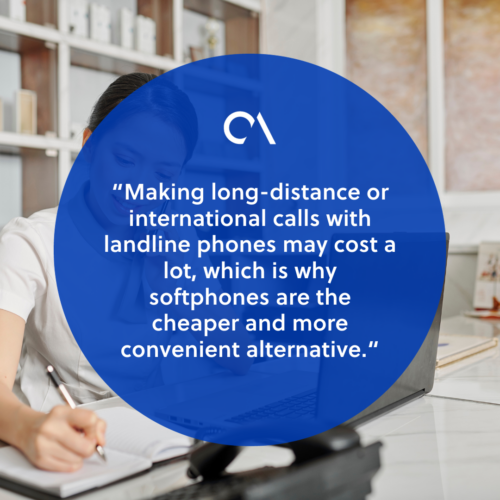
Long-distance and international calls on landlines can cost a lot. So a softphone is the cheaper and more convenient choice.
As long as you have internet, you can make and take calls from anywhere at little cost.
Integration with other software
Softphones run on software. Because of this, they add features hardphones cannot offer. For example, you get call recording, video calls, and instant messaging in one place. Many providers also layer in AI in customer service to route and summarize calls.
Scalability
Softphones scale up or down with ease, unlike traditional phones. So a business can add or remove users, features, and lines as needs change. This makes them a strong fit for teams that offer outsourced customer service at a growing scale.
Disadvantages of a softphone
Softphones bring many advantages. Still, there are a few downsides to weigh.
Constant need for an internet connection
A softphone needs internet to work. However, the internet is not always available.
For example, a power outage or a spot with weak signal can stop a softphone user from making calls.
Power dependency
Softphone software also drains your device battery. As a result, you may need to charge it often, which can be a hassle.
Without a charger or an outlet nearby, your device can die. Meanwhile, that could happen right in the middle of an important call.
How to choose the right softphone provider
There are many softphone providers, and each has its own features. So here are some things to weigh when you choose the right one.
Sufficient phone lines
You want a provider that can handle a high call volume and still keep clear audio. This matters most for teams running call center services at scale.
Also think about how many lines you will need. Plan for growth so you can scale up or down later.
High-security standards
First, keeping calls with your contacts private is very important. So it is best to pick a provider with strong security to protect that data.
This matters even more in fields like healthcare or insurance. Those often need a HIPAA-compliant provider.
Good customer support
Lines can go down, or a feature can break. So you will need reliable support to help you fix those issues fast.
Some providers only serve US customers. Others hide support behind their top tier. So research each option to see which offers the best help.
Pricing
Softphones cost less than hardphones. Still, some providers charge extra for added features.
So weigh your needs first. Then pick a plan that gives you the best experience for the price.
International coverage
In addition, this matters for anyone with clients or partners abroad. You need to reach them from anywhere, anytime.
So check if your provider offers wide international coverage and good audio quality.
Installing a softphone
Finally, installing a softphone takes only a few minutes. Before you know it, you have a working phone you can take anywhere.
As a result, you are no longer stuck taking calls in one spot. Plus, the extra features make communication far easier.
Softphone FAQ
Is a softphone the same as VoIP?
No, but they work together. VoIP is the technology that carries the call over the internet. A softphone is the app you use to place that VoIP call on your device.
Do I need special hardware to use a softphone?
No special phone is needed. You just need a computer, tablet, or smartphone. A headset with a microphone and speaker also helps keep audio clear.
Can a softphone use a normal phone number?
Yes. Your provider can give you a real phone number, often with a local area code. So callers see a normal number when you ring them.
What happens to a softphone during an internet outage?
The softphone stops working without internet. As a backup, some providers can forward calls to a mobile number during an outage.
Is a softphone secure enough for sensitive calls?
It can be, with the right provider. Look for strong encryption and clear security standards. For healthcare or insurance work, choose a HIPAA-compliant option.
Key takeaways
- A softphone turns any device into a phone using VoIP over the internet.
- Its main advantages are mobility, lower cost, easy scaling, and software features.
- Its main drawbacks are reliance on internet and battery power.
- When choosing a provider, weigh line capacity, security, support, price, and global coverage.
- Setup is quick, so most teams can be up and running in minutes.






 Independent





