
Pros and cons of a digital document

What are the pros and cons of a digital document?
A digital document is efficient, eco-friendly, and easy to share and store. However, it also raises concerns around security, compatibility, and dependence on technology.
- Pros include accessibility, easier collaboration, and lower storage and printing costs.
- Cons include security risks, compatibility issues, and possible data loss.
- Choosing the right formats and backups helps you capture the benefits safely.
Over the years, the way we create, share, and store documents has changed dramatically. Gone are the days of overflowing file cabinets and piles of paperwork.
With the rise of digitalization, the digital document is now a key part of modern business. Digital documents are more efficient and eco-friendly than traditional paper-based documents. In addition, they are easier to store, share, and organize.
In this article, we explore digital documents. We also look at how they have changed the way we work and collaborate.
What is a digital document?
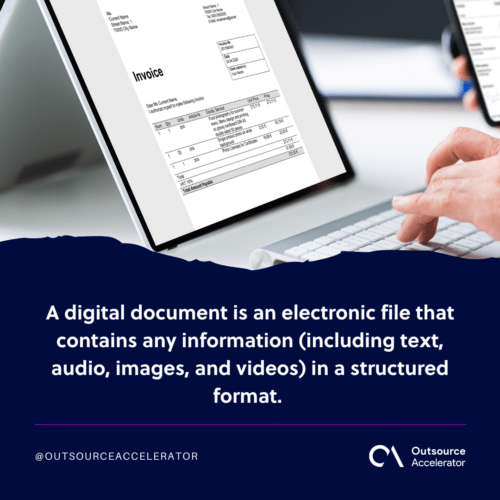
A digital document is an electronic file that holds information in a structured format. This can include text, audio, images, and videos. In practice, you can open it on devices like computers, smartphones, and tablets.
A digital document comes in many formats. In fact, each one suits a specific purpose. Common digital document formats include:
- Portable Document Format (PDF)
- Microsoft Word Document (DOCX)
- Microsoft Excel Spreadsheet (XLSX)
- Microsoft PowerPoint Presentation (PPTX)
Examples of digital documents
There are many examples of digital documents. For instance, they show the range of files used across personal, business, education, and communication settings.
- Resume: A digital document that shows a person’s education, work experience, skills, and accomplishments when applying for a job.
- Business report: A formal document presenting information and analysis on a specific business topic or project.
- E-book: A digital book in formats like PDF, EPUB, or Kindle, read on e-readers, tablets, or smartphones.
- Spreadsheet: A file created in software like Microsoft Excel or Google Sheets for organizing, analyzing, and manipulating data in tabular form.
- Invoice: A document sent by a seller to a buyer detailing the products or services, costs, and payment information.
- Presentation: Slides used to deliver information or ideas, often created in Microsoft PowerPoint or Google Slides.
- Newsletter: A document distributed periodically to subscribers with updates, news, or information on a topic.
- User manual: A guide that provides instructions on how to use a product, software, or system.
- Whitepaper: A document presenting detailed analysis, research findings, or technical information on a topic or technology.
- Contract: A legally binding document that outlines the terms and conditions of an agreement between parties.
- Webpage: A document displayed online, created using HTML, containing text, images, multimedia, and hyperlinks.
- Receipt: A record confirming the purchase of goods or services, typically given to customers after a transaction.
- Press release: A document organizations use to announce news, events, or product launches to the media and public.
- Survey form: A form used to gather feedback and opinions from respondents on various topics.
Difference between a digital document and an electronic document
People often use the terms “digital document” and “electronic document” to mean the same thing. Still, there are real differences between the two. The table below shows them.
| Digital document | Electronic document | |
| Nature and medium | A broad term referring to any file or information stored or accessed in a digital format | Specifically refers to text-based documents or files that are created, edited, and stored electronically |
| Content and representation | Contains various types of data and supports different media elements | Primarily focused on textual content and presents information in written form |
| Applications and usage | Used broadly, covering multimedia presentations, interactive e-books, spreadsheets, databases, and audiovisual content | Commonly used for business, academic, and administrative purposes |
| Versatility | Higher versatility due to the inclusion of various media formats | More focused on conveying textual information |
| Perception | Encompasses both electronic and multimedia-rich files | Evokes a more traditional, text-based file format |
Challenges of using a digital document
Digital documents offer many advantages. However, they also come with challenges. Some common drawbacks include the following.
Compatibility issues
You can only read a digital document with its compatible app or software. Different operating systems and devices store files in different ways. As a result, moving documents between devices can be hard.
Security concerns
Security is a big concern for digital documents. They are much easier to steal than physical ones. In addition, leaked sensitive information can badly damage a company’s reputation.
Data loss and corruption
If a file is not stored in the right format or place, it can become unusable. Even a current backup may not be enough to recover from data loss. In some cases, you need special software tools to restore the files.
Digital archiving and preservation
Technology changes fast. So you must keep your digital documents current, or you risk losing access to them. In addition, each shift to new technology brings new learning curves to cross.
File size and bandwidth limitations
A digital document is often much larger than its print version. As a result, it can be hard to store and share. Compressing files helps in part. Still, it can reduce quality or function. So you must make sure you have enough storage space and bandwidth.
Costs of tools and software
Companies may need to invest in new tools and software to create digital documents. These costs include:
- Hardware costs
- Software license costs
- Online storage costs
Dependency on technology
A digital document is only as good as the device used to open it. If the device or the internet goes down, you cannot open the file or do key tasks.
To ease these challenges, you can reach out to a firm like OP360. It provides outsourced data and document management services.
Benefits of a digital document solution
Digital documents offer many benefits. As a result, they are a top choice over traditional paper-based records. Here are some key advantages.
Enhanced accessibility
For example, a digital document lets users access files from any location, at any time, and on any device. As a result, people can work where they are most comfortable and productive.
Efficient document management
A digital document is easier to use and navigate. Because everything is stored in one place, you do not have to search through piles of paper. In addition, you can organize files within your own database.
Collaboration and sharing
Multiple people can work on a digital document at the same time with real-time feedback. In addition, teams often use built-in collaboration tools and version control systems.
Environmental benefits
Digitalization removes the need for paper and printing. As a result, it cuts waste and lowers energy use. It also reduces the space needed for storage.
Multimedia integration
In fact, a digital document holds more than text. You can add images, graphics, and other media. As a result, you create a more engaging experience for your audience.
Data analysis and insights
A digital document solution gives detailed reporting on all your documents. So you gain more insight through data analysis. This is especially useful if you want to improve customer service or product lines.
Backup and disaster recovery
In addition, a digital document can be easily backed up for quick retrieval in an emergency. Because everything is online, you do not need to worry if something happens to your physical computer.
Frequently asked questions about a digital document
What is the difference between a digital document and a paper document?
A digital document is an electronic file you open on a device, while a paper document is physical. Digital documents are easier to store, search, and share. However, they depend on technology to open.
What are the most common digital document formats?
The most common formats are PDF, DOCX, XLSX, and PPTX. PDF is popular because it preserves formatting across different devices and software.
Are digital documents secure?
They can be. Still, they face risks like theft and unauthorized access. For protection, encryption, access controls, and regular backups help keep a digital document secure.
Can a digital document replace physical records entirely?
In many cases, yes. However, some legal or regulatory situations still require original signed copies, so check the requirements for your industry.
How do businesses manage large volumes of digital documents?
Many use document management systems or outsource the work to specialists. Providers such as OP360 handle data and document management so teams can focus on core tasks.
Key takeaways
- A digital document is efficient, eco-friendly, and easy to store and share.
- Common formats include PDF, DOCX, XLSX, and PPTX.
- Main challenges are security, compatibility, and dependence on technology.
- Backups, encryption, and the right formats reduce the risk of data loss.
- Outsourcing document management can ease the workload for growing teams.






 Independent





