
Help desk vs. Desktop support: Differences explained


What is the difference between help desk and desktop support?
Help desk support is the first line of help for a wide range of user issues, while desktop support focuses on the hardware and software of individual computers.
- Help desk handles broad user questions, often from a remote location.
- Desktop support fixes device-level hardware and software, often on site.
- Your choice depends on the type of IT support your team needs most.
In Information Technology, every click and keystroke matters. So the choice between help desk and desktop support can be tricky. So this guide breaks down the difference to help you decide for your company. Both roles also sit close to help desk and technical support, so it helps to see how each one fits.
What is help desk support?
Help desk support is a vital part of a firm’s IT setup. It acts as the first line of help for users with technical issues.
In practice, people in this role answer user questions and fix technical glitches. As a result, they keep the user experience smooth and positive.
Responsibilities of a help desk support
Here are five key duties of a help desk support role.
User assistance
User assistance sits at the front of help desk work. Trained experts guide users who hit technical snags. Whether the issue is simple or complex, they make sure users feel supported. So concerns get handled fast.
Issue resolution
Good problem-solving is central to help desk support. Quick fixes cut downtime and keep the user experience smooth. So help desk pros use their skills to spot and fix problems fast.
Ticket management
A clear ticketing system keeps user requests organized. A help desk agent ranks tickets by priority. As a result, tasks stay on track and no concern slips through the cracks.
Communication
Clear, simple communication is a core help desk skill. Experts turn technical language into plain words. So they share solutions and steps that users can follow. This builds a positive, team-based support experience.
Knowledge base maintenance
A help desk also keeps a strong knowledge base. This central store helps both the team and users. Frequent updates let the team solve issues with the latest information.
Skills to look for in a help desk support
Several key skills make a support team effective. So weigh them when you review candidates for help desk roles. You can find many of these traits with a firm like SixEleven.
Here are the main qualifications to look for:
- Technical proficiency. This means a strong grasp of software apps, operating systems, and IT infrastructure.
- Customer service skills. Strong people skills, patience, and clear communication all matter here.
- Problem-solving abilities. A help desk agent needs analytical skills to find and fix issues fast.
- Team collaboration. This means the ability to work well with colleagues and IT teams.
- Organization and time management. This covers strong prioritization to juggle many tasks and requests.
Because demand runs high, many firms turn to outsourced help desk services to fill these roles.
What is desktop support?
Desktop support is a focused IT role. It keeps individual computers running well across a firm.
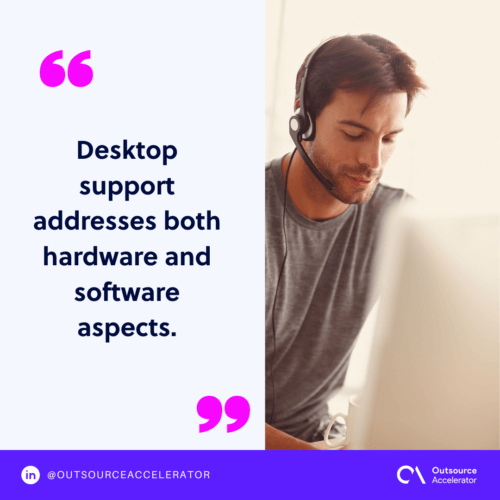
This role covers both hardware and software. So it aims to give each user a smooth, steady experience.
Responsibilities of a desktop support
Here are common duties of a desktop support role.
Hardware and software troubleshooting
Desktop support pros excel at finding and fixing hardware and software issues. For example, whether a device fails or an app glitches, troubleshooting is their strength.
Installation and configuration
Desktop support agents set up hardware and software the right way. So from new systems to apps, they make sure everything runs at its best.
User support
Like help desk support, desktop support helps users one on one. So each person can use their desktop with ease.
Preventive maintenance
Desktop support does not just fix issues after they hit. Experts also do proactive checks to spot problems early. As a result, they protect the reliability of desktop systems.
Hardware upgrades and repairs
When it is time for an upgrade or a fix, desktop support takes charge. So it manages upgrades to keep systems current. It also handles repairs when devices fail.
Skills to look for in a desktop support
When you hire for desktop support, look for both technical and people skills. Here are five key skills to weigh.
- Technical proficiency. A strong candidate knows hardware and software well and can troubleshoot fast.
- Customer service skills. Good people skills help deliver a positive user experience.
- Problem-solving abilities. Desktop support experts use analytical skills to fix device issues fast.
- User support. This means the ability to help users with device-specific challenges.
- Organizational and time management. This covers prioritization for tasks like maintenance, upgrades, and repairs.
For deeper issues, a firm may also lean on a technical support engineer to back up the team.
Help desk vs. Desktop support: Similarities and differences
Below are some ways help desk and desktop support are alike and different.
Scope
Both roles aim to help, but their scope differs. A help desk agent covers a wider range of user issues. Desktop support is more device-specific. In practice, help desk work often starts at level 1 tech support before it moves up.
Level of complexity
A help desk role meets varied challenges. These range from software glitches to network issues. Desktop support, on the other hand, deals with device-level hardware and software.
Location of support
Help desk support often works from a remote spot. So it fixes many issues without being present. Desktop support may need on-site help, especially for hardware problems.
Help desk vs. Desktop support: Which support system should you use?
When you choose between the two, think about your IT needs. If you want broad user help across many issues, help desk support is the answer. For device-specific work and preventive care, desktop support may be the better fit.
Some firms weigh in-house support against outsourced options too. So the right mix depends on your budget, your tools, and your team.
Frequently asked questions
Is help desk the same as desktop support?
No. Help desk support covers a broad range of user issues, often from afar. Desktop support fixes device-level hardware and software, often on site. So they overlap but are not the same.
Which role handles hardware problems?
Desktop support handles most hardware problems. It installs, repairs, and upgrades devices. Help desk support usually points users to that team for hardware fixes.
Can help desk and desktop support work together?
Yes. Help desk often takes the first call, then passes hard cases along. As a result, desktop support steps in for device-specific work. Together, they keep IT running smoothly.
Should I outsource help desk or desktop support?
You can outsource either one. Help desk work suits remote teams well. Desktop support may need local staff for on-site tasks. So weigh your needs before you decide.
What skills matter most for these roles?
Both roles need technical skill and strong communication. Problem-solving and time management matter too. Desktop support also needs hands-on hardware know-how.






 Independent





