
Form 1096: A complete guide for employers


What is Form 1096?
Form 1096 is the IRS cover sheet that summarizes and transmits paper information returns, such as your 1099 forms, when you mail them to the IRS.
- It acts as a summary page for a batch of paper returns.
- You only need it when you file on paper, not when you e-file.
- It reports totals like the number of forms and any tax withheld.
Do you run a small business that works with independent contractors? Then you need to know about Form 1099 and, in some cases, Form 1096 that goes with it. So this guide answers the key questions in plain terms. First, let us look at what the form does.
Form 1096 is also called the annual summary and transmittal of U.S. information returns. It works as a summary page for various IRS tax forms. In short, it pulls together the information returns you send to the IRS, such as Forms 1099-MISC and 1099-NEC.
Importance of Form 1096
Form 1096 plays a real role at tax time. It is a short cover page that groups and sends your tax forms to the IRS. For example, say your firm pays a contractor $2,500 to design a website. You create a Form 1099 for that contractor. So the IRS needs a copy of that 1099. If you mail it, you include Form 1096 as the cover sheet. Careful bookkeeping for small businesses makes this step much easier.
Where can you get Form 1096?
To get Form 1096, visit the IRS website. There you can order official information returns, including scannable copies for filing. So pick “employer and information returns” to request the forms you need and their instructions. As a result, the IRS mails the materials to you as soon as it can.
Steps in filling out Form 1096
Let us walk through the steps to complete Form 1096.
Step 1: Furnish your business information
First, enter your business details on Form 1096. For example, this includes your company name, address, and the total number of returns your business plans to file.
Step 2: Provide your personal information
Next, add your own details. Specifically, you need to give:
- Full name
- Phone number
- Email address
- Fax number
- Mailing address
- City
- State
- Country
- Zip code
There is also a spot to add your accountant’s contact details.
Step 3: Indicate your employer identification number (EIN) in box 1
Enter your Employer Identification Number (EIN) in Box 1 if you have one. However, if you do not have an EIN, put your Social Security number in Box 2 instead.
Step 4: Specify the number of forms in box 3
Report the exact count of forms you plan to send the IRS. For example, if you file five 1099-MISC forms, write “5” in Box 3.
Step 5: Calculate your withheld federal income tax in box 4
Next, add up the total federal income tax withheld across all the forms. Then record that total in Box 4.
Step 6: Identify the specific return being submitted in box 6
One of the last steps is to mark which return you are sending. So use an “X” to flag the right information return on Form 1096. Note that some forms need a Form 1096 when you do not e-file. For example, this applies to Forms W-2G, 1098, 1098-C, 1098-E, and several versions of Form 1099.
Step 7: Submit Form 1096 to the IRS
Once Form 1096 is complete, file it with the IRS. First, check that every detail is correct. Then keep copies for your own records.
Form 1096 due date
The deadline to file Form 1096 usually falls between late January and the end of March. The exact date depends on the forms you send and how you file. As a rule, paper filers face an earlier deadline than e-filers.
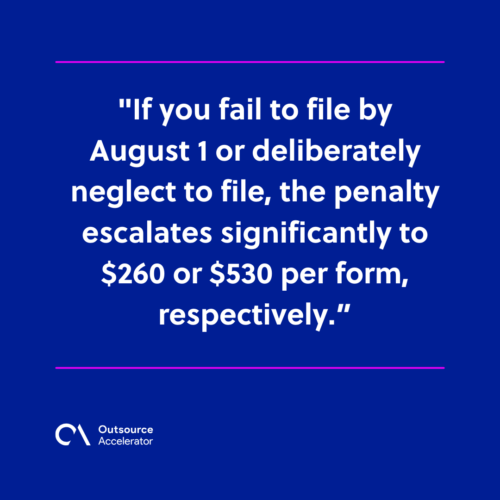
Missing the deadline can lead to penalties. These penalties apply to the information returns Form 1096 transmits, and they rise the longer you wait. For a late return filed within 30 days, the penalty is $60 per form. If you file by August 1, it rises to $130 per form. After August 1, it climbs to $340 per form. For intentional disregard, the penalty is at least $680 per form.
So timely filing matters. As a result, you avoid these costs and stay in line with IRS rules.
Why outsourcing payroll is the answer to your tax pains
Payroll processing and tax duties confuse many businesses. There are many tax codes and payroll rules to learn and follow. So staying compliant can be a real headache. Sound accounting support can ease that load.
Most firms must choose between an in-house payroll team and an outsourced option. When you use a payroll service provider, you save on processing fees. In addition, you face fewer compliance risks and save time. That is because the provider handles admin tasks like data entry and tax filing. It helps to weigh the pros and cons of payroll outsourcing before you decide. Many firms also try outsourcing payroll to BPO companies for extra savings.
Frequently asked questions
Who needs to file Form 1096?
You need it if you file paper information returns with the IRS. For example, this covers many 1099 and 1098 forms. However, if you e-file, you do not need Form 1096.
What is the difference between Form 1096 and Form 1099?
Form 1099 reports what you paid a contractor or vendor. Meanwhile, Form 1096 is the cover sheet that summarizes a batch of those returns. So the 1099 holds the details, and the 1096 sums them up.
Do you need Form 1096 if you file electronically?
No. The IRS only requires Form 1096 for paper filing. When you e-file, the system captures the summary data for you.
What happens if you file Form 1096 late?
Penalties apply to the returns it transmits, and they grow over time. The amount per form rises after 30 days and again after August 1. For intentional disregard, the penalty is higher still.
Can you outsource Form 1096 and payroll tax filing?
Yes. A payroll or accounting provider can handle these forms for you. As a result, you cut compliance risk and free up time for your core work.






 Independent





