
Cloud accounting technology: the complete guide

At a glance
- Cloud accounting technology moves your books to secure online software, so teams work from live data anywhere.
- It cuts hardware costs, speeds up reporting, and automates routine bookkeeping tasks.
- It also makes outsourced and distributed finance teams far easier to run.
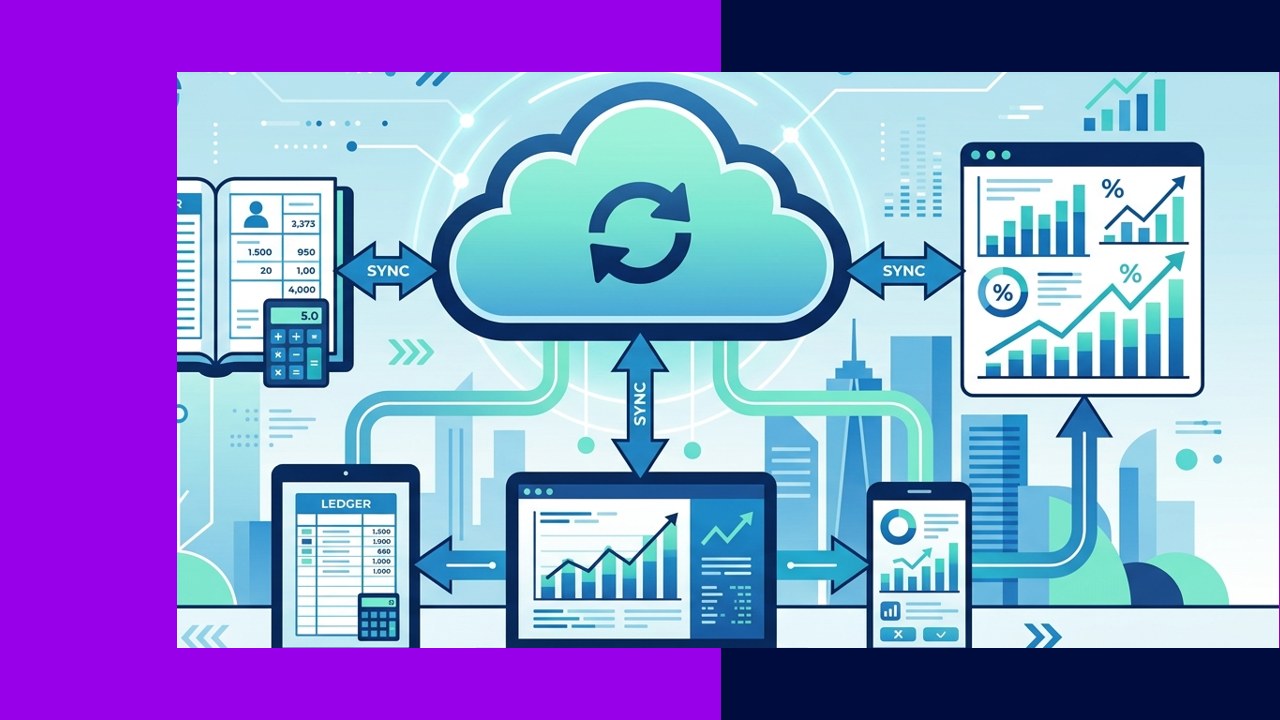
Cloud accounting technology means running your bookkeeping and financial reporting through online software instead of a program installed on one office computer. Your data lives on secure servers, and your team signs in through a browser or app. As a result, the same numbers are available to everyone at once, in real time.
This shift matters for growing businesses. Founders, controllers, and finance managers want faster reports and fewer manual errors. They also want to work with remote staff and outside providers without emailing spreadsheets back and forth.
This guide explains what the technology is, how it works, and where the real benefits sit. It also covers security, compliance, and how the cloud supports outsourced finance teams.
What is cloud accounting technology?
Cloud accounting is a form of Software as a Service, often shortened to SaaS. You pay a subscription, and the provider hosts the software and your data online. There is no server to buy and no yearly disk to install.
The idea builds on cloud computing. The US National Institute of Standards and Technology defines cloud computing as “on-demand network access to a shared pool of configurable computing resources.” In plain terms, you rent computing power and storage when you need it. The provider handles the rest.
For accounting, that means your ledger, invoices, and reports all sit in one online system. Your team reaches them from any device with internet access.
How cloud accounting technology works
The mechanics are simple once you break them down. Below are the core features that make the system useful day to day.
Real-time data and access anywhere
Every entry updates the books instantly. Because the data is central, a bookkeeper in one city and a manager in another see the same figures. There is no waiting for a file to be sent over. As a result, decisions rest on current numbers, not last month’s export.
Automation of routine tasks
Good software automates the boring work. It imports bank transactions, matches them to invoices, and flags mismatches. It can also send payment reminders and recurring bills on a schedule. This cuts manual entry and reduces simple mistakes.
Integrations with other tools
Cloud platforms connect to payroll, payments, inventory, and expense apps. Data flows between them automatically. For example, a paid invoice can update both the ledger and a sales dashboard at once. These links remove double entry and keep records consistent.
Automatic backups and updates
The provider backs up your data and pushes updates for you. You always run the current version. There is no manual patch to install and no lost file after a crashed hard drive.
Cloud versus traditional desktop accounting
Many firms still run desktop software on a single machine. The table below compares the two approaches on the points that matter most to finance leaders.
| Factor | Traditional desktop accounting | Cloud accounting technology |
|---|---|---|
| Access | One computer or local network | Any device with internet |
| Data updates | Manual sync or file sharing | Real time for all users |
| Upfront cost | License plus hardware | Monthly subscription |
| Backups | Manual, user’s job | Automatic, provider handles it |
| Software updates | Bought and installed yearly | Included and automatic |
| Remote teams | Hard to support | Built for it |
The main benefits
The advantages fall into four clear areas. Each one ties back to cost, speed, or accuracy.
Lower and more predictable cost
You skip the server, the license, and the IT upkeep. Instead, you pay a steady monthly fee. This turns a large upfront spend into a small operating cost. Small businesses gain the most here.
Easier collaboration
Several people can work in the books at the same time. An accountant reviews entries while a manager approves bills. Because everyone shares one live system, there is no version confusion.
Scalability
As you grow, you add users or features without new hardware. The system scales with your headcount and transaction volume. When work slows, you can scale back just as easily.
Better accuracy
Automation removes many manual steps, so fewer errors slip through. Bank feeds and rules keep records tidy. In short, clean data leads to reports you can trust.
Security and compliance considerations
Moving money data online raises fair questions. Reputable providers use encryption, access controls, and monitored data centers. Still, security is a shared job. You must set strong passwords and turn on two-factor login for your team.
Compliance also matters. You must keep records for tax purposes regardless of where they live. The IRS advises that you keep your records “as long as needed to prove the income or deductions on a tax return.” Cloud tools help here, because they store and back up documents automatically.
Before you commit, check the provider’s data location, backup policy, and access logs. Ask how they handle a breach. These details protect you later.
How the cloud enables outsourced finance teams
This is where the technology really pays off. Cloud access lets an offshore partner or remote bookkeeper work in your live books. There is no need to ship files or grant risky remote-desktop access.
You control who sees what through user permissions. A provider can post entries while your controller keeps approval rights. As a result, you gain outside expertise without losing oversight.
The US Small Business Administration reminds owners that “maintaining proper bookkeeping can help keep your business running smoothly.” Cloud software makes that easier to hand off. Many firms pair it with an outsourced accounting arrangement to save time and cost. It also fits well into a wider business process outsourcing plan.
Frequently asked questions
Is cloud accounting safe for financial data?
Yes, when you choose a reputable provider and use strong login controls. Leading platforms encrypt data and back it up. Your habits matter too, so enable two-factor authentication for every user.
Do I still need an accountant with cloud software?
Yes. The software handles data entry and reports, but it does not replace judgment. An accountant reviews the numbers, plans tax, and advises on decisions.
Can remote or offshore teams use the same system?
They can, and that is a key strength. You grant secure logins with set permissions. Your remote staff or provider then works in the same live books you do.
What does cloud accounting usually cost?
Most platforms charge a monthly subscription based on features and users. Small plans start low and scale up. You avoid the large upfront cost of licenses and servers.
Key takeaways
- Cloud accounting technology runs your books as online SaaS, with live data and access from any device.
- It lowers cost, speeds reporting, and cuts errors through automation and integrations.
- Security is shared, so choose a strong provider and enforce two-factor login and clear permissions.
- The cloud makes outsourced and distributed finance teams practical, safe, and easy to oversee.






 Independent





