What you need to know about Zoom fatigue


What is Zoom fatigue and how do you beat it?
Zoom fatigue is the tiredness and burnout that come from too many video calls, and you beat it by cutting, shortening, and rethinking those meetings.
- Hide your self view and shrink the screen to ease the strain.
- Swap some video calls for audio calls, chat, or email.
- Space out meetings and take real breaks between them.
The pandemic pushed the use of technology up fast. With offices closed, many people moved their whole routine online. So bills, shopping, classes, and meetings all shifted to the home.
Old habits turned virtual almost overnight. For work teams, Zoom became the closest thing to team building, brainstorming, and meetings they could get. It helped a lot during that shift. However, it also became a source of stress for many.
Have you ever logged off a Zoom call and felt drained? If so, you may be dealing with Zoom fatigue.
What is Zoom fatigue?
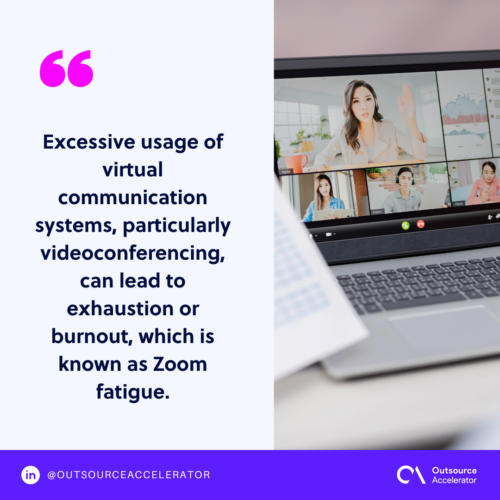
Excessive usage of virtual communication tools, mostly video calls, can lead to exhaustion or burnout. That strain is known as Zoom fatigue.
First, frequent meetings do serve a purpose. For example, they keep teams on track and open the floor for new ideas. Still, overuse can be harmful. In many cases, people do not even notice the toll.
The signs mirror the general feeling of burnout. You may feel drained, tense, resentful, or even low. In some cases, it shows up as real physical pain, such as headaches or stomach aches.
What causes Zoom fatigue?
Zoom fatigue often comes from communication overload. That overload does not happen in normal talks. According to a study done by Stanford researchers, here are the main causes.
Getting too much close-up eye contact
For example, on a Zoom call, it can feel like all eyes are on you. As you stare at your own screen, faces look too close. So the eye contact can feel intense. As a result, anxiety and self-consciousness grow, even when you are just listening.
Seeing yourself during video chats
Some people like seeing themselves on a call. Others find it stressful. For example, they may worry about how they look or what is behind them. Over time, that worry adds up.
Exerting effort for non-verbal cues
On camera, people feel watched, so every gesture seems to matter. Because of this, they stay extra aware of their own face and movements. Meanwhile, others work harder to read those cues. All of that effort drains energy faster.
Lacking mobility
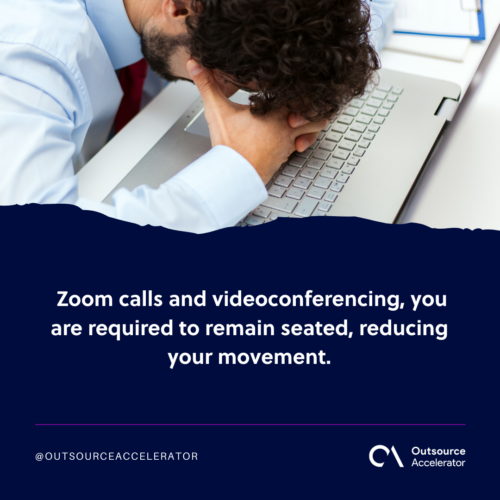
In person, people can walk around and relax while they talk. On a video call, though, you must stay seated and still. So your movement drops, and that lack of motion wears you out.
How to combat Zoom fatigue
Are you showing signs of Zoom fatigue? If so, here is how to deal with it.
Hide your self view
Each workplace has its own rules for video. If yours does not require the camera, feel free to switch it off. However, if you must appear on screen, you can hide your self view instead. This will not cure the fatigue fast. Still, it can ease the strain over time.
Adjust settings
You can tweak your own settings to shrink the screen view. Doing so also makes the other faces smaller. As a result, you gain a stronger sense of personal space.
Have an audio break and stretch
Still, an audio break is more than turning off your camera. Sometimes you need to turn your whole body away from the screen. So do a few stretches. This eases the strain from sitting too long.
Schedule meetings mindfully
When you plan meetings, pick a time when you feel sharp. Also, avoid back-to-back calls, and leave real breaks between them. For teams, a lighter calendar is a core part of a healthy async work culture.
It may also help to set up fun meetings on Zoom. These can soften the negative feeling around the platform.
Suggest an audio call
In some cases, an audio call beats a video one. For example, if there is no slideshow or the connection is weak, audio works fine. If your team still wants video, it may help to compare other video call tools to find a lighter fit.
Use emails and direct messages
Not every question needs a Zoom call. So use chat and email to cut meetings and share updates fast. That way, you save your video calls for work that truly needs the group. A quick look at how Teams and Zoom compare can also point you to the right channel for each task.
Avoid multitasking
It is tempting to do more in less time. Yet juggling tasks on a call lowers your performance. So close any tabs or apps that distract you. Then stay present, and the fatigue will ease.
Keep in mind that it is fine to wait. You will focus far better when you are not stuck on a video chat at the same time.
Find ways to reduce stress
Also, everyone handles stress in their own way. Some people exercise, while others try mindful meditation. Simple ways to manage stress at work can help here too. So take control of the small things now that you are working from home.
Zoom fatigue: Know the facts
Video meetings are here to stay, so they are part of the new work norm. Because of this, it helps to protect your work-life balance. You can avoid Zoom fatigue once you know the causes and signs. With better habits, you will feel sharper and get more done.
Frequently asked questions about Zoom fatigue
Is Zoom fatigue a real medical condition?
It is not a formal medical diagnosis. Still, researchers treat it as a real form of stress and exhaustion. The strain it causes is genuine, even without an official label.
Why are video calls more tiring than phone calls?
Video adds a constant stream of faces and visual cues to process. You also see yourself the whole time. As a result, your brain works harder than it does on an audio call.
How many video meetings a day is too many?
There is no fixed limit, since it varies by person and role. A good sign of trouble is feeling drained before the day even ends. If that happens often, cut or shorten some calls.
Does turning off the camera actually help?
Yes, when your team allows it. Camera-off time removes the pressure to perform and watch yourself. So it gives your eyes and mind a needed rest.
Can managers reduce Zoom fatigue for their teams?
They can, and it makes a big difference. For example, they can set meeting-free blocks and default to chat for quick updates. In addition, they can keep calls short and optional where possible.




 Independent