
Top 12 chat apps to connect with your remote team


What are the best chat apps for remote teams?
The best chat apps for remote teams include Slack, Microsoft Teams, Rocket.Chat, Connecteam, and Workplace, which keep people connected through group chat, calls, and file sharing.
- Chat apps replace hallway talk with fast, clear messaging.
- Most offer calls, file sharing, and handy app integrations.
- The right pick depends on your team size, budget, and needs.
Top 12 messaging apps for your remote team
- Connecteam
- Rocket.Chat
- Slack
- Hangouts Chat
- Proofhub
- Chanty
- Troop Messenger
- Brosix
- Workplace
- Microsoft Teams
- Ryver
- Glip
Remote and hybrid work are now a normal part of business life. As a result, chat apps for remote teams have become a daily must-have.
These tools keep people connected when they cannot share an office. In addition, they help teams stay fast, clear, and on track.
Below, we list 12 chat apps that help remote teams work well together. First, though, let us look at how work changed and why these apps matter.
How the pandemic altered the way we work
The pandemic pushed businesses of all sizes to go remote almost overnight. Because of this, many firms had to rethink how they run daily operations.
That shift proved a point. In fact, work can happen well outside a shared office.
Luckily, modern tools made the change easier. As a result, companies adapted fast to a new way of working.
Through the software they adopted, many leaders saw the perks of remote work. So, the setup stuck around long after offices reopened.
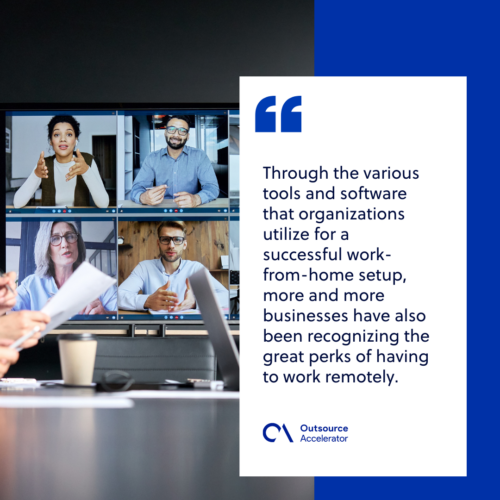
Today, many companies have chosen to fully embrace the remote work setup. Meanwhile, others prefer the mix of a hybrid work model.
Many leaders now see remote work as the future. For example, Coinbase became one of the first “remote-first” companies, letting most staff work from home.
Dropbox took a similar path. According to the firm, all its physical office spaces will be used as Dropbox Studios, where staff can drop in when they choose.
This also opens the door to adding virtual staff to your team, like those from VirtualStaff.ph.
How chat apps are revolutionizing the remote work setup
Without modern tech, working from home would be far harder. Still, staying connected is one of the biggest challenges for any remote team.
Chat apps solve much of that problem. As a result, teams can talk in real time, no matter where they sit.
More so, these apps are now the main way remote workers stay in touch. In addition, they help people brainstorm and track tasks all day long.
These days, messaging apps do more than carry chats. So, the 12 tools below help teams stay connected and work collaboratively within the remote workforce.
1. Connecteam
Connecteam is an all-in-one employee app. Users get group and private chats, quick updates, an employee directory, and social posts.
For its chat feature, workers can group chats by location, project, or department. They can also start a private message through their work contacts.
In addition, the app has an HR suggestion box and survey tools to gather feedback. It works on iOS, Android, and web, and it offers a free trial plus paid plans.
2. Rocket.Chat
Rocket.Chat is an open-source tool built for remote teams. So, staff can share files, chat in real time, and run audio or video calls.
It supports Android, iOS, Linux, macOS, and Windows. In addition, it offers a free tier plus paid plans for larger needs.
3. Slack
Slack is one of the most used chat apps around. For example, it syncs files across devices and offers strong file sharing.
It also has drag-and-drop for PDFs, images, and videos. Meanwhile, it links with more than 1,500 other apps.
Slack runs on iOS, Android, macOS, Linux, Windows, and web. In addition, it offers a free plan plus paid tiers.
4. Hangouts Chat
Hangouts Chat is a messaging app from Google. Over time, it has evolved into Google Chat within Google Workspace.
Its features include HD group calls, screen sharing, and admin controls. So, it works well for teams already using Google tools.
It runs on iOS, Android, macOS, and web. In addition, it comes with Google Workspace business plans.
5. ProofHub
ProofHub is a communication tool for a whole remote team or even clients. As a result, it offers both individual and group chat.
Users can also “@mention” a team member in any discussion. It works on iOS, Android, Windows, and web, and it offers paid plans.
6. Chanty
Chanty supports chat, audio calls, video, and screen sharing. In addition, it can turn messages into tasks with a light project management feature.
It also links with tools like Trello, Google Drive, and Dropbox. Meanwhile, it runs on iOS, Windows, Android, web, and macOS, with a free plan plus a paid tier.
7. Troop Messenger
Troop Messenger is more than a basic chat app. For example, it adds screen sharing, file sharing, file preview, and content filtering.
It also has custom admin controls, self-hosting, and API options. So, it runs on iOS, Linux, Windows, macOS, Android, and web, with free and paid plans.
8. Brosix
Brosix is an instant messaging app with strong team features. As a result, teams can send files, run calls, join chat rooms, and share screens.
It works on iOS, Linux, macOS, Windows, web, and Android. In addition, it offers a free trial plus paid plans.
9. Workplace
Workplace is a product from Meta. So, remote workers can connect through instant messaging and group spaces.
Teams can also set up private chats for closer talks. Meanwhile, admins get strong controls and API tools for bots and custom links.
It runs on iOS, Android, and web. In addition, it has offered both free and paid plans.
10. Microsoft Teams
Microsoft Teams is a chat and meeting app built into Microsoft 365. As a result, teams can message, call, and meet by video in one place.
It also stores shared files and links with apps like Word, Excel, and SharePoint. In addition, it runs on Windows, macOS, iOS, Android, and web.
There is a free plan too. Meanwhile, richer features come with Microsoft 365 business plans.
11. Ryver
Ryver is a messaging app that also helps you manage remote staff. So, it adds file sharing, group chat, search, screen sharing, tags, and checklists.
It runs on Windows, iOS, Android, and macOS. In addition, it offers paid plans for teams of different sizes.
12. Glip
Glip is a collaboration app with free messaging, task management, and group video chat. Today, it is part of the RingCentral platform.
It also helps teams keep projects on track with timelines and action items. Meanwhile, users can add comments to shared files.
Glip works on desktop, web, Android, and iOS. In addition, it offers a free plan plus a paid tier.
Significant perks of utilizing chat apps for remote work collaboration
Chat apps do more than lift engagement and communication. In fact, they bring clear benefits to many companies, as shown below.
Better productivity
These apps remove the friction of unclear team talk. As a result, remote teams can do their tasks on time and with less effort.
Improved project management
Clear talk helps leaders manage staff and track each job well. Still, project management only works when the whole team stays in sync.
Organized workflow
These chat apps also work as collaboration tools. So, remote workers can sort tasks by priority and track how projects move along.
Accountability
Chat apps help each worker own their tasks. For example, staff can update managers on progress in real time.
Beyond these perks, chat apps help remote teams build stronger bonds. Because of this, they support a healthy working environment that drives growth.
Frequently asked questions about chat apps for remote teams
What are chat apps for remote teams?
They are tools that let distributed staff message, call, and share files. In short, they keep remote teams connected in real time.
Which chat app is best for a small remote team?
Small teams often like Slack, Chanty, or Connecteam. So, they get core chat and file sharing at a low cost.
Are these chat apps free to use?
Many offer a free plan with basic features. However, paid tiers add more storage, calls, and admin controls.
Do chat apps work with other tools?
Yes. Most link with tools like Google Drive, Trello, and Dropbox. As a result, teams keep their work in one flow.
Can chat apps improve remote productivity?
Yes. Clear, fast messaging cuts delays and confusion. In addition, task tools help teams stay on track.
Key takeaways
- Chat apps for remote teams keep distributed staff connected and productive.
- Top picks include Slack, Microsoft Teams, Rocket.Chat, Connecteam, and Workplace.
- Most offer calls, file sharing, and links with other work tools.
- Many have a free plan plus paid tiers for larger needs.
- The best choice depends on your team size, budget, and features.






 Independent





