
What is RPA in back-office operations?

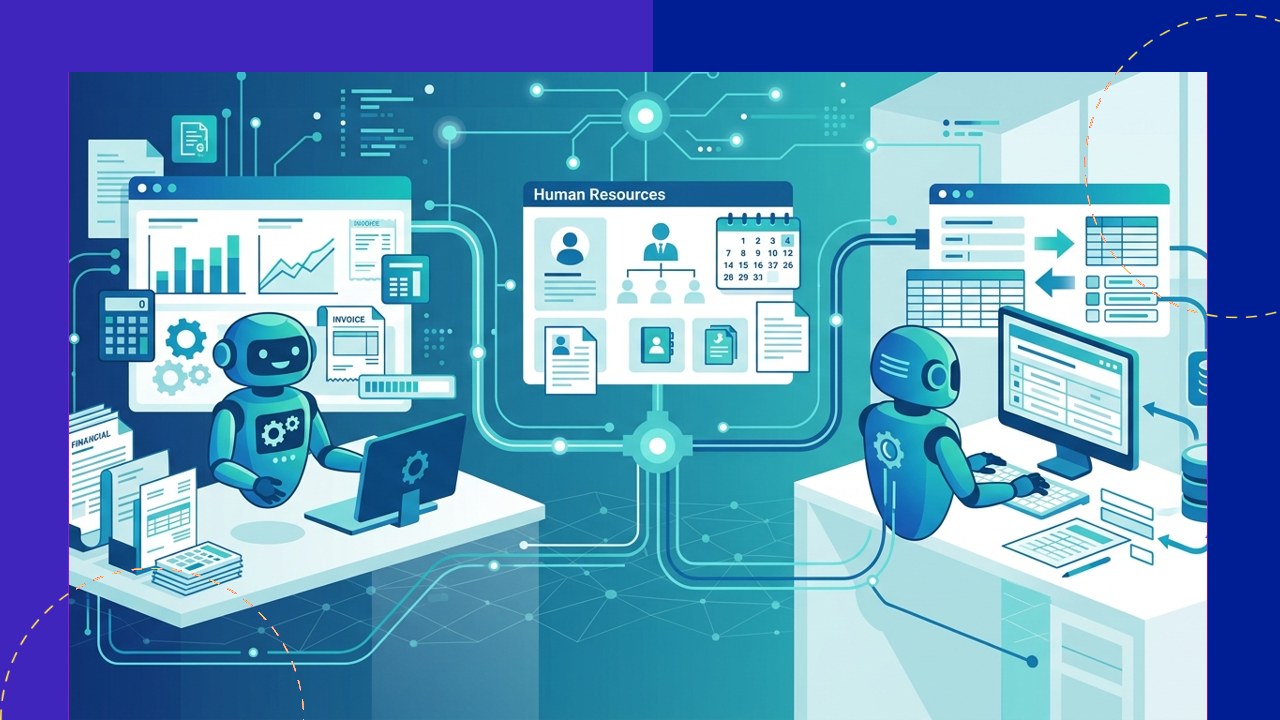
- RPA in back-office operations uses software robots to run rules-based, repetitive tasks across finance, HR, data entry, procurement, and IT support.
- The main gains are lower cost, faster turnaround, fewer errors, and easy scaling during busy periods.
- RPA handles structured, predictable work well, but people still own judgment calls, exceptions, and anything that needs context.
RPA in back-office operations means using software “robots” to complete routine administrative tasks that people once did by hand. These bots log into systems, move data between screens, and follow set rules. Because the work is repetitive and predictable, a bot can run it faster and around the clock.
Back-office teams handle the support work that keeps a company running. Think invoices, payroll, records, and system tickets. This article explains what RPA automates, where it fits, and how it pairs with outsourcing.
What is RPA in back-office operations?
Robotic process automation is a type of software that mimics how a person uses an application. According to Deloitte, RPA “uses software, commonly known as a ‘robot’, to capture and interpret existing IT applications to enable transaction processing, data manipulation and communication across multiple IT systems.” In short, the bot works the screen the way a clerk would.
RPA does not replace your core systems. Instead, it sits on top of them and follows simple rules. As a result, it fits processes that are repeatable, high volume, and stable. It is a fast, low-code way to cut manual effort in the back office.
What RPA automates across the back office
Most back-office functions contain rules-based steps. RPA targets those steps first. Here are the common areas.
Finance and accounting
Bots can process invoices, match purchase orders, and post entries. They also reconcile accounts and pull reports on a schedule. Because the rules rarely change, accuracy improves.
HR and payroll
RPA speeds up onboarding by creating accounts and updating records. It can also run payroll checks and flag missing data. Staff then spend more time on people, not paperwork.
Data entry and records
Manual keying is slow and error-prone. A bot can copy fields, clean lists, and update databases in minutes. This frees teams from the most tedious work.
Procurement
Bots handle vendor setup, order creation, and status checks. They can also send reminders when approvals stall. The process moves faster with fewer gaps.
IT support
Common tickets follow a clear script. RPA can reset passwords, provision access, and monitor systems. As a result, IT teams focus on harder problems.
Which back-office tasks suit RPA?
Not every task is a good fit. The best candidates are high volume, rules-based, and stable. Use the table below as a quick guide.
| Back-office task | RPA suitability | Why |
|---|---|---|
| Invoice processing and reconciliation | High | Rules-based, high volume, structured data |
| Payroll checks and record updates | High | Repetitive steps with clear inputs |
| Data entry and list cleanup | High | Simple, repeatable, easy to define |
| Password resets and access setup | Medium to high | Scripted, but needs security controls |
| Vendor negotiation and disputes | Low | Needs judgment and human context |
| Policy exceptions and complaints | Low | Unstructured and case by case |
The benefits: cost, speed, accuracy, and scale
The business case is strong when the fit is right. Deloitte reports that organisations moving beyond pilots have achieved “an average cost reduction of 32 per cent,” and that “74 per cent of survey respondents are already implementing RPA.” Those numbers show why adoption keeps rising.
Speed is another clear win. A bot runs the same task in seconds and never takes a break. Accuracy improves too, because bots follow the rules every time. Finally, RPA scales with demand. You can add bots during peak periods and pause them later.
Where RPA fits, and where people still lead
RPA shines on structured, predictable work. However, it struggles when tasks change often or need judgment. For example, a bot can flag an odd invoice, but a person decides how to handle it.
For businesses running Microsoft infrastructure, Itransition implements Dynamics 365 and Power Automate workflows targeting the invoice processing, payroll reconciliation, and data entry routines where RPA delivers the fastest returns.
So the goal is not to remove people. Instead, RPA takes the dull, repetitive steps. Staff then focus on exceptions, analysis, and decisions. In short, bots handle the routine, and people handle the reasoning.
Implementation basics
A good rollout starts small and grows with proof. Follow these basic steps.
1. Map and prioritize processes
List your high-volume, rules-based tasks first. Pick one or two with clear steps and stable rules.
2. Standardize before you automate
Clean up messy steps first. A bot copies your process exactly, so fix it before you build.
3. Build, test, and add controls
Start with a pilot and check the results. Add security, logging, and error handling from day one.
4. Monitor and scale
Track accuracy and time saved. Then expand to more processes once the value is clear.
How RPA works with back-office outsourcing
RPA and outsourcing solve the same problem in different ways. Many companies use both. An outsourcing partner brings people, process know-how, and scale, while bots handle the repetitive steps inside those processes.
Providers often build RPA into their service. This mix is sometimes called a “digital workforce.” For example, a partner running your back-office support functions may automate data entry work while its team manages the exceptions. As a result, you get lower cost and faster output without hiring more staff.
Frequently asked questions
Is RPA the same as artificial intelligence?
No. RPA follows fixed rules and does not learn on its own. AI adds pattern recognition and prediction. Many teams now pair the two, but they are different tools.
Will RPA replace back-office jobs?
It replaces tasks, not whole roles. Bots take the repetitive steps, and staff shift to judgment and analysis. Most teams redeploy people rather than cut them.
How long does an RPA project take?
A single, simple process can go live in a few weeks. More complex work takes longer. Starting small keeps risk low and shows value fast.
Can we outsource RPA instead of building it in-house?
Yes. Many outsourcing partners offer RPA as part of their service. This helps if you lack the internal skills or time to build bots yourself.
Key takeaways
- RPA in back-office operations automates rules-based work across finance, HR, data entry, procurement, and IT support.
- The core benefits are lower cost, faster turnaround, higher accuracy, and easy scaling.
- Structured, high-volume tasks fit RPA best, while exceptions and judgment stay with people.
- RPA pairs well with outsourcing, so many providers now build bots into their back-office services.






 Independent





