
Best in-house payroll software for a small business in 2026

What is the best in-house payroll software for a small business?
The best in-house payroll software for a small business is the tool that automates pay runs, handles taxes, and scales with your team, with Deel, QuickBooks, and Gusto among the top picks.
- Good payroll software saves owners about 10 days of admin work each year.
- It cuts errors, keeps you compliant, and pays both local and offshore staff.
- The right choice depends on your budget, team size, and existing tools.
List of best in-house payroll software for small businesses
What is payroll software?
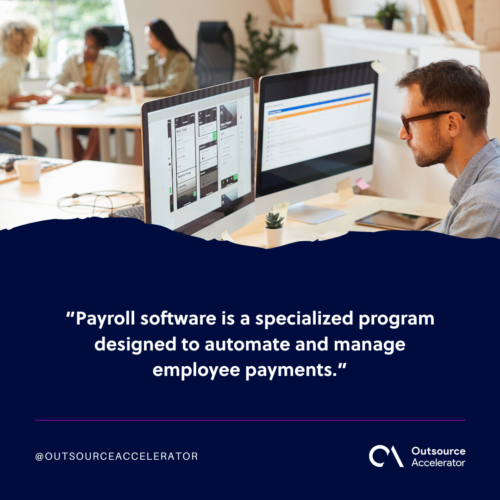
Payroll software is a tool that automates and manages employee pay. In addition, it often handles payroll tax tasks for you.
As globalization becomes the norm even for small firms, payroll has grown more complex. As a result, many owners now look for smarter ways to pay their teams.
Today, a US small business owner may have an accountant in the Philippines or a web developer in India. These offshore hires add a layer of work. For example, you must handle currency conversions and different tax rules.
Because of this, the need for specialized software grew fast. In short, the right tool solves the problems a global workforce creates. Many owners pair it with wider payroll outsourcing options as they grow.
Why small businesses need payroll software
Payroll software can help small businesses in many ways. Here are the main reasons it is worth the spend.
Automating payroll saves time
Small business owners spend an average of five hours a week on payroll tasks. That may not sound like much. Still, it adds up to about 260 hours a year, or 10 full days.
Software takes over that work. As a result, owners can spend those 10 days on tasks that earn money, such as marketing.
Using payroll software promotes transparency
Another benefit is the morale boost it gives staff. In short, people trust a system they can see.
With an automated system, workers know they will be paid on time and in full. Meanwhile, they skip the hassle of checking attendance records by hand.
The same goes for owners and HR teams. Because the tool tracks PTO, attendance, and hours, it lifts a big load off their shoulders. Good HR software often connects to payroll to make this even easier.
Payroll software reduces errors
Like all automated systems, payroll software cuts the chance of errors when processing payrolls and salary taxes.
It removes human slips from the process. As a result, owners avoid wrong data entry, deleted formulas, and other common payroll mistakes.
Payroll software makes compliance easier
Perhaps the biggest help is how it makes compliance simple. So you spend less time worrying about the rules.
With an automated tool, small firms no longer fear big fines for late or wrong tax filing. In addition, the software files on time for you.
These tools also keep detailed records of every payroll transaction. Because of this, it is much easier to audit and be on top of bookkeeping, no matter the local, state, federal, or global rules. For a wider view, see this guide to bookkeeping for small businesses.
Payroll software for a small business: What to look for
Many tech vendors now build and sell payroll tools. As a result, the market is crowded and hard to sort.
Are you looking for a payroll tool for your small business? Here are the key features to check so you get the most value.
Automated payroll computation
This one should go without saying. After all, automatic pay runs are the whole point of the software.
The tool should compute both deductions and extra pay. For example, it should handle social security, taxes, and bonuses.
Tax compliance tools
Payroll and taxes go hand in hand. So it helps to pick software with tax compliance tools, or one that handles tax for you.
Employee self-service
Self-service is another must-have feature. In short, it lets staff view pay slips and update their own details.
This gives workers direct access to payroll. As a result, they no longer need to go through HR, even while on the go.
Scalability
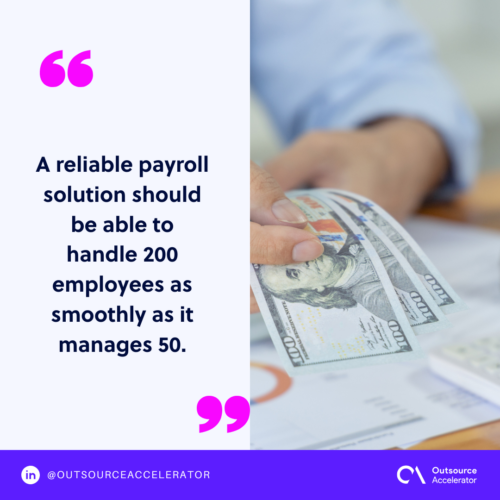
A true test of good software is how well it scales. For example, a solid tool should handle 200 workers as smoothly as it handles 50.
Integration with your existing technologies
Finally, pick a tool that fits your current setup. Always check if it links with your other software first.
It makes little sense to automate payroll and break other good processes. Following simple payroll best practices keeps the switch smooth.
Best in-house payroll software for small businesses
1. Deel
Deel is an international payroll tool built for speed, flexibility, and compliance. It also comes with a support team you can reach 24/7. In fact, Deel handles payroll in over 120 countries, which makes it one of the most-used tools worldwide.
Deel also unifies payroll and HR in one place. On top of that, it tracks regulatory changes for you. As a result, firms can fix compliance gaps before they become a problem.
Pricing: From $29 to $599 per employee per month
2. QuickBooks
QuickBooks lives up to its name. After the first setup, it can run payroll in under five minutes.
There is no steep learning curve either. In addition, the in-house experts help you from setup all the way to tax filing.
Another perk is tax penalty protection. For example, QuickBooks will cover up to $25,000 if you get a tax penalty for any reason.
Pricing: $25 (plus $6 per employee per month) to $65 (plus $11 per employee per month)
3. Gusto
Gusto is a highly rated tool with automatic tax handling. It also links well with data HR teams manage, such as 401k, time tracking, and PTO.
For US employers with local staff, Gusto handles tax registration in all 50 states. Meanwhile, offshore pay is easy too.
Gusto Global acts as its Employer of Record (EOR) service. As a result, firms can manage global teams and pay them in their own currency.
Pricing: From $49 (plus $6 per person per month) to $135 (plus $16.50 per person per month)
4. Patriot
More than 60,000 US customers trust Patriot. Its software is built for firms with up to 500 staff.
Patriot is known for strong US-based support. On top of that, it is fast and can run payroll in under three minutes.
The steps are simple too. In short, you enter hours, approve the run, and print.
Pricing: $8.50 (plus $2 per employee per month) to $18.50 (plus $2.50 per employee per month) plus optional add-ons
5. Netchex
Netchex offers automatic tax filing and flexible pay options. For example, it supports checks, direct deposits, and pay cards.
This tool also has many integrations that make pay easier to manage, such as:
- Hours and attendance
- Benefits administration
- Employee self-service PTO
Netchex also runs pre-processing reports. As a result, salaries go out with fewer errors.
Pricing: Available upon request
6. Paychex
Paychex comes from a payroll and HR firm. In short, its online tool lets you pay staff in just a few clicks.
Its small business service has 24/7 support and automatic tax filing. In addition, staff can start self-service actions on their own.
Pricing: Available upon request
7. Remote
Pay anyone, anywhere. That is what Remote offers. As a result, firms find it easier to stay compliant across borders.
This helps small firms that hire offshore staff to cut costs. After all, cross-border payroll can be expensive and complex. With Remote’s EOR service, employers no longer need a local entity in the worker’s country.
Pricing: $29 per employee per month
8. Square
Square is easy to use and links with many tools. It even works with other third-party payroll systems.
It also files payroll taxes for you. In addition, it pays both W-2 employees and 1099 contractors.
Pricing: From $6 per person paid per month to $35 plus $6 per person paid per month
9. OnPay
OnPay is a multi-awarded tool for small firms. CNN, Business.com, CNBC, and others have all praised it. In short, it handles pay and simplifies HR tasks.
OnPay charges no fees for setup or integration. It also offers help by phone, chat, and email.
Pricing: $40 plus $6 per person per month
10. HomeBase
HomeBase serves over 100,000 small firms in the US. As a result, it has earned many awards to back its claims.
HomeBase handles more than payroll. In fact, it also takes on the admin tasks and paperwork that come with it. So teams can focus on core work.
One standout feature is earned wage access. In short, workers can withdraw pay they have already earned, at no extra cost to employers.
Pricing: $39 plus $6 per employee per month
Frequently asked questions
What is in-house payroll software for a small business?
It is a tool your team runs on its own to pay staff and file taxes. In short, you keep control in-house instead of hiring a full payroll firm. Many small businesses start here as they grow.
How much does small business payroll software cost?
Most tools charge a base fee plus a small amount per employee. For example, plans often start near $25 to $49 a month, plus $6 per person. Global payroll tools can cost more per worker.
Can payroll software pay offshore or remote staff?
Yes. Tools like Deel, Gusto Global, and Remote pay offshore workers in their own currency. In addition, their EOR services remove the need for a local entity abroad.
Does payroll software handle taxes automatically?
Most tools do. They compute, file, and pay payroll taxes for you. As a result, you cut the risk of late filing and fines.
Is in-house software better than outsourcing payroll?
It depends on your size and budget. In-house tools give you control and lower cost. Still, some firms prefer to hand the whole task to a provider as they scale.
Key takeaways
- Good payroll software saves owners about 10 days of admin work each year.
- It cuts errors, keeps you compliant, and boosts staff trust.
- Look for automation, tax tools, self-service, scale, and easy integration.
- Deel, QuickBooks, and Gusto lead the list, but the best fit depends on your needs.
- Tools like Deel and Remote make it simple to pay offshore and remote staff.






 Independent





