
25 impressive SEO software tools for 2026


What are the top SEO software tools to use in 2026?
The top SEO software tools help you research keywords, audit your site, track rankings, and study competitors, all from one dashboard.
- They show you what your audience is typing into search engines.
- They flag the issues that hold your pages back in the SERPs.
- They turn raw data into clear steps for more organic traffic.
A successful business knows what its clients need. So knowing what your prospects type is the key to being visible in search. In this article, we list the best SEO software tools to lift your organic traffic and online visibility this 2026. Higher SERP positions boost your ability to create traffic and leads. As a result, they also improve how people see your authority.
SEO software tools help you build stronger ties with future customers. For example, they support a better experience, boost your authority, and bring more leads to your site. To use them well, it also helps to follow current SEO best practices alongside the software.
What are SEO software tools?
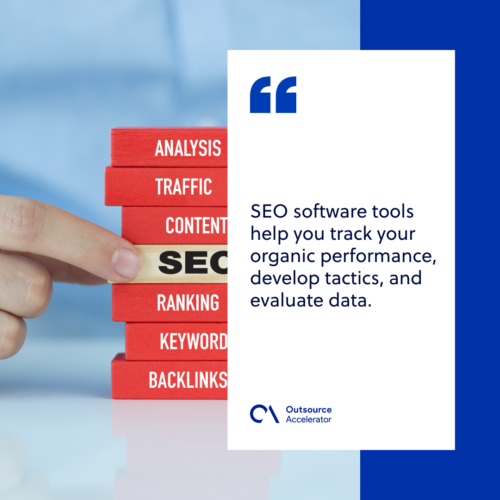
SEO software tools help you track organic performance, plan tactics, and read your data. They also assist with keyword research, backlink building, and competitor tracking. In short, they analyze your website’s overall health and success.
These tools help you spot areas of opportunity. They also flag issues that may stop you from ranking and earning visibility in the SERPs. So they carry many features that help your business grow. Here are some basic features that almost all SEO software tools share:
- Short tail and long-tail keywords
- Keyword structure
- Keyword mapping
- Tools for ranking
- Audits
- Tests for broken links
- Alternate image test
- Testing of sitemaps
- Test your URL
Why businesses need SEO software tools
Organic search is what SEO is all about. So marketers and SEO experts use several SEO software tools to grow website traffic. Many teams pair these tools with an in-house SEO specialist or an outsourced SEO service to get more from the data.
Keyword suggestions
SEO software tools show you which keywords your competitors use to rank. As a result, this data helps you build your own keyword list. So you can use it to expand into new markets. In fact, these tools can generate thousands of keyword ideas at once.
Make user-friendly websites
Websites that are clear, simple, and easy to use keep visitors around longer. As a result, they lower bounce rates and lift traffic. When done right, on-page SEO keeps visitors happy. So it also signals that they value your content.
Increased conversions
SEO-friendly websites load faster and are easier to use. They also work well on phones and tablets. Because of this, they hold a visitor’s interest. Meanwhile, a visitor who stays longer is more likely to become a paying customer.
List of SEO software tools
- Ahrefs
- Moz Pro
- GrowthBar
- Google Search Console
- SEMRush
- Yoast
- KWFinder
- Serpstat
- Ubersuggest
- Answer The Public
- Sitechecker
- SpyFu
- Woorank
- Mangools
- Google Trends
- Clearscope
- AuthorityLabs
- SEOQuake
- Surfer SEO
- KeywordTool.io
- Alexa
- Siteliner
- Fat Rank
- Brightedge
- AgencyAnalytics
Best 25 SEO software tools available
1. Ahrefs
The Site Audit feature of Ahrefs is a top SEO auditing tool. It shows you which parts of your website need work. So you can improve them and rank higher in search.
2. Moz Pro
Moz Pro is the paid web version of Moz. It lets you research keywords, track ranks, and run technical site audits. It can also edit content and watch your competitors’ backlinks.
3. GrowthBar
You can use GrowthBar to view your competitors’ backlink data, paid and organic keyword ranks, and social ads. It also shows your own search rankings.
4. Google Search Console
Google Search Console lets you track your website’s ranking in Google. First, add your site or link it through Google Analytics. Then submit your sitemap for crawling.
5. SEMRush
Semrush is a broad SEO software tool for growing web visibility. It also uncovers marketing insights and shows you where your competitors stand. So it helps owners grow with tactics like SEO campaigns and link building.
6. Yoast
Yoast SEO helps your site meet strict technical SEO rules. It also gives tools to improve your content for SEO and readability. Over time, the Yoast name has become linked with WordPress SEO.
7. KWFinder
KWFinder helps you find long-tail keywords with low competition. So SEO specialists and marketers use it to pick the right keywords. It also builds backlink and SERP analysis reports for a webpage.
8. Serpstat
Serpstat is a strong growth tool for SEO and PPC campaigns on Google Ads. There is also a plugin for Chrome, Firefox, and Opera. So you can pull key data while you browse the web.
9. Ubersuggest
Ubersuggest is a free keyword tool from Neil Patel. It helps you find keywords and the intent behind them. For example, it shows the top-ranked SERPs for each term.
10. Answer The Public
Answer The Public makes it simple to find topics. It is also a good source of questions for relevant content. So you can use it to write articles around specific keywords and lift your rankings.
11. Sitechecker
Sitechecker’s SEO audit feature helps you improve your on-page and technical SEO. You can find every error that hurts your ranking and get tips to fix each one. It also has a website monitoring feature. So Sitechecker tells you about new problems as they appear.
12. SpyFu
SpyFu is one of the most complete SEO analytic tools around. It can quickly show the search volume of a keyword and how hard it is to rank. You can also study your competitors’ keywords to see which ones they use.
13. Woorank
Woorank offers both free and paid services for tracking and reporting marketing stats. So you can enter your competitors’ pages to see the keywords they target. Then you can go after the same ones.
14. Mangools
Mangools is a set of tools that helps any marketer manage on-page and off-page SEO. Here are the five tools in the Mangools toolkit:
- KWFinder, a keyword research tool
- SERPChecker, a SERP analysis tool
- SERPWatcher, a rank tracking tool
- LinkMiner, a backlink analysis tool
- SiteProfiler, an SEO metrics and insights tool
15. Google Trends
Google Trends gives you data on a term and its wider trends. So it can help at any stage of a company’s growth. For example, it is great for searching keywords in any country and getting top searches, rising queries, and interest over time.
16. Clearscope
Clearscope works in a similar way to Yoast. It reviews your content and suggests ways to improve it. For example, it offers brevity insights and readability scores.
17. AuthorityLabs
AuthorityLabs gives you tools to measure, monitor, and improve how your keywords perform. In short, it is mainly a keyword tracking tool. Meanwhile, most SEO tools do not go as deep as AuthorityLabs on keyword tracking.
18. SEOQuake
SEOQuake is widely seen as one of the best free SEO tools around. This Chrome extension runs on-page site audits and works as an SEO checking tool. It also offers keyword analysis, an easy-to-read dashboard, and simple data sharing.
19. Surfer SEO
Surfer is an SEO software tool that helps you boost your onsite content fast. It reviews 500 plus ranking criteria from the top 50 pages. As a result, it gives you a clear plan to improve your content for a keyword.
20. KeywordTool.io
For organic research, KeywordTool.io is simple and efficient. It uses accurate data and shows long-tail keywords. So it is a strong resource for anyone hunting for keyword ideas and content topics.
21. Alexa
Alexa is a set of marketing tools built to help with your content, SEO, and PPC tactics. Still, some users have noted gaps in its stats.
22. Siteliner
Siteliner is a duplicate content checker that helps you spot matching site content. It can scan your whole website for free and fast. For example, it looks for duplicate content, broken links, internal page rank, and redirects. It can also create an XML sitemap.
23. Fat Rank
Fat Rank makes it simple to check how your website performs. It tells you how well your keywords rank. As a result, you get data that helps you optimize a page for that keyword.
24. Brightedge
Brightedge is an enterprise SEO system powered by AI and machine learning. So it helps you grow your online presence. This all-in-one tool tracks key metrics like traffic, conversions, and profit.
25. AgencyAnalytics
AgencyAnalytics lets you track SEO, PPC, social media, email, reviews, and calls in one place. Its main selling point is speed. For example, it can quickly build branded PDF and web-based reports.
How to choose the right SEO software tools
You do not need every tool on this list. Instead, match the tool to your goal. First, decide what you want to fix, such as rankings, audits, or backlinks. Next, try a free plan before you pay. Then track results over a few weeks.
For content teams, a good workflow pairs these tools with a clear digital marketing strategy. In addition, strong link building strategies and steady content marketing give the software real data to work with. So the tools and the plan grow together.
Frequently asked questions
What are the top SEO software tools for beginners?
Google Search Console and Ubersuggest are great first tools. Both are free and easy to use. So they help you learn the basics before you pay for more.
Are free SEO software tools good enough?
Free tools cover the basics well. For example, they handle keyword ideas, simple audits, and rank checks. Still, paid tools go deeper on data and reporting.
Which SEO software tool is best for keyword research?
KWFinder, Ahrefs, and Semrush are strong picks for keywords. Each shows search volume, difficulty, and intent. So you can pick the terms that fit your goals.
Do I need more than one SEO tool?
Often, yes. Many teams pair a broad tool with a niche one. For example, they use Ahrefs for research and Yoast for on-page checks.
How do SEO software tools improve rankings?
They find problems, track keywords, and study competitors. As a result, you get clear steps to fix pages and win more visibility.
Key takeaways
- The top SEO software tools cover keywords, audits, tracking, and competitor research.
- Free tools like Search Console suit beginners, while paid tools go deeper.
- Most teams use two or three tools together for the best results.
- Match each tool to a clear goal, then test before you commit.
- Tools work best alongside a solid content and link building plan.






 Independent





