
15 Programming terms for amateurs (and pros)


What are programming terms?
Programming terms are the industry-specific words that programmers use to describe how software is built, run, and fixed.
- They pack complex ideas into short, shared words the whole team understands.
- Some, like “bug,” are common. Others, like “command-line interface,” need real background.
- Even non-coders gain from knowing the basics, since most jobs now rely on software.
You may not work in information technology (IT), yet you have likely met programming terms you did not understand. To a casual listener with no IT background, this jargon can sound like a foreign language.
After all, terms like SaaS, structured query language, and cloud computing give few clues about what they mean. If you want the trade-offs, our guide to the advantages and disadvantages of SaaS breaks it down.
However, these words carry clear meaning inside the IT industry. So people there use them every day.
It may seem minor to outsiders. Still, learning what these terms mean matters, given how much technology shapes daily life.
In this article, you will learn why programming terms matter. You will also learn some of the most common ones.
Defining programming terms
Programming terms are, naturally, industry words used in programming.
For example, these technical words carry information about many parts of coding. Still, everyday language often cannot capture that detail.
They also help programmers talk clearly with other coders and IT professionals. In addition, the terms show up in the actual code. Many firms even rely on them when they scope outsourced software development projects.
Programming terms vs programming language
At first glance, non-programmers may think the two are the same.
However, programming terms are the broad umbrella of jargon used in coding. A programming language is just one subset of those terms.
So a programming language is more specific than programming terms. Because of this, you cannot swap the two words freely.
What makes programming terms essential?
Their value lies in conveying complex ideas in a few words.
For example, these words give a simple way to share ideas within the field.
Trying to explain a coding concept with only everyday words gets clumsy fast.
Without these terms, such as Application Program Interface (API), it would take too long to share information.
It could also cause confusion. As a result, the point of a concept may get lost.
So programming terms let coders talk clearly with little fear of mix-ups.
15 Common programming terms and their definitions
Programmers use many programming terms in their daily work.
Some words are simple enough for anyone, like “character.” Others are complex and need real know-how, like “command-line interface.”
Below are 15 programming terms you will meet often.
1. 404 error
The 404 error sometimes shows as 404 not found or HTTP 404. It is a standard hypertext transfer protocol (HTTP) status code. It pops up when a requested web page is not available.
The server sends the code to the browser that made the HTTP request.
Then the browser shows the familiar “ERROR 404: CONTENT NOT FOUND” message, or something like it.
2. Algorithm
So, algorithms are sets of rules and steps that programs use to solve problems.
In addition, this means the sequence of operations a program follows to do a task.
For example, a set of steps to solve a Rubik’s cube is an algorithm.
3. Arguments
Arguments are sometimes called actual parameters.
In short, these are values passed after you issue a command or function. However, they only take effect once the command runs.
For example, if “SUM” returns the answer to a math operation, then SUM(2+2) returns 4. Here, the operation 2+2 is the argument.
4. Boolean
A Boolean expression, sometimes called Boolean logic, is used to build statements that can only be TRUE or FALSE.
These expressions use the operators AND, OR, XOR, NOT, and NOR. They also work with conditional statements in code, search engines, and algorithms.
5. Bug
Bugs are perhaps the most common programming term, even among non-coders.
In short, these are unexpected issues in hardware or software that cause glitches or other problems.
Software bugs can cause serious problems if not fixed. For example, the Patriot Missile Battery bug led to the death of 28 American soldiers.
Programmers find these bugs through testing. Then they fix them in a process called debugging.
6. Code
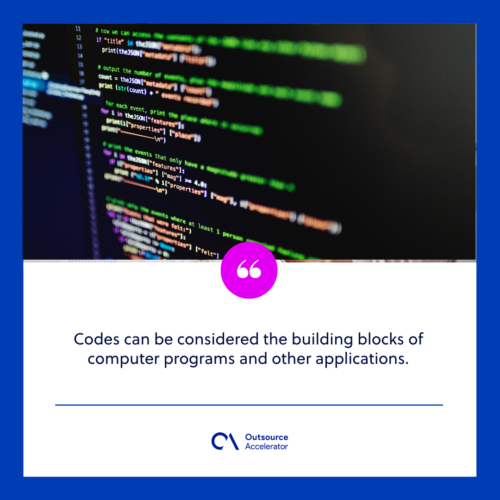
Codes, or more exactly source codes, are sets of instructions written in a language’s protocol, such as Java, C, C++, or Python.
So codes are the building blocks of programs and other apps.
Even simple commands can need a long string of instructions.
For example, here is the code to show “Hello, world!” on a screen.
class HelloWorld {
public static void main(String[] args) {
System.out.println(“Hello, World!”);
}
}
7. Compilation
In coding, compilation is the process of building programs from code written in a compiled language. It often relies on well-tested software development frameworks to speed the work.
Through this process, computers can run programs without the software used to make them.
Meanwhile, compilation uses compilers. So these are programs that translate code into machine languages, such as C++.
8. Conditionals
Conditionals are also known as conditional statements and conditional expressions. These features let code make a choice that ends as either TRUE or FALSE.
For example, “IF,” “Else-If,” “IF-Else,” and “While” are conditional statements.
Programmers can combine many conditions into one, as long as the result is still TRUE or FALSE.
9. Dead code
Simply put, dead code is code that no part of a program uses.
It can appear after you remove a feature without clearing all of the code’s dependencies.
As a result, dead code makes a program look cluttered and messy.
10. Endless or infinite loops
As the name implies, infinite loops are instruction sequences that keep running until an outside event stops them.
Sometimes these loops are on purpose, as in game development.
However, endless loops often come from coding mistakes. For example, a missing break, a wrong conditional, or a bad variable can cause one.
11. Hypertext transfer protocol
HTTP handles communication between browsers and servers. It moves hypermedia documents like hypertext markup language (HTML).
It is also familiar to non-coders. That is because HTTP, or its secure version HTTPS, appears on nearly every website they visit.
12. JavaScript
JavaScript is a web programming language and one of the most used.
It builds websites and web apps. However, it can also build almost any software, desktop, or mobile app.
For example, the SpaceX Dragon 2 spacecraft used JavaScript in its programming.
13. Meta tag
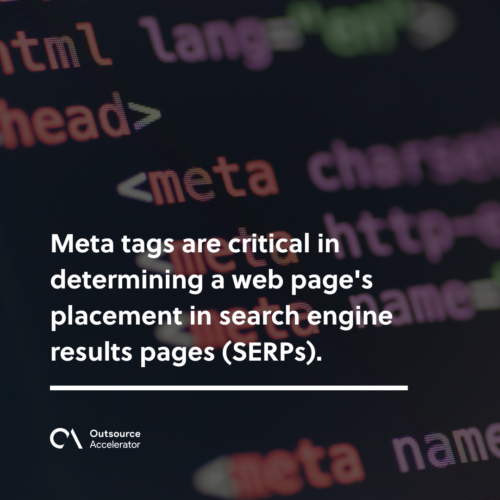
Meta tags are the information a website gives to systems other than users, such as a search engine’s web crawlers.
In addition, there are four types: meta keywords, title tag, meta description attribute, and meta robots attribute.
Meta tags help decide a page’s spot in search engine results pages (SERPs).
14. Open source/open-source
Open source, short for open source software, means code that is open to the public. Anyone with the skill can change and share the code as they like.
Open source software is often more flexible than proprietary software. It also tends to last longer.
The difference is simple. Programmer communities build the former, while private firms build the latter.
15. Pair programming
Pair programming is when two developers, often a junior and a senior, work at one station.
However, the pair can also be two juniors or two seniors.
One coder, the driver, writes the code. Meanwhile, the other, the navigator, reviews each line. The two can switch roles as they go.
As a result, pair programming cuts errors, lifts code quality, and saves time.
Why non-programmers should be aware of programming terms
The world keeps embracing modern technology. Because of this, many tools have crept into daily life.
For example, most offices now run on computers and special software.
Even firms outside IT, such as those in healthcare, accounting, and the military, lean on many programs.
So these businesses need a basic grasp of programming terms. After all, their efficiency depends on software. Many also hire a remote software developer or lean on IT outsourcing services to keep systems running.
Knowing how these programs work makes it easier to fix small issues. As a result, teams call in professional programmers less often.
Frequently asked questions about programming terms
What are the most common programming terms?
Bug, code, algorithm, and 404 error are among the most common. For example, most people have seen a 404 error online.
Are programming terms and programming languages the same?
No, they are not. Programming terms are the wide set of coding jargon. A programming language is just one part of that set.
Why should non-programmers learn programming terms?
Most jobs now rely on software. So a basic grasp helps you fix small issues and talk clearly with IT staff.
What is a bug in programming?
A bug is an unexpected issue in software or hardware. It can cause glitches or crashes. Programmers remove bugs through testing and debugging.
What does open source mean?
Open source code is free for the public to view and change. As a result, it is often flexible and long-lived.
Key takeaways
- Programming terms are shared words that let coders describe software clearly.
- They differ from programming languages, which are just one subset of the jargon.
- Common examples include bug, code, algorithm, Boolean, and open source.
- Even non-coders gain from the basics, since most work now runs on software.
- A little knowledge helps teams fix small issues without always calling a programmer.






 Independent





