
7 invoice processing automation mistakes to avoid

At a glance
- Invoice processing automation cuts cost and speeds approvals, but only when the underlying accounts payable process works first.
- The most common failures involve weak integration, no exception handling, and thin fraud and duplicate checks.
- Keep people in the loop, track clear metrics, and treat automation as a redesign rather than a quick fix.
Invoice processing automation promises faster approvals, fewer errors, and lower costs across accounts payable. Many finance teams still stumble, though. They bolt software onto a messy workflow and expect magic. As a result, they scale the same problems faster.
Automation works when you fix the process first, connect your systems, and keep humans on the hard cases. Below are seven mistakes that derail accounts payable automation, plus how to avoid each one.
1. Automating a broken process
Automation copies whatever process you feed it. If invoices bounce between inboxes today, a bot will bounce them faster tomorrow. So you scale confusion instead of removing it.
Map your workflow first, starting with the core functions of accounts payable. Find the duplicate steps, unclear owners, and manual workarounds. Fix or remove them. Then automate the clean version. This order matters, because the informal fixes your team applies by hand often vanish once a machine takes over.
2. Poor integration with your ERP or accounting system
An invoice tool that cannot talk to your ledger creates double work. Staff rekey data, reconcile mismatches, and chase errors. The savings disappear quickly.
Before you buy, confirm the tool syncs both ways with your ERP or accounting platform. It should share vendor records, purchase orders, and payment status. For example, Deloitte reported that one company’s “touchless processing rate” reached 92 percent after it tied its finance systems together tightly. Integration, not the tool alone, drives that result.
3. Ignoring exception handling
Real invoices arrive messy. Prices differ from the purchase order. Quantities do not match the receipt. A rigid system either blocks everything or forces staff to fix each case by hand.
Design clear exception paths from day one. Set tolerance rules for small price gaps. Route mismatches to the right approver automatically. Because exceptions drive most delays, handling them well is where automation earns its keep.
4. Overlooking data capture accuracy
Optical character recognition (OCR) reads invoice fields, but not perfectly. Poor scans, odd layouts, and handwriting create bad data. Garbage in still means garbage out.
Test capture accuracy on your real invoice mix before rollout. Add validation rules that flag low-confidence fields for review. Track the match rate over time. In short, clean data at the front end prevents wrong payments at the back end.
5. Skipping approval controls
Speed tempts teams to loosen approvals. That is a costly trade. Weak controls let unauthorized or inflated invoices slip through.
Keep segregation of duties inside the automated flow. Set approval limits by amount and department. Log every action for the audit trail. According to IRS recordkeeping guidance, businesses should keep supporting documents such as invoices “in an orderly fashion and in a safe place.” Automation should make that easier, not harder.
6. Neglecting fraud and duplicate checks
Fraud is not rare. The Association for Financial Professionals found that “76% of organizations reported experiencing attempted or actual fraud in 2025.” Fake invoices and vendor impersonation remain top methods.
Build automated checks for duplicate invoice numbers, repeated amounts, and sudden bank detail changes. Verify new vendors against a trusted list. Then flag anything unusual for a human to confirm before payment leaves the account.
7. Removing human oversight and metrics
Set-and-forget automation drifts. Errors pile up quietly. Without metrics, no one notices until a vendor complains.
Assign owners who review exceptions and audit samples each week. Track cost per invoice, cycle time, touchless rate, and error rate. Review the numbers monthly. Because automation shifts as volume and vendors change, steady oversight keeps it honest.
Manual versus automated invoice processing
The table below shows why a well-designed setup beats both manual work and rushed automation.
| Factor | Manual process | Well-designed automation |
|---|---|---|
| Cost per invoice | Higher, driven by labor | Lower after setup |
| Processing time | Days, with frequent delays | Hours for clean invoices |
| Error and duplicate risk | High and hard to spot | Lower, with automatic checks |
| Audit trail | Scattered across email | Logged in one system |
| Staff focus | Data entry | Exceptions and analysis |
Frequently asked questions
What is invoice processing automation?
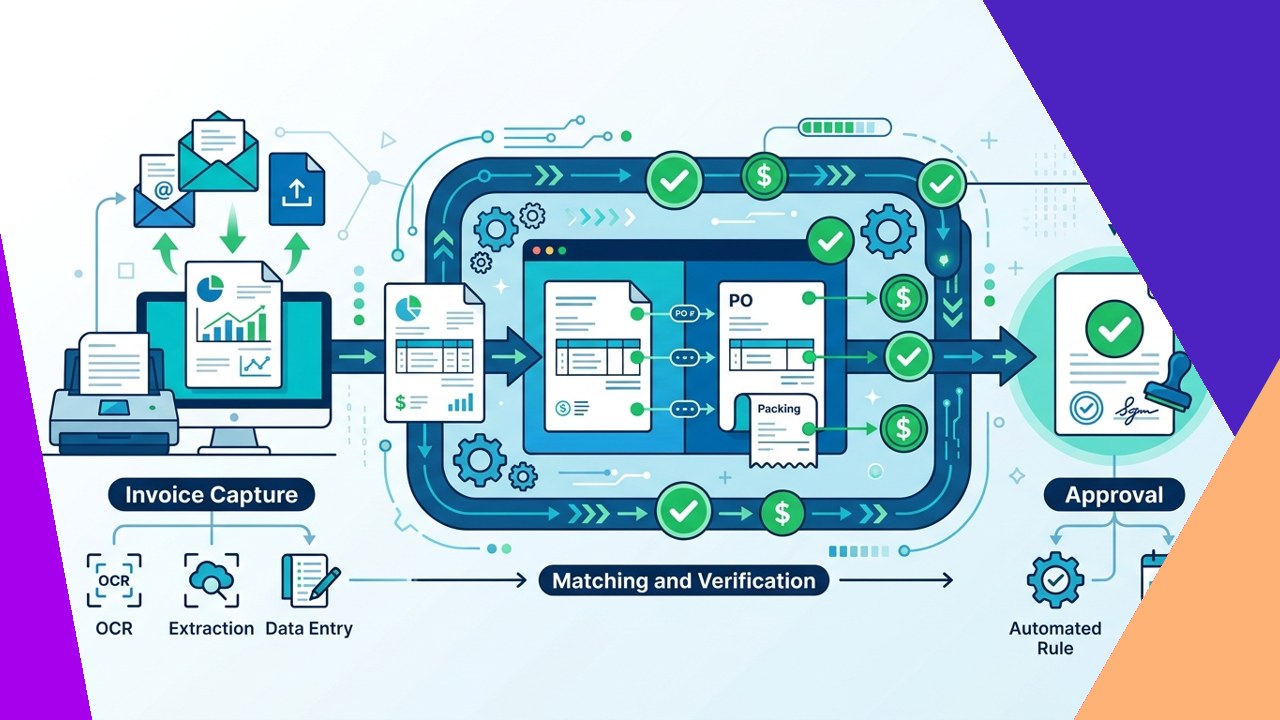
It is software that captures, matches, and routes supplier invoices with little manual entry. It connects to your accounting system, applies approval rules, and schedules payments. Staff step in mainly for exceptions.
Does automation replace accounts payable staff?
No. It removes repetitive data entry, so staff can focus on exceptions, vendor issues, and analysis. Human review still matters for fraud checks and unusual invoices.
How do I start without automating a broken process?
Map your current workflow first. Fix duplicate steps and unclear approvals. Then automate the clean version, and measure results against a baseline.
Can small businesses benefit from it?
Yes. Many small teams outsource their accounts payable or adopt lighter tools to cut errors and speed approvals. The same rules apply: integrate well, keep controls, and review the numbers.
Key takeaways
- Fix and map your accounts payable process before you automate it.
- Integrate the tool with your ERP, and build clear paths for exceptions.
- Keep approval controls, duplicate checks, and fraud checks inside the flow.
- Assign owners and track cost, cycle time, and error rate every month.






 Independent





