Improving cybersecurity in the era of remote working

How do you improve cybersecurity in remote work?
To improve cybersecurity in remote work, run regular network checks, train staff, strengthen policies, and give teams secure tools. Remote setups open new risks. Still, a few steady habits keep company data safe.
- Remote work widens the attack surface for cybercriminals.
- Staff training and clear policies cut most common threats.
- Secure tools, like a VPN, protect data in transit.
The shift to remote work brings clear benefits. Still, it also raises the threat of cybercrime. As remote work grew, many businesses rushed to tighten security and keep hackers out. Technology makes working from home easy. However, it also opens company networks to attackers. So it helps to know how to boost your security while teams work away from the office.
Remote work and its challenges to cybersecurity
Remote work offers many perks for both sides. For one, it saves money, since firms skip office rent and upkeep. It also gives staff more flexibility each day. However, security experts argue it makes their job harder. This model opens new gaps in keeping data safe. So below are common practices that raise the risk.
Reliance on web messaging tools
To stay in touch, remote teams lean on messaging apps. This raises the risk of clicking bad emails or links. In turn, hackers can slip into company systems.
Poor security practices
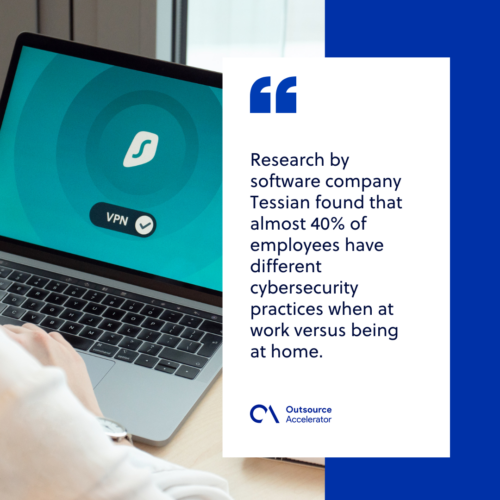
Research by software company Tessian found that almost 40% of employees act differently on security at home. Half said it was because no one from IT was watching. So these weak habits open new doors for attackers.
General curiosity
Basic traits like curiosity, plus a false sense of urgency, push people to click. This makes remote workers easy targets for scams. For example, socially engineered attacks often prey on these instincts. Learning cybersecurity best practices helps teams pause before they click.
How to enhance cybersecurity while employees work at home
Remote and hybrid work are here to stay. Many firms now blend office days with work from home. So businesses must strengthen their defenses. Here are steps you can take to lower remote-work risks. For in-house teams, see this guide on managing cybersecurity for remote workers.
Conduct regular network assessment
A network assessment works like a staff review. You need to run it often. It shows the weak spots in your security. Once you know the gaps, you can plan fixes. Run it on a set schedule, such as quarterly or yearly. So your protocols stay sharp.
Provide awareness training
Let us be honest: not everyone knows how to stay safe online. That gap is wider now that people work from home. So give your team awareness training. Users are your first line of defense. They need to know what to do during an attack. For example, run a short seminar on the basics. Teach them to spot red flags, like fake emails, bad pop-ups, and wrong URLs.
Enhance security policies
Security policies are key to your defense. They guide staff on best practices and who to call about threats. Threats evolve fast, so your rules must keep up. In addition, strong data security in outsourcing matters if you work with outside teams.
Give secure tools and devices
Your network is only as safe as the tools you give your team. So provide secure devices and apps. For secure file-sharing, give staff a cloud VPN. A VPN acts as a safe tunnel. It encrypts data as it moves between devices. As a result, outsiders cannot read it. A good VPN for global teams keeps remote work secure.
Anticipate possible threats
Finally, stay one step ahead of any cybersecurity threats. From the start, build programs that promote safe habits at home. You can also test your team’s knowledge. So run simulated attacks to keep security top of mind.
Connect with the best cybersecurity experts with MVP Asia Pacific
As firms lean on cloud tools, they also raise their risk if setups are weak. To protect your data, you can hire an offshore cybersecurity partner, such as MVP Asia Pacific. In fact, many businesses now choose outsourced cybersecurity services to fill skill gaps.
MVP’s team of experts can handle any cybersecurity need. They start with a deep audit of your IT setup. Then they share a clear report with next steps to boost your safety. They also help cut overhead while delivering top IT service.
Improve your cybersecurity now with MVP Asia Pacific.
Remote work cybersecurity FAQs
Why is cybersecurity harder in remote work?
Remote work spreads data across many home networks and devices. These are harder to monitor and secure. So the risk of attacks goes up.
What are the biggest remote work security risks?
Phishing through messaging and email tops the list. Weak home security habits add more risk. Simple curiosity can also lead to risky clicks.
How can remote teams stay secure?
Train staff to spot threats and follow clear policies. Give them secure tools, like a VPN. Also test your defenses with simulated attacks.
Does a VPN protect remote workers?
Yes, a VPN helps a lot. It encrypts data as it moves between devices. So outsiders cannot read it in transit.
Should you outsource cybersecurity?
Many firms do, especially without in-house experts. An offshore partner brings skills and saves cost. It also frees your team for core work.






 Independent