
What are cloud-powered accounting operations?

At a glance
- Cloud-powered accounting operations run bookkeeping, reporting, and financial close on internet-based software instead of local desktop systems.
- They combine real-time data, automation, and remote or outsourced teams so finance leaders see current numbers from anywhere.
- The model lowers infrastructure cost and scales quickly, but it demands disciplined access controls and vendor security checks.
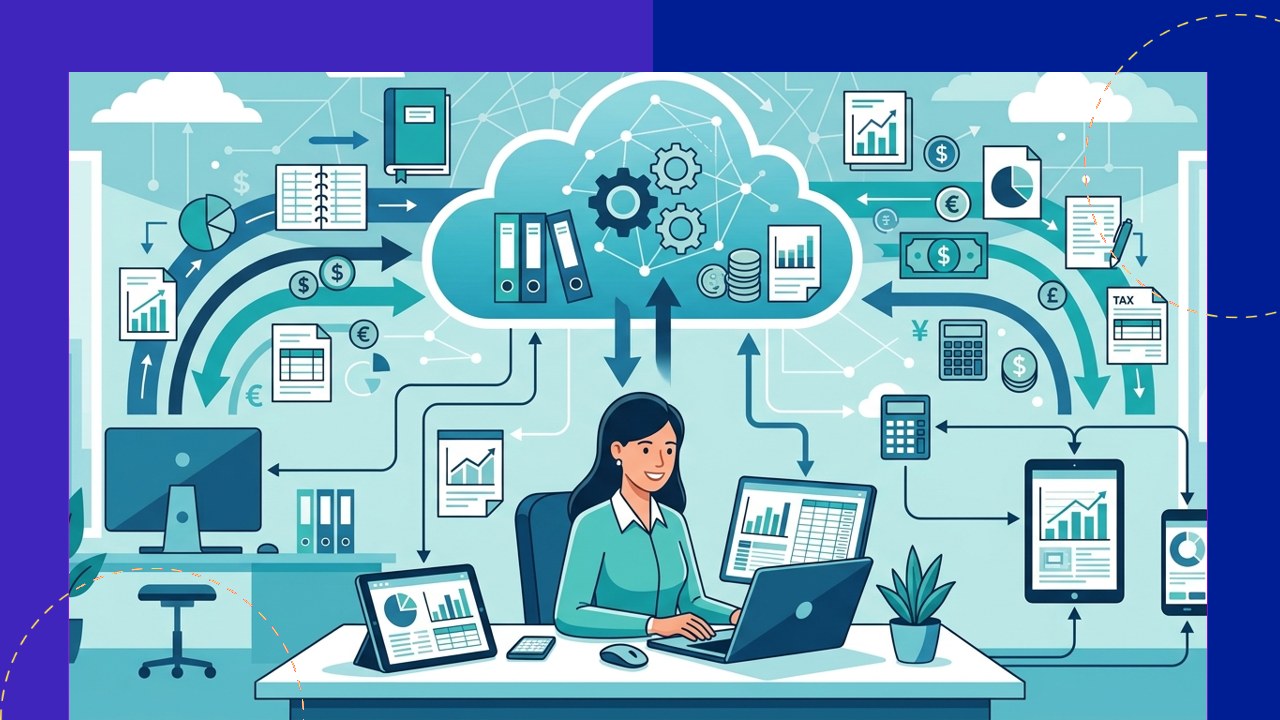
Cloud-powered accounting operations are finance workflows that live on internet-hosted software rather than a single office computer. Instead of one bookkeeper updating a desktop ledger, transactions, invoices, and reports sit in a shared online system that authorized people can reach from any location.
The shift matters because business owners increasingly want current financial data, not month-old summaries. A cloud setup pushes bank feeds, receipts, and payroll into one place automatically, giving decision-makers a live view of cash and profit.
This article explains what the model is, how it works, the benefits and trade-offs, the security questions to ask, and where an outsourced team fits.
What are cloud-powered accounting operations?
Cloud-powered accounting operations describe the full set of finance tasks, from data entry to financial statements, delivered through software hosted on remote servers and accessed through a browser or app.
The “operations” part is important. It is not only the software. It also includes the people running the close, the automation moving data between tools, and the review controls that keep the numbers accurate. The cloud is the platform that ties those pieces together.
The U.S. Small Business Administration calls the balance sheet “the foundation of managing your finances.” A cloud system keeps that foundation current by updating it as transactions post, rather than at the end of a manual cycle. You can read the agency’s full guidance on managing your business finances.
How cloud-powered accounting operations work
Cloud accounting software
A cloud platform is the core. It stores the general ledger online, connects to bank and card feeds, and lets multiple users log in at once with role-based permissions instead of passing a file around.
Real-time data
Bank feeds and connected apps sync throughout the day, so reports reflect activity as it happens. Owners can check a dashboard on Monday morning and see the weekend’s sales already recorded.
Automation
Rules handle repetitive work: matching payments to invoices, categorizing recurring expenses, and flagging duplicates. This cuts manual keying and reduces the small errors that creep into hand-entered ledgers.
Remote or outsourced teams
Because the data is online, the people doing the work do not need to sit in the office. Many firms staff the function with a remote in-house team or an offshore provider who logs into the same system.
Benefits of the model
The advantages fall into four practical buckets that finance and operations leaders tend to care about most.
- Access: authorized staff and advisors reach the same numbers from any location, which suits hybrid and multi-site businesses.
- Scalability: adding users, entities, or transaction volume is a subscription change, not a hardware project.
- Cost: there is no local server to buy, patch, or replace, and licensing usually scales with what you use.
- Accuracy: automated feeds and matching reduce manual entry, and a live audit trail records who changed what.
Traditional vs cloud-powered accounting operations
The table below compares the older desktop model with a cloud-powered setup across the factors that most affect day-to-day finance work.
| Factor | Traditional (desktop) accounting | Cloud-powered accounting operations |
|---|---|---|
| Data access | One machine or local network | Any location with internet and permission |
| Reporting speed | Periodic, often month-end | Real-time as transactions post |
| Infrastructure | Local server, manual updates | Vendor-hosted, updated automatically |
| Scaling | New hardware and installs | Subscription and user changes |
| Team model | On-site staff | On-site, remote, or outsourced |
| Backups | Manual, easy to skip | Automatic, redundant copies |
Security considerations
Moving financial data online concentrates it in one place, which is both a strength and a risk. The right questions are about controls, not just the software brand.
Set role-based permissions so each person sees only what the job requires, require multi-factor login, and review the access list when staff or vendors change. Keeping clean records also supports compliance: the IRS advises that “good records will help you monitor the progress of your business, prepare your financial statements, identify sources of income, keep track of deductible expenses,” per its guidance on business recordkeeping.
When a provider or platform is involved, confirm encryption, data location, backup practices, and how access is revoked at offboarding. Put those expectations in the contract, not just the sales call.
How outsourcing fits
Because the ledger lives in the cloud, an external team can run part or all of the function without relocating any files. A provider logs into your platform, works inside your permissions, and hands back reports on the same system your leaders already use.
This is why cloud tools and outsourced finance have grown together. Businesses commonly outsource bookkeeping, payroll, and the monthly close while keeping oversight in-house. For a fuller picture of the service model, see this guide to outsourced accounting, and for where the tooling is heading, this overview of accounting technology trends.
The point is not to hand off control. It is to combine a live cloud platform with the right mix of internal and external people so the numbers stay current, accurate, and reviewable.
Frequently asked questions
Is cloud accounting the same as cloud-powered accounting operations?
Not quite. Cloud accounting usually means the software. Cloud-powered accounting operations mean the whole function: the platform plus the people, automation, and controls that run bookkeeping and reporting on it.
Do I need an outsourced team to use this model?
No. You can run cloud-powered operations with an internal team. Outsourcing is one option that works well because a remote provider can log into the same online system without moving any data.
Is financial data safe in the cloud?
It can be, with the right controls. Use multi-factor login, role-based permissions, and a provider that encrypts data and backs it up. Review who has access whenever staff or vendors change.
What does real-time data actually change?
It shortens the gap between an event and the number on the report. Instead of waiting for a month-end close, leaders see cash, sales, and expenses update through the day and can act sooner.
Key takeaways
- Cloud-powered accounting operations run the full finance function on internet-hosted software, not a single desktop.
- Real-time feeds, automation, and remote or outsourced teams give leaders current, reviewable numbers from anywhere.
- The model cuts infrastructure cost and scales on subscription, while demanding strong access controls and vendor checks.
- Cloud platforms make outsourcing straightforward, since an external team works inside your system and permissions.






 Independent





