
Cloud and infrastructure services to improve your business intelligence


What are cloud and infrastructure services, and why do they matter?
Cloud and infrastructure services are on-demand computing, storage, and networking resources that a business rents from a provider instead of buying and running its own hardware.
- They cut upfront costs, since you pay only for what you use.
- They scale up or down fast as your workload changes.
- They give small teams the same tools that large enterprises use.
The information technology (IT) industry has changed fast in recent years. As new tools appear, they shape how every business works. For example, companies of all sizes now move their systems to the cloud.
Before the cloud, firms had to buy costly hardware and physical storage. However, that old model is hard to keep up to date. Because of this, most businesses now modernize their IT setup through cloud and infrastructure services. Today, you can reach powerful tools in minutes and build almost anything you need. To see the wider shift, explore this guide on digital transformation.
What is cloud and infrastructure service?
Cloud and infrastructure services are solutions that modernize a business’ IT setup. So they help a company get ready for the future. They lower running costs and add value to the firm’s growth.
Moreover, these services give flexible access to computing power, networking, and storage. As a result, you skip the heavy spend on physical hardware. If you want a plain-English primer, start with this overview of cloud computing basics.
Types of cloud computing services
The cloud computing model comes in three main types. Each one hands you a different level of control.
Infrastructure as a service (IaaS)
With IaaS, you rent IT infrastructure. For example, this includes servers, storage, databases, and networking.
Here is a simple way to picture it. Say you want to build your dream house. First, you would buy land, hire workers, and get materials. Soon you realize the whole project costs a lot and takes time.
So you rent the land and materials from a provider instead. That is close to how IaaS works. In short, you pay only for the resources you use.
Many forward-looking firms favor IaaS to stay ahead. Running data centers on site is hard and costly. Because of this, some companies moved to the cloud.
With IaaS, you skip the job of buying and maintaining hardware. For example, providers like Google Cloud Platform and Amazon Web Services host the resources for you. As a result, you reach virtual infrastructure without upgrading anything by hand. This is one of the clearest cases where firms outsource infrastructures.
Platform as a service (PaaS)
PaaS is a second cloud model that helps you build and run apps. It lets teams test, build, and deploy software with ease. Companies can rent servers, storage, middleware, and network tools from a provider. Databases and support staff are also part of the package.
PaaS mainly suits developers. So they can focus on writing code while the platform handles updates, security, and scaling. However, if the platform goes down, you lose access to those rented tools. As a result, an outage can hurt revenue and output.
One clear perk of PaaS is speed. In addition, you still control your app’s features and data security. Some examples of PaaS are DigitalOcean, AWS Elastic Beanstalk, Quickbase, and Boomi.
Software as a Service (SaaS)
Many large companies now use well over a hundred SaaS apps. This has become the norm today. For example, teams want to skip slow, painful installs.
With SaaS, customers reach an app through a web browser. So they do not install or update the software themselves. The vendor supplies the hardware, security, and application software.
As a result, businesses pay only for what they need and cut upfront costs. In addition, there are many uses for SaaS. It can support team collaboration, content management, projects, customer support, IT security, and billing.
For instance, Zoom is a cloud-based video app. It lets people meet from any device through one platform. Users pay a fee for updates and upkeep. Also, other well-known SaaS tools are Microsoft Office, Slack, Microsoft Teams, and Salesforce.
3 features of cloud and infrastructure services
What should you expect from a good cloud and infrastructure provider? Here are three key features to look for.
Security
Many firms hesitate to move to the cloud over security concerns. That worry is fair. After all, remote access can open the door to attackers too.
However, strong security is one of the best parts of these services. For example, multiple layers guard your data from inside and outside threats. Still, security is a shared job between provider and customer. So do your due diligence before you sign. For a deeper look, review these tips on keeping cloud data secure.
Scalability
A scalable setup lets you raise or lower IT use based on demand. In the past, scaling on-site hardware could take months. With a cloud provider, the resources sit ready to go.
Scalability works thanks to virtualization. For example, admins can move virtual machines across servers with ease. As a result, firms handle busy periods with little disruption.
Economical
These services save money over time. Unlike on-site hardware, you pay only for what you use. So you cut both upfront and running costs. Many teams also outsource cloud services to trim spend further.
6 real-world examples of cloud and infrastructure services
Here are six clear examples of cloud and infrastructure services in action.
Video-streaming platforms
In earlier years, broadcasters ran costly on-site setups to stream video. Today, they move to cloud video platforms instead. As a result, hosting and streaming get much simpler.
These platforms help brands reach viewers without heavy hardware. So how does it work? When a broadcaster uploads video, cloud servers transcode and encode it. This creates many formats fast. Then viewers watch on any device, anywhere. In short, cloud streaming removes the on-site hassle while keeping quality high.
File-hosting
Cloud computing changed how we store and sync files. It reshaped the way people share and access documents. In the past, editing one file with a team was messy. Tracking changes was a real chore.
Today, cloud storage fixes that. For example, you can store videos, photos, and documents online. You can also share them and sync across devices. Dropbox, Microsoft OneDrive, and Google Drive all offer this. They give free space and paid upgrades. As a result, your data stays backed up on many servers.
Music-streaming platform
Gone are the days of CDs and waiting for MTV. Now you can stream your favorite music on demand. So independent artists reach new fans too.
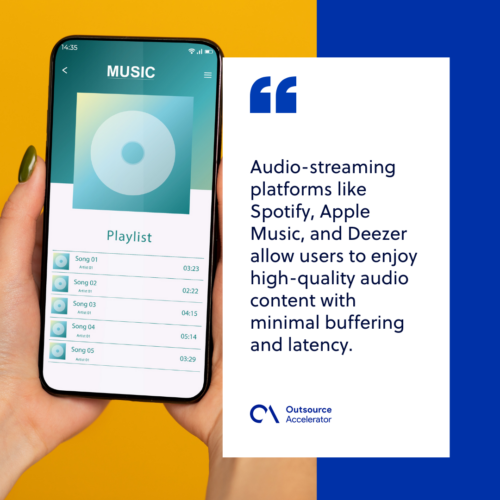
Streaming sends small chunks of audio over the network. The server passes these packets to your device. Then the device buffers them so playback stays smooth. Meanwhile, the next chunk downloads in the background. For instance, Spotify, Apple Music, and Deezer all work this way. Most charge a premium fee for extra features.
Chatbots
A chatbot can lift your customer service. In short, it is a software app that talks like a human. So it offers a chat interface through text or voice.
Think of Siri and Alexa for a quick example. Both use cloud computing and chatbot tech. In addition, you can use chatbots to gather feedback, capture leads, and tailor the user experience.
However, speed is the real win. Tidio reported that 62% of customers would rather talk to a chatbot than wait on hold. Chatbots use AI to read questions and reply well. As a result, agents answer faster and keep customers happy.
Networking
Cloud networking delivers a secure global network from one platform. It can be cloud-enabled or cloud-based.
In a cloud-enabled setup, some resources sit in the cloud while the network stays on site. So the core network infrastructure, like routing, stays in-house. Meanwhile, management and security run through the cloud. In a cloud-based setup, the whole network lives in the cloud. For example, VPNs, firewalls, and bandwidth are all examples here.
Application hosting
Businesses of every size now use hosted apps. Application hosting gives you a place to run your business software. So it is one way to outsource IT services and skip local upkeep.
Traditional hosting uses a single server for the workload. Meanwhile, cloud hosting hands setup, security, and upkeep to the provider. As a result, you focus on core work. For instance, common examples include WordPress, Zendesk, and Salesforce. For heavier needs, some firms add a dedicated cloud server to their stack.
Unlock your business’ potential with cloud and infrastructure services
Thanks to the cloud, even small firms can grow at a fair cost. Moving to the cloud lifts efficiency and cuts admin work. As a result, running costs fall too.
These services help both businesses and customers. They strengthen key parts of the firm and improve engagement online. In the end, your business is only as strong as your IT setup. So a solid foundation makes a real difference in your output.
Frequently asked questions about cloud and infrastructure services
What is the difference between IaaS, PaaS, and SaaS?
These three models differ by how much you manage. With IaaS, you rent raw servers and storage. With PaaS, you get a ready platform to build apps. With SaaS, you simply use finished software through a browser. So control drops and ease rises as you move from IaaS to SaaS.
Are cloud services safe for sensitive business data?
Yes, when set up with care. Good providers add many layers of security and encryption. However, security is a shared job. So you must still manage access, passwords, and staff training on your side.
How do cloud services save money?
You pay only for the resources you use. So there is no big upfront spend on hardware. In addition, you skip the cost of upkeep, power, and space for a data center.
Can small businesses benefit from cloud infrastructure?
Yes, and often the most. Cloud tools give small teams the same power as large firms. As a result, a startup can scale fast without a huge budget.
Which cloud model is best for my business?
It depends on your goals and skills. Choose IaaS for full control over your setup. Pick PaaS if your team builds custom apps. Go with SaaS when you just need ready tools that work right away.






 Independent






