
A blueprint for success: Your guide to cloud accounting services

Accounting professionals often juggle time-consuming administrative tasks, disorganized spreadsheets, and scattered financial data. These challenges not only slow down productivity but also increase the risk of costly errors.
As businesses operate in a fast-paced digital world, they need more strategic solutions to streamline operations and stay ahead.
Today’s technological advancements are reshaping how finance teams work, offering tools that automate routine processes and deliver real-time insights. Among the most transformative innovations is the rise of cloud accounting services.
This article outlines a clear path for businesses looking to adopt or upgrade their accounting systems. Get to know how you can take full advantage of cloud accounting to build a more agile and efficient finance function.
Defining cloud accounting services
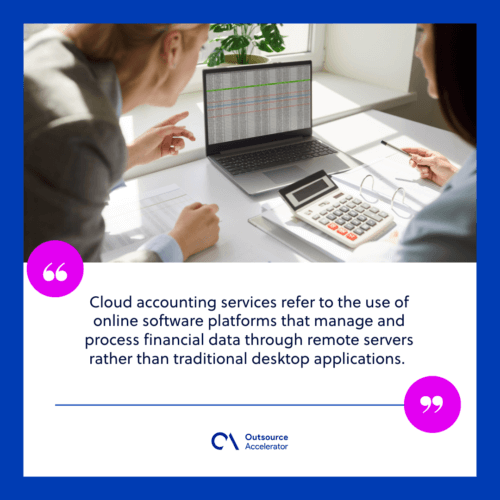
Cloud accounting services refer to the use of online software platforms that manage and process financial data through remote servers rather than traditional desktop applications.
These services allow accounting professionals to access financial information in real time using any internet-connected device.
The core of cloud accounting lies in its internet-based infrastructure, which hosts software and stores data off-site. This setup eliminates the need for on-premise installations or physical storage. Instead, users interact with the software through a web browser or mobile app.
Cloud accounting services typically involve the following components:
- Real-time data entry and syncing across multiple devices and users
- Automated transaction recording directly from linked bank accounts
- Secure storage of financial records in remote data centers
- Access controls to manage user permissions within the system
- Regular software updates handled by the service provider
- Integration capabilities with other business tools such as payroll, inventory, or CRM systems
Accounting teams use these platforms to handle tasks such as invoicing, expense tracking, reconciliation, and reporting. The software processes and organizes financial data automatically based on user inputs or connected financial sources.
Cloud accounting services represent a transition in how businesses manage their financial operations, moving away from local systems and toward dynamic, digital workflows.
Cloud accounting vs. Traditional accounting
Businesses have two main options when it comes to managing their finances: Cloud accounting and traditional accounting.
While both serve the same purpose which is tracking financial data and supporting compliance, they operate in very different ways. Having a good grasp of their differences helps companies choose the right system for their needs.
Here’s a comparison of cloud accounting vs. traditional accounting:
| Aspect | Cloud Accounting | Traditional Accounting |
| Accessibility | Accessible online from any internet-connected device | Limited to local devices where the software is installed |
| Software installation | Runs on web-based platforms, no downloads required | Requires manual installation on individual computers |
| Data storage | Stores data on remote servers (the cloud) | Stores data on local hard drives or in-house servers |
| Real-time updates | Syncs financial data in real time across users | Updates require manual input and system refreshes |
| Collaboration | Multiple users can work simultaneously from different locations | Collaboration often requires file sharing and version control |
| Maintenance | Service provider handles updates and security patches | In-house teams manage updates, backups, and system upkeep |
| Scalability | Easily scales with business growth | Scaling often needs additional hardware or licenses |
Cloud accounting offers a more flexible and connected approach, while traditional systems rely on static, locally managed setups. Each method supports financial management but in distinct ways that impact daily operations and long-term efficiency.
6 Essential benefits of cloud accounting services
Cloud accounting services offer more than just a modern way to manage finances. Let’s discuss how this innovation helps transform how businesses handle daily operations:
1. Real-time access to financial data
As mentioned, cloud accounting platforms allow users to view up-to-date financial information anytime, anywhere. Business owners and accountants can track income, expenses, and cash flow without waiting for end-of-month reports or manual updates.
2. Seamless collaboration
Multiple users can access the system at once, making it easier for team members, accountants, or external advisors to work together.
Cloud access removes the need for emailing spreadsheets or switching between different versions of files.
3. Automated processes
Cloud systems streamline routine accounting tasks such as bank reconciliations, invoicing, and recurring payments. Automation reduces manual work and supports better accuracy across financial records.
4. Reduced IT maintenance
Since cloud platforms are managed offsite, there’s no need for in-house servers or frequent software installations. The service provider handles system updates, security measures, and data backups.
5. Scalable solutions
Cloud accounting software adapts to a business’s growth. Whether adding new users, expanding into new markets, or increasing transaction volumes, the system can support changing needs without major infrastructure changes.
6. Improved data security
Cloud accounting services use advanced encryption, multi-layer authentication, and secure data centers to protect sensitive financial information. Access permissions can also be customized to control who can view or edit data.
Cloud accounting gives businesses the tools to work smarter, respond faster, and maintain better control over their financial landscape, all within a secure and user-friendly environment.
Signs your team is ready for cloud accounting services
As businesses grow, so do their financial responsibilities. Manual processes, outdated systems, and limited access can slow down progress and create unnecessary setbacks.
Cloud accounting services offer a great alternative, but how can a team know it’s time to make the switch? These signs are often clear and easy to spot:
1. Struggles with real-time access
If the team can’t access financial data outside the office or needs to wait on others to send updated files, it’s a strong indicator that the current system is too limited. This creates delays and makes it difficult to make timely decisions.
A lack of up-to-date information can significantly hinder your business’s ability to react to market changes.
2. Frequent errors in financial records
Manual data entry and multiple versions of spreadsheets increase the risk of mistakes. When errors become common, it signals the need for automated tools that reduce manual input and help maintain accuracy.
3. Collaboration feels disconnected
When accountants, bookkeepers, and management struggle to stay on the same page due to file-sharing delays or version conflicts, productivity suffers.
Miscommunication can lead to duplicated efforts, confusion over the latest data, and delays in decision-making. As teams rely on different versions of spreadsheets or documents, the risk of overlooking critical details or missing deadlines increases.
4. Software updates and maintenance drain IT resources
If the internal IT team spends too much time managing accounting software, backups, or updates, it may be time to shift to a solution managed externally.
Constantly troubleshooting software issues or ensuring system stability takes valuable time away from other essential IT projects.
These routine tasks become a drain on resources that could be better used to improve other areas of the business, such as cybersecurity or infrastructure upgrades.
5. Limited scalability
A growing business needs systems that can evolve. If the current accounting software struggles to keep up with increasing transactions, multiple users, or new service areas, it’s a sign the business has outgrown traditional tools.
Recognizing these signs can help businesses take the next step toward adopting cloud accounting services. A modern, flexible system can support growth, improve workflows, and give teams the tools they need to succeed.
How to choose which cloud accounting services to avail of
Investing in the right cloud accounting service is crucial for firms looking to optimize financial operations and improve their overall efficiency. With numerous platforms available, the process of choosing the best one can be daunting.
However, identifying your company’s specific needs, evaluating key features, and considering future growth will guide you to the best solution.
Here’s how to approach the decision-making process and select the cloud accounting services that fit your team perfectly:
1. Assess your business needs
Start by evaluating the specific accounting tasks that need improvement or automation. If the team requires robust invoicing, payroll management, or tax compliance, look for platforms that cater to those features.
Consider how complex your financial operations are, as some platforms are better suited for small businesses, while others are designed for larger, multi-department organizations.
2. Consider integration capabilities
Many companies rely on multiple software tools for different functions, like payroll, inventory, or customer relationship management.
Choose a cloud accounting service that integrates smoothly with your existing systems. This integration automates processes, reduces errors, and eliminates the need to manually transfer data between systems.
3. Evaluate user-friendliness
The user interface is critical, especially for teams that may not have extensive accounting experience. Opt for a service that is intuitive and easy to navigate.
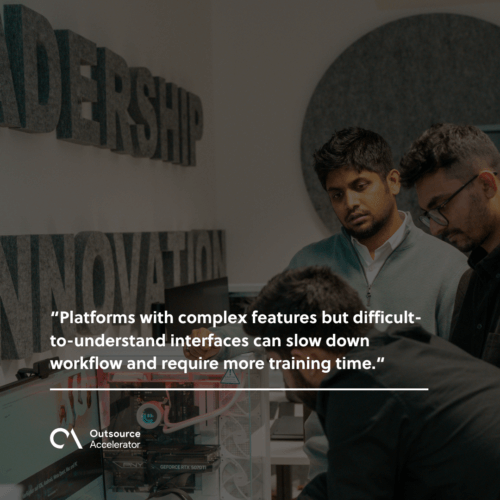
Platforms with complex features but difficult-to-understand interfaces can slow down workflow and require more training time. Look for trial versions or demo options to get a feel for the system before making a commitment.
4. Assess security features
Security is a top priority when handling financial data. Verify that the cloud accounting service uses the following to protect sensitive information:
- Strong encryption
- Secure login protocols
- Regular backups
It’s also important to check if the service complies with relevant regulations like GDPR or financial industry standards to avoid data breaches.
5. Evaluate pricing plans
Pricing models vary widely among cloud accounting providers. Some offer flat-rate monthly subscriptions, while others charge based on features, usage, or the number of users.
Consider your business’s budget and growth projections. Ensure that the service offers flexibility in its pricing and allows you to scale without significant cost increases as your business grows.
6. Look for customer support
Good customer support is essential for handling any issues that arise. Research the type of support each cloud accounting service provides, such as 24/7 phone or chat support, user guides, or online resources.
Consider reading reviews or asking for recommendations from other businesses to assess the quality of customer service.
Selecting the right cloud accounting services involves carefully assessing your business needs, evaluating features, and considering long-term growth.
Focus on integration, user experience, security, pricing, and support to find the platform that best suits their financial management requirements.






 Independent





