
What is automation for employee onboarding?

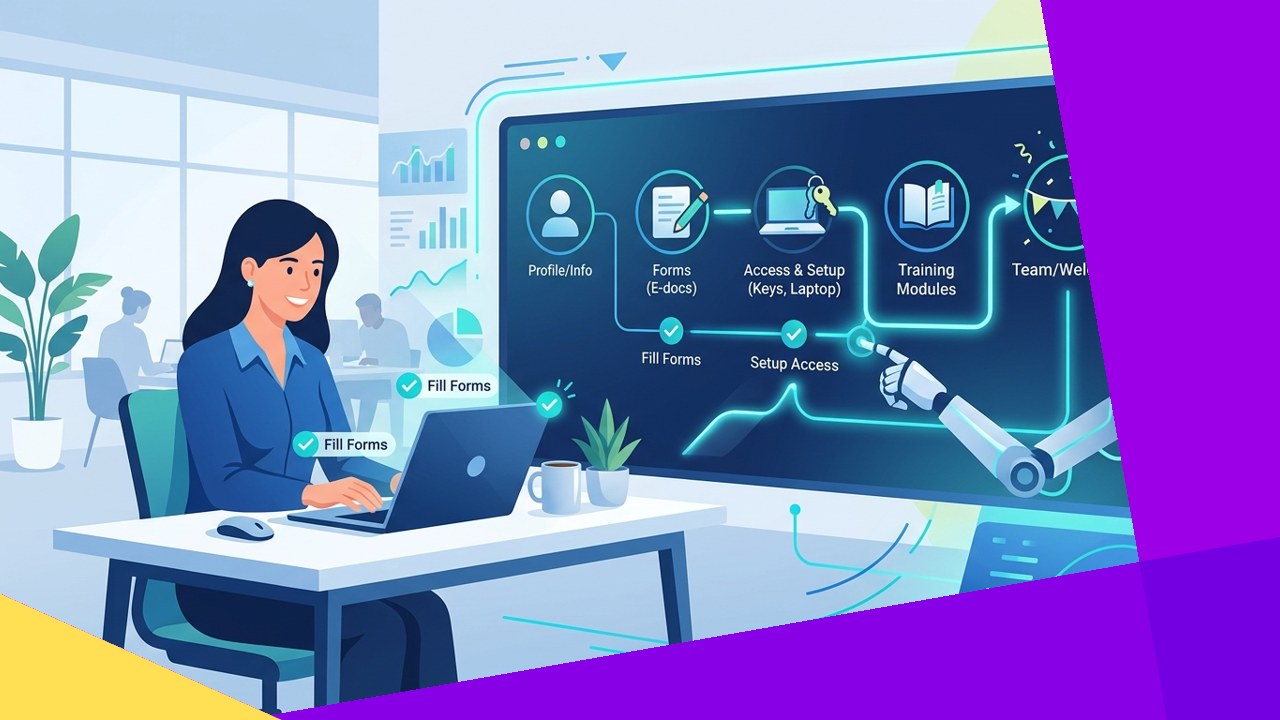
- Automation for employee onboarding uses software to handle the repetitive parts of bringing on a new hire. That includes paperwork, account setup, training assignments, and reminders.
- It speeds up time to productivity and keeps compliance consistent. It works best alongside human welcome moments, though, not as a replacement for them.
- The model is especially useful for remote and offshore hires, where a manual, in-person process breaks down across time zones.
Automation for employee onboarding is the use of software to run the routine, rules-based steps of hiring. These steps turn a signed offer into a productive team member. Picture an HR coordinator who manually emails forms, chases signatures, and requests logins one by one. A system does all of that automatically, triggering each task in the right order.
The goal is not to remove people from the process. It is to free HR and managers from data entry. That frees their time for the human side: introductions, coaching, and answering real questions. SHRM defines onboarding as “the process of integrating new employees into an organization.” Automation simply makes that integration faster and more consistent. This guide explains what it covers, the benefits and limits, and why it fits remote and offshore hiring.
What onboarding automation actually does
Most onboarding work is predictable and repeats with every hire, which makes it a natural fit for automation. A well-configured system handles several categories of task without manual prompting.
Offer and paperwork
The system sends the offer letter, collects e-signatures, and gathers tax, banking, and emergency-contact details through digital forms. Data flows straight into the HR record, so no one retypes it from a PDF.
Accounts and access provisioning
Once you set a start date, automation triggers IT to create email, chat, and app accounts. It also assigns the right permissions by role. New hires arrive on day one with the tools they need already working.
Training assignments
The system assigns role-based learning paths automatically. A support agent and an accountant each receive the courses that match their job. The system tracks progress, and managers see who has completed what.
Reminders and nudges
The platform prompts the new hire, the manager, and HR when something is due. That could be a form to sign, a policy to read, or a first-week check-in to schedule. Nothing slips through because someone forgot to follow up.
Compliance forms
The system collects and stores required documents, acknowledgments, and policy sign-offs with a clear audit trail. This is where automation earns its keep, because missed forms create legal and payroll risk.
Manual vs automated onboarding steps
The clearest way to see the value is to compare how the same steps play out with and without automation. Both can work, but the manual version depends heavily on one person remembering every task.
| Onboarding step | Manual process | Automated process |
|---|---|---|
| Offer and forms | Emailed back and forth, signed by hand or scanned | Digital offer and e-signature, data captured once |
| Account and access setup | HR emails IT per hire, timing varies | Triggered automatically by start date and role |
| Training | Coordinator assigns courses individually | Role-based learning path assigned on hire |
| Compliance documents | Tracked in a spreadsheet, easy to miss | Auto-collected with a stored audit trail |
| Follow-up and reminders | Relies on someone remembering to chase | System nudges all parties when items are due |
The benefits of automating onboarding
When the routine steps run on their own, the payoff shows up in four areas. Both HR and the business feel it.
Speed to productivity
Accounts, training, and paperwork happen in parallel rather than in a slow sequence, so new hires start contributing sooner. That matters because early days shape retention. SHRM reports, in its new hire integration guide, that “nearly 90 percent of employees decide whether to stay or go within that first six months.”
Consistency
Every hire receives the same steps in the same order. It does not matter who runs the process or how busy the team is. That removes the gaps that appear when onboarding depends on memory.
Compliance
The system captures and stores required forms and acknowledgments automatically. That reduces missed documents and gives you a clean record if an auditor ever comes knocking.
Experience
A smooth, organized first week signals that the company is professional and prepared. That impression is hard to recover if a new hire spends day one waiting for a login.
Where the human touch still matters
Automation handles tasks, not relationships. A workflow can assign a mentor, but it cannot be the mentor. The parts of onboarding that build belonging still need people.
Keep humans firmly in charge of the welcome conversation, team introductions, and role context. Managers should also run the check-ins that answer questions a form never will. Over-automating these moments makes a new hire feel processed rather than welcomed.
The right balance is simple. Let software carry the administrative load, and use the time it frees up for genuine human connection.
How automation fits remote and offshore onboarding
Onboarding automation is most valuable when the new hire is not in the building. Remote and offshore setups magnify every weakness of a manual process. After all, you cannot walk a form over to someone’s desk.
Across time zones, a self-serve system lets a new hire in another country work independently. They can complete paperwork, set up accounts, and start training without waiting for HR to be online. This is central to a solid remote employee onboarding checklist, where pre-boarding tasks run before day one.
For offshore teams hired through a provider, automation also standardizes compliance and access across locations. You still need deliberate cultural and communication steps alongside those workflows. That pairing is what makes it possible to successfully onboard an offshore team at a distance.
Frequently asked questions
What is automation for employee onboarding in simple terms?
It is software that runs the repetitive onboarding tasks automatically: sending forms, setting up accounts, assigning training, collecting compliance documents, and reminding people when items are due, so HR does less manual chasing.
Does onboarding automation replace HR?
No. It replaces data entry and follow-up, not judgment or relationships. HR and managers still handle welcomes, coaching, and the human context that determines whether a new hire feels part of the team.
Which onboarding tasks should stay manual?
Keep the relationship-driven moments human: the welcome meeting, team introductions, mentor conversations, and one-on-one check-ins. These build engagement in a way that no automated workflow can.
Is automation worth it for a small team?
Often yes, especially if you hire remotely. Even a few hires a year benefit from consistent compliance and account setup.
Key takeaways
- Automation for employee onboarding handles the repetitive steps: offers, paperwork, access provisioning, training assignments, reminders, and compliance forms.
- The benefits are speed, consistency, compliance, and a better first impression, but automation supports people rather than replacing them.
- Keep welcomes, mentoring, and check-ins human so new hires feel connected, not processed.
- The model fits remote and offshore hiring especially well, letting new staff self-serve across time zones while compliance stays standardized.






 Independent





