
HR workflow automation: the pros and cons

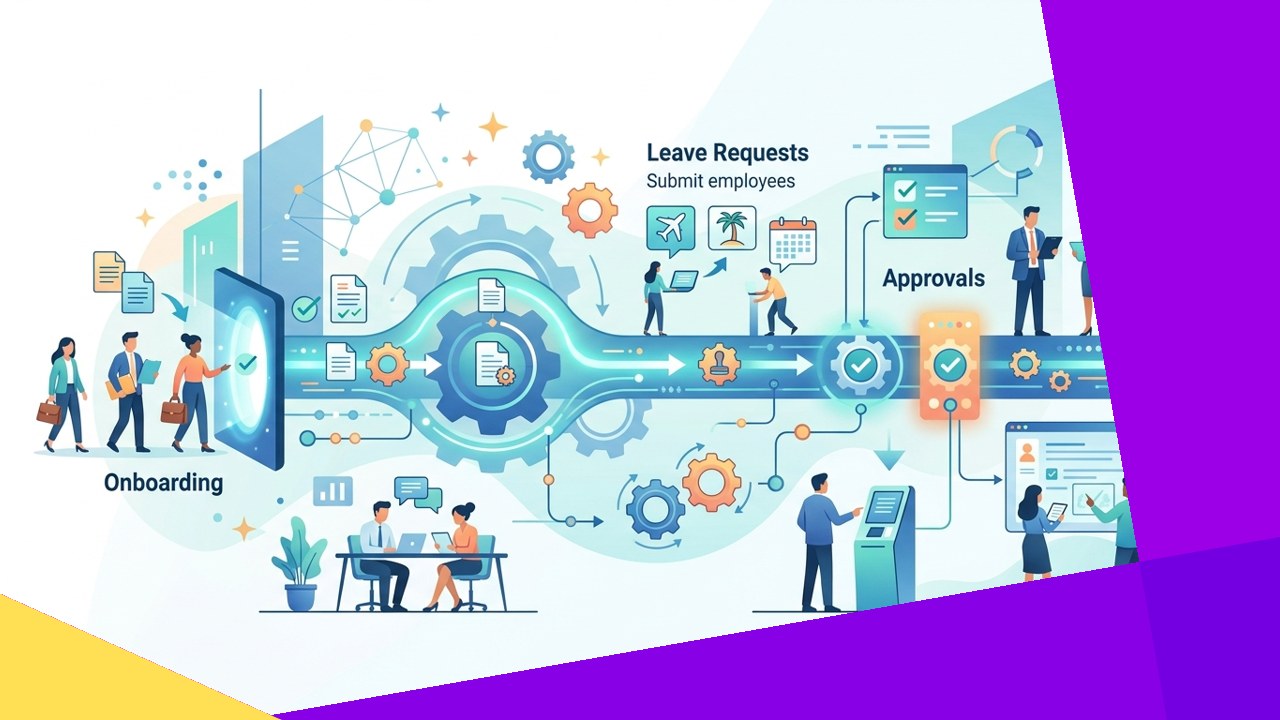
- HR workflow automation uses software to run repetitive people processes, from onboarding to offboarding, with fewer manual steps.
- The main benefits are speed, consistency, easier compliance, and more time for strategic HR work.
- The main risks are setup cost, tricky integrations, over-automation, and a weaker human touch.
HR workflow automation is the use of software to handle routine people processes with little or no manual effort. Instead of chasing forms and emails, HR sets rules once. The system then routes tasks, sends reminders, and updates records on its own. As a result, common jobs like onboarding or leave approvals move faster and follow the same steps every time.
For many teams, the appeal is obvious. HR staff spend hours on paperwork that adds little value. Automation clears that load so people can focus on hiring, culture, and retention. However, the shift is not free of trade-offs. This guide explains what automation covers, where it helps, and where it can hurt.
What is HR workflow automation?
A workflow is simply a series of steps that move a task from start to finish. Think of an approval that passes from an employee to a manager, then to payroll. HR workflow automation turns those steps into rules inside a software platform.
For example, a new hire record can trigger a full onboarding sequence. The system creates accounts, assigns training, and notifies IT. Each step happens in order, without someone tracking it by hand. SHRM notes that automated HRMS workflows ensure “each onboarding step happens at the right time, by the right team, in sequence.”
Common automated HR workflows
Most teams start with high-volume, rules-based tasks. These processes repeat often and follow clear logic, so they suit automation well.
Onboarding and offboarding
Onboarding involves many small steps across several teams. Automation collects documents, sets up accounts, and schedules training. Offboarding works in reverse. The system revokes access, recovers assets, and closes payroll on the right date.
Leave requests and approvals
Employees submit time-off requests through a self-service portal. The tool checks balances, routes the request to a manager, and updates the calendar. Because the rules are fixed, decisions stay consistent and fast.
Benefits and payroll
Benefits enrollment and payroll rely on accurate data and deadlines. Automation calculates deductions, flags errors, and issues pay slips to portals. As a result, fewer mistakes reach the employee.
The pros of HR workflow automation
The upside is real when the process is well designed. First, speed improves. Tasks that took days can finish in minutes. Second, consistency rises because every case follows the same path. That helps with compliance, since the system logs each action for audits.
Employee experience also benefits. Staff get quick answers and clear status updates. According to SHRM research on automation and AI in HR, “85 percent of employers that use automation or AI say it saves them time and/or increases their efficiency.” In short, automation frees HR staff for work that needs judgment, such as coaching and planning.
The cons of HR workflow automation
The drawbacks matter just as much. Setup cost comes first. Good tools require budget, configuration, and training. Integration is the next hurdle. Your HR platform must connect to payroll, IT, and finance systems, and that link can break.
Over-automation is a subtler risk. If you automate a broken process, you simply make bad steps run faster. There is also the human factor. A chatbot cannot handle a grievance or a layoff with care. SHRM’s guidance on automating HR while keeping the human touch urges teams to do this “while keeping the focus on what matters most, that is, our people.” Because of this, the goal is balance, not full replacement.
Manual vs automated HR workflows
The table below compares the two approaches across common factors. It shows where automation pulls ahead and where caution still applies.
| Factor | Manual HR workflow | Automated HR workflow |
|---|---|---|
| Speed | Slow, depends on staff availability | Fast, tasks trigger instantly |
| Consistency | Varies by person and mood | Same steps every time |
| Error rate | Higher from rekeying data | Lower, with built-in checks |
| Compliance trail | Hard to reconstruct | Logged automatically |
| Upfront cost | Low, mostly labor time | Higher setup and licensing |
| Human touch | Strong, personal contact | Weaker without design care |
How outsourcing and HR partners fit
Not every company wants to buy and run its own automation stack. That is where an outsourcing provider can help. An HR partner brings the tools, the setup skills, and the process knowledge in one package. As a result, smaller teams reach modern workflows without a large internal project.
Providers can host onboarding, payroll, and benefits administration on proven systems. Many firms pair this with wider back-office support. To learn how this model works in practice, see this overview of handing HR duties to an external agency. Payroll is a common first step, and the trade-offs echo those of automation, as this look at the pros and cons of payroll outsourcing explains.
The key is to keep ownership of strategy in-house. Let a partner run the process while your leaders guide the people decisions. In short, outsourcing can deliver automation’s speed without heavy internal cost.
Frequently asked questions
What HR tasks should you automate first?
Start with high-volume, rules-based tasks. Onboarding, leave approvals, and payroll are strong candidates. They repeat often and follow clear logic, so automation pays off quickly.
Does HR automation replace HR jobs?
No, in most cases it shifts the work. Automation handles routine admin, while staff focus on strategy, culture, and complex cases. The best setups amplify human judgment rather than remove it.
What does HR workflow automation cost?
Costs vary by tool and team size. Expect licensing, setup, and training expenses upfront. Many teams offset this over time through saved hours and fewer errors.
How do you avoid over-automation?
Map and fix each process before you automate it. Keep a human in the loop for sensitive moments, such as grievances or exits. Review the workflows often and adjust as needs change.
Key takeaways
- HR workflow automation speeds up routine people processes and keeps them consistent.
- The clearest wins are onboarding, leave approvals, benefits, and payroll.
- Watch for setup cost, integration issues, over-automation, and a lost human touch.
- An outsourcing partner can supply the tools and skills while you keep control of strategy.






 Independent





