
Accounts payable automation: the pros and cons

At a glance
- Accounts payable automation replaces manual invoice handling with software that captures, matches, approves, and pays supplier bills.
- The main pros are faster cycle times, fewer errors, lower processing cost, better spend visibility, and stronger fraud control.
- The main cons are upfront setup cost, integration effort, change management, and the need to handle exceptions that software cannot resolve alone.
Accounts payable automation is the use of software to run the invoice-to-payment process with little manual data entry. Instead of keying figures from paper or PDF bills, the system reads each invoice, checks it against a purchase order and receipt, routes it for approval, and schedules payment. It sits on top of your existing accounting or ERP records.
Accounts payable, or AP, covers the short-term money a business owes its suppliers. Cornell Law School’s Legal Information Institute defines it as “the short-term debt that a company owes to its suppliers or vendors for products or services received before a payment is made”. Automating that workflow can save time, but it is not free of trade-offs.
This article explains what AP automation is, how it works, and the honest pros and cons, plus where an outsourcing or finance partner fits.
What is accounts payable automation?
AP automation is a set of tools that digitize each stage of paying a supplier. Optical character recognition and machine learning read invoice fields. Rules engines validate those fields against your records. Workflow software moves each bill to the right approver, then triggers payment.
The goal is a “touchless” invoice that flows from receipt to payment without retyping. In practice most teams reach a mix, where clean invoices process automatically and unusual ones get human review.
How accounts payable automation works
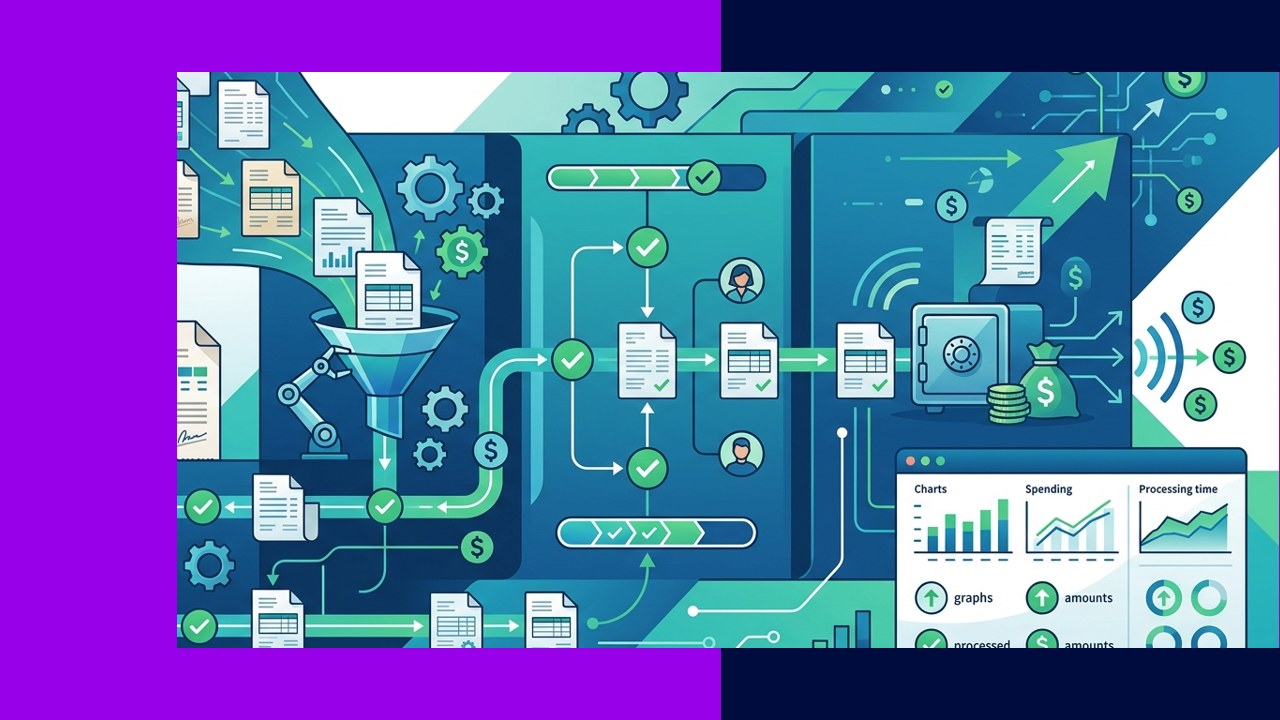
Most platforms follow the same four stages. Understanding them helps you judge which pros and cons apply to your volume.
1. Invoice capture
The system ingests invoices from email, a supplier portal, or scanned paper, then extracts the vendor, amounts, dates, and line items. Modern extraction reaches high field accuracy on structured invoices, which cuts the manual keying that drives most errors.
2. Matching
The tool compares each invoice to its purchase order and goods-receipt note. This “three-way match” confirms you are paying for what was ordered and received. Matches that agree can move straight through; mismatches stop for review.
3. Approval workflows
Approved rules route each invoice to the right manager based on amount, department, or cost center. Approvers act from a dashboard or phone, and the system logs every step for the audit trail.
4. Payment
Once approved, the platform schedules payment by ACH, card, or wire and updates the ledger. Smart timing helps you capture early-payment discounts and avoid late fees.
The pros of accounts payable automation
The upside is concrete and measurable when volume is high enough to justify the setup.
Speed: Touchless invoices clear in hours rather than days, which shortens the whole close cycle. Accuracy: Removing manual keying cuts duplicate and mismatched payments. Cost: Fewer staff hours per invoice lowers the cost to process each bill.
Visibility: Live dashboards show what is owed, approved, and overdue, which improves cash-flow planning. Fraud control: System rules, approval limits, and audit trails make it harder to slip through a false invoice. That matters, because the FBI’s Internet Crime Complaint Center reports that business email compromise, much of it fake-invoice and payment-redirect fraud, drove “$55,499,915,582” in exposed losses from 2013 to 2023.
The cons of accounts payable automation
The drawbacks are real and worth budgeting for before you commit.
Setup cost: Licensing, configuration, and training require money and time before you see returns. Integration: Connecting the tool to your ERP, banking, and supplier data can be the hardest part, especially with older systems.
Change management: Staff and approvers must adopt new habits, and resistance can stall a rollout. Exceptions: Odd invoices, disputes, and non-standard formats still need people, so automation reduces manual work rather than removing it entirely.
Manual AP vs automated AP
| Factor | Manual AP | Automated AP |
|---|---|---|
| Data entry | Staff key each invoice by hand | Software extracts fields automatically |
| Processing time | Days per invoice, often delayed | Hours or minutes for clean invoices |
| Error rate | Higher from rekeying and lost bills | Lower on matched, structured invoices |
| Cost per invoice | Higher, driven by labor hours | Lower at scale after setup |
| Visibility | Limited, spread across inboxes | Live dashboards and audit trails |
| Upfront effort | Low to start, high ongoing labor | High setup, lower ongoing labor |
How outsourcing and finance partners fit
You do not have to choose between manual work and a full software build. Many businesses hand the AP function to an outsourcing or finance partner that already runs automated tools and trained staff. The provider handles capture, matching, exception review, and payment support on your behalf.
This route suits teams that lack the volume, budget, or in-house skills to configure and maintain a platform. It blends software speed with human judgment for the exceptions that rules cannot settle. For a fuller view of the trade-offs, see this breakdown of the advantages and disadvantages of accounts payable outsourcing.
Whether you automate in-house or through a partner, the core technology is similar. A closer look at how AI invoice processing reduces accounts payable errors shows why a hybrid of software plus human review tends to work best.
Frequently asked questions
Is accounts payable automation worth it for a small business?
It depends on volume. If you process only a handful of invoices a month, the setup cost may outweigh the savings. As volume grows, the cost per invoice and error rate of manual work usually make automation pay off.
Does automation replace the accounts payable team?
No. It removes repetitive keying and routing so staff can focus on exceptions, supplier relationships, and analysis. Someone still needs to handle disputes and approve unusual payments.
How long does it take to implement?
A simple rollout can take a few weeks, while an ERP-integrated setup with many approvers and suppliers can take several months. Integration and data cleanup are usually the slowest parts.
Can automation reduce payment fraud?
Yes. Approval limits, three-way matching, and full audit trails make fake or altered invoices easier to catch, though controls and human vigilance are still essential given the scale of invoice-related fraud.
Key takeaways
- AP automation runs the invoice-to-payment cycle through capture, matching, approval, and payment with minimal manual entry.
- The pros, speed, accuracy, lower cost, visibility, and fraud control, grow stronger as invoice volume rises.
- The cons, setup cost, integration, change management, and exceptions, mean it reduces manual work rather than eliminating it.
- Outsourcing to a finance partner offers the benefits of automation without building and maintaining the technology yourself.






 Independent





