
10 virtual bookkeeping tools to try in 2026


What are the best virtual bookkeeping tools to try in 2026?
The best virtual bookkeeping tools include FreshBooks, Xero, QuickBooks, and Zoho Books, plus niche picks like Link My Books, Holded, Hubdoc, Expensify, Multiview, and FreeAgent.
- Cloud tools let teams track income, expenses, and reports from anywhere.
- Automation cuts data entry, so staff can focus on real analysis.
- The right pick depends on your size, budget, and workflow.
List of 10 best virtual bookkeeping tools
In the early years of bookkeeping, everything was done by hand. Bookkeepers wrote each entry with pen and paper. As a result, they spent long hours poring over ledgers.
Every number had to be exact. So one small slip meant starting the page over again.
Because of this, the old manual approach was slow and easy to get wrong. It hurt accuracy and dragged down output.
Today, the picture looks very different. Virtual bookkeeping tools have changed how firms manage their money. In this guide, we explain what these tools do, why they help, and the top ten to try in 2026.
What are virtual bookkeeping tools?
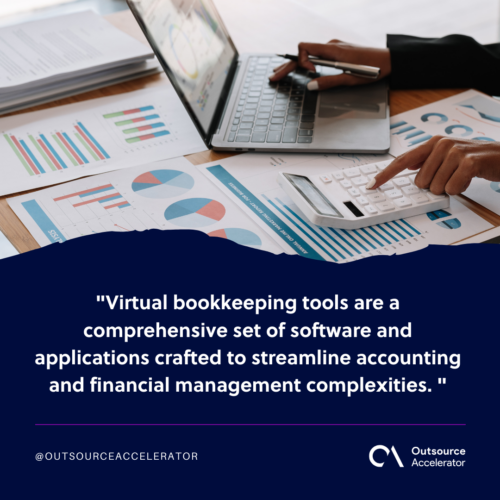
Virtual bookkeeping tools are software and apps that make accounting simpler. In short, they take the heavy lifting out of daily finance work.
For example, they handle data entry, expense tracking, invoicing, and reports. As a result, teams save hours each week.
These tools also run in the cloud. So remote bookkeepers can open and update the books from anywhere with internet.
Offshoring firms like Boomering find bookkeepers who stay current with these tools. In turn, clients get faster and cleaner service.
Benefits of virtual bookkeeping tools
Virtual bookkeeping tools bring clear gains to a business. Here are the main ones.
Real-time collaboration
First, these tools help teams work together in real time. For example, several users can open the same records at once.
As a result, work stays clear and quick. Shared access and user permissions also keep the data safe.
Automated data entry
Next, virtual bookkeeping tools use automation to capture data. So they cut human error and save time.
In addition, these tools can do the following on their own:
- Import bank transactions
- Categorize expenses
- Reconcile accounts
- Streamline the entire virtual bookkeeping process
Customized dashboards
Many virtual bookkeeping tools offer custom dashboards. So you get a quick view of a company’s financial health.
For example, you can show key metrics, trends, and reports on one screen. As a result, teams make better calls from live data.
These visuals also make hard numbers easy to read. In turn, planning gets much simpler.
Audit trail and compliance
A clear audit trail matters for every business. Virtual bookkeeping tools often help you:
- Track changes made to financial records
- Generate detailed audit logs
- Meet regulatory requirements
As a result, audits get easier. So the risk of non-compliance drops too.
Predictive analytics
Advanced tools also use predictive analytics. So they forecast trends from past data.
For example, they can flag cash flow gaps and budget risks early. As a result, you can act before small issues grow.
10 best virtual bookkeeping tools in 2026
The right virtual bookkeeping tool depends on your needs and scale. So let us look at ten strong options, in no set order.
Each tool brings its own strengths. For example, some fit freelancers, while others suit large firms.
1. FreshBooks
FreshBooks is a simple, cloud-based accounting tool. So it fits freelancers, small firms, and self-employed pros.
For example, it eases invoicing, expense tracking, and time management. As a result, it stays a popular pick across devices.
Features:
- Invoicing and payment processing
- Expense tracking
- Time tracking and project management
- Customizable reports
- Tax preparation tools
| Pros | Cons |
|
|
2. Link My Books
Link My Books makes Amazon accounting simple. So it links right into Amazon Seller Central.
For example, it pulls sales and expense data into your accounting app. As a result, e-commerce sellers get clearer numbers with less work.
Features:
- Amazon and eBay accounting integration
- Automated transaction reconciliation
- Multicurrency support
- VAT tax management
| Pros | Cons |
|
|
3. Holded
Holded is an all-in-one business tool. So it goes beyond basic bookkeeping.
For example, it covers inventory, project tracking, and CRM. As a result, it works well for small and mid-sized firms.
Features:
- Inventory management
- Project accounting
- CRM integration
- Customizable workflows
| Pros | Cons |
|
|
4. Xero
Xero is one of the most flexible virtual bookkeeping tools. So it fits firms of every size.
For example, it runs in the cloud and eases invoices, bank feeds, and payroll. As a result, teams can shape it around their own process.
Its many integrations set it apart too. So it scales well as a business grows.
Features:
- Bank reconciliation
- Payroll processing
- Inventory tracking
- Third-party app integrations
| Pros | Cons |
|
|
5. QuickBooks
QuickBooks stays a well-known name in accounting. So it is easy to learn yet still powerful.
For example, it handles expenses, invoices, and financial tracking with ease. In addition, it links with many third-party apps.
The maker also updates it often. As a result, it keeps pace with what firms need.
Features:
- Invoicing and expense tracking
- Tax preparation
- Reporting and analytics
- Integration with other Intuit products
| Pros | Cons |
|
|
6. Multiview
Multiview targets mid-sized and large firms. So it shines on complex finance work.
For example, it offers advanced reporting, intercompany accounting, and multi-currency support. As a result, it grows with a busy business.
Features:
- General ledger and financial reporting
- Accounts payable and receivable
- Budgeting and forecasting
- Fixed assets management
| Pros | Cons |
|
|
7. Hubdoc
Hubdoc makes document work easy. So it gathers bills, receipts, and invoices for you.
For example, it links with your accounting app to cut manual entry. As a result, records stay neat and accurate.
Features:
- Document management and organization
- Automatic data extraction
- Integration with accounting software
- Audit trail for documents
| Pros | Cons |
|
|
8. Expensify
Expensify focuses on business expenses. So tracking and reporting feel simple.
For example, its app lets users snap receipts and sort costs on the go. As a result, it saves time for teams of any size.
Features:
- Expense tracking and reporting
- Receipt scanning and OCR
- Reimbursement automation
- Corporate card management
| Pros | Cons |
|
|
9. Zoho Books
Zoho Books is built for small firms. So invoices, expenses, and inventory stay easy to manage.
For example, you can shape it to fit your needs. In addition, it links with other Zoho apps for more reach.
Features:
- Invoicing and expense tracking
- Inventory management
- Bank reconciliation
- Integrated collaboration tools
| Pros | Cons |
|
|
10. FreeAgent
FreeAgent suits freelancers and small firms. So it makes core accounting tasks quick.
For example, it handles invoices, expenses, and tax work. In addition, it leans on automation to cut manual effort.
It also shows real-time data. As a result, users can decide fast with a clear view.
Features:
- Invoicing and project management
- Time tracking
- Tax estimation and reporting
- Bank reconciliation
| Pros | Cons |
|
|
Investing in virtual bookkeeping tools
The right virtual bookkeeping tools bring real gains. For example, they save time and cut errors. As a result, teams can focus more on growth.
These tools also give clear insights that guide smart choices. So the payoff goes well beyond faster data entry.
In short, the right setup can transform how you run your finances. So it is worth making the move today.
Frequently asked questions about virtual bookkeeping tools
What does a virtual bookkeeper do?
A virtual bookkeeper manages a firm’s records from a remote setup. For example, they track income and expenses, reconcile bank statements, prepare reports, and help with tax rules. As a result, owners can focus on growth.
Is there high demand for virtual bookkeepers?
Yes, demand keeps rising. More firms now move online and want low-cost finance help. So many outsource bookkeeping to skilled remote pros across many industries.
Is virtual bookkeeping profitable?
Yes, it can be quite profitable. For example, it has lower overhead than office-based work. In addition, tech lets one bookkeeper serve many clients at once.
Are virtual bookkeeping tools secure?
Most trusted tools use strong security. For example, they encrypt data and set user permissions. As a result, your records stay safe in the cloud.
Which virtual bookkeeping tool is best for small businesses?
FreshBooks, Xero, QuickBooks, and Zoho Books all fit small firms well. They are easy to set up and use. So small teams can start fast and scale later.
What are the best online bookkeeping tools?
Popular online bookkeeping tools include Xero, QuickBooks, FreshBooks, and Zoho Books. Each runs in the cloud, so teams can work on the books from anywhere.
What tools do bookkeepers use?
Bookkeepers use accounting platforms, receipt capture apps, and expense trackers. Tools like Hubdoc and Expensify pair well with cloud accounting software.
Key takeaways
- Virtual bookkeeping tools automate data entry, invoicing, and reports.
- Cloud access lets remote bookkeepers work from anywhere.
- Top picks include FreshBooks, Xero, QuickBooks, and Zoho Books.
- Niche tools like Link My Books and Hubdoc suit specific needs.
- The right choice depends on your size, budget, and workflow.






 Independent





