
What is a scheduling assistant and how does it help save time?


What is a scheduling assistant, and how does it help save time?
A scheduling assistant is a person or a smart tool that manages your calendar, so you book, move, and confirm meetings without the back-and-forth that eats your day.
- It owns the calendar, so you stop juggling invites and reminders yourself.
- It cuts the email ping-pong, because it checks who is free and locks the time.
- It protects focus hours, so deep work does not get buried under meetings.
Keeping a calendar clean is a real job on its own. Because of this, many C-level executives lean on a scheduling assistant to keep things correct and in order.
A good office assistant is well organized. They also know basic office routines. As a result, they can update online calendars and set appointments with little oversight.
In addition, they can return calls, book or cancel meetings, arrange travel, and remind managers of what is coming up. So the role sits close to that of an administrative assistant.
In this post, we look at the role of a scheduling assistant, the benefits of hiring one, ways to run scheduling, and where to find reliable help.
What is the role of a scheduling assistant?
As noted above, the role of a scheduling assistant is close to an administrative assistant. Here are the main duties you can expect:
- Own the calendar, so meetings, calls, and deadlines all live in one place
- Set, move, and cancel appointments as your day changes
- Send reminders and confirmations, so no one misses a booked slot
- Coordinate across teams and time zones, so busy diaries still line up

The right fit often depends on the person behind the calendar. For that reason, it helps to know the top skills of a strong executive assistant before you hire.
What are the benefits of a scheduling assistant?
You spend far less time hunting for a meeting slot when an office assistant handles it. So your hours go back to real work.
You also skip the extra emails, the waiting, and the worry about shifting availability. Unlike simple polling tools, a scheduling assistant just gets it done.
Here are the top benefits:
- By default, your team sees when you are free, and private details stay hidden
- You choose which coworkers can view your open meeting times
- You can check a teammate’s availability in seconds
- Lunch holds can show up on their own, so no one books over your meal
- Team calendars merge on their own and respect your days off
- Your personal calendar can sync, so private events simply read as busy
Because the calendar runs smoothly, saved time adds up fast. In fact, the right time management software can push those gains even further.
Ways to manage scheduling operations
There are two ways to run an office assistant’s work: manual and automated.
A manual office assistant is a person who handles your scheduling. An automated one is software that does the same tasks for you. Each option has its own upsides and trade-offs.
For example, a smart automated tool links to your calendar. As a result, it can book meetings, show when you are free, leave notes, and send reminders on its own.
It is a low-cost choice. Still, it needs your time and effort to set up and manage.
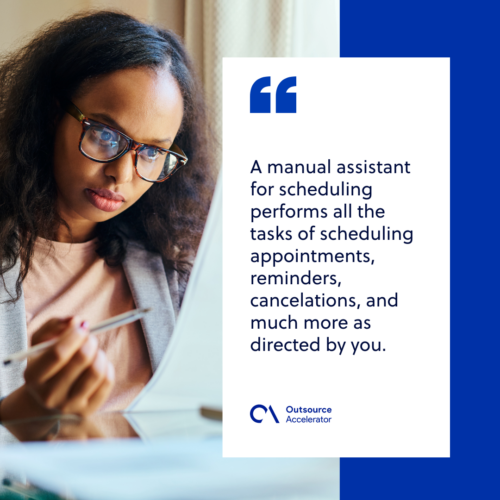
A manual assistant handles the booking, reminders, and cancellations that you direct. It costs a bit more. However, you just share what you need, and the assistant runs the rest. So it lifts productivity and cuts the chance of errors.
If you want a person rather than a tool, start with a clear brief. For example, learn how to hire a virtual assistant before you post the role.
The future of the appointment scheduling market
The appointment scheduling market keeps growing fast. So better-resourced teams are needed to book meetings on behalf of busy businesses.
Good scheduling should feel simple and stress-free. In practice, providers handle the booking and line up leads for you. Meanwhile, you focus on the rest of the business.
Real-time booking tools also cut down on no-shows. As a result, skilled staff can help you get better results from every appointment.
This work links closely to appointment setting, so the two often go hand in hand.
Frequently asked questions
What does a scheduling assistant do?
A scheduling assistant runs your calendar. So it books, moves, and confirms meetings, sends reminders, and keeps your day in order.
How does a scheduling assistant save time?
It removes the back-and-forth of finding a slot. As a result, you skip extra emails and reclaim hours for core work.
Should I use a person or software?
Both work well. Software is cheap but needs setup. A person costs more, yet handles everything with little input from you.
Who needs a scheduling assistant most?
Busy leaders gain the most. For example, C-level executives and managers with packed diaries save real time each week.
How much does a scheduling assistant cost?
Costs vary by provider and model. Still, an outsourced assistant is often a low-cost way to keep your calendar clean.
Key takeaways
- A scheduling assistant owns your calendar, so you stop losing time to booking chores.
- The role sits close to an administrative or executive assistant.
- You can choose a person or a smart tool, and each has clear trade-offs.
- Good scheduling cuts no-shows and frees your hours for real work.
This article is a submission by GetCallers. GetCallers assistants are available from as low as $5 per hour per agent. You can visit the official website to know more.






 Independent





