
5 time management styles: Working from home edition


What are the main time management styles for working from home?
The main time management styles are single-tasking, task hopping, checklist organizing, time tracking, and procrastinating, and the best one depends on how you focus and plan your day.
- Some styles, like single-tasking and checklists, help you stay on track.
- Others, like task hopping and procrastinating, can slow you down if left unchecked.
- The goal is to pick habits that balance work and home life.
Working from home is not an easy thing to master, especially when you are new to it. Juggling personal tasks and work duties is hard. After all, the line between home life and work life can blur fast.
Often, we read articles that praise good scheduling and its perks. However, few of them mention the different time management styles that working professionals actually use. So let’s look at each one and how it works.
What is time management?
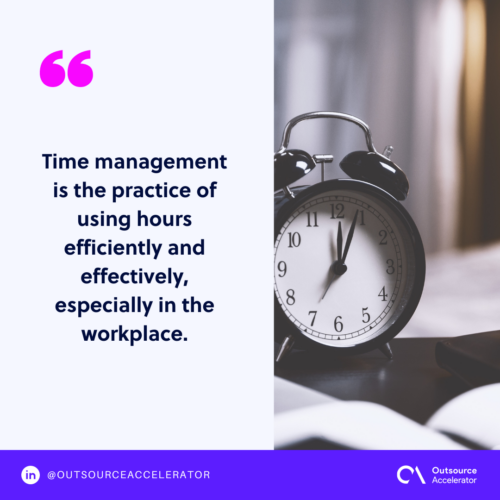
Time management is the practice of using your hours well, especially at work. It has been drilled into us since school. Teachers often framed it as a key tool for success in class and in a career.
With that mindset, most of us built certain scheduling habits over the years. Some stuck, and some faded. In the end, a few styles just worked better than others.
Benefits of adapting time management styles
Each style has its own perks. Still, the practice itself brings broad gains too. For remote teams, strong scheduling also supports better remote team management across the board.
More work gets done in a short amount of time
Many people can focus for only about 40 minutes at a stretch. After that, new information does not stick as well. To fix this, experts suggest a simple rule: work for 40 minutes, then take a 20-minute break.
By doing this, your brain can reset and take on new tasks. During those 20 minutes, move around and drink water. This matters a lot when you sit for hours in a remote session.
Managing your day more effectively
You can manage your day better by listing the things that clash. For example, a work meeting might cross family movie night. Or an office presentation might spill into dinner. As a result, poor scheduling can turn these clashes into roadblocks. So plan ahead and keep the two worlds apart.
Minimizing distractions with time management styles
Turning off the TV, logging out of social media, and setting your phone to silent all help. But at home, distractions can also come from family and other people. For example, a load of laundry or a grocery run can pull you off task if you let it.
Some seasoned remote workers have mastered the art of multitasking. However, newer professionals often struggle to juggle errands and work at the same time. So a clear routine helps a lot here.
To cut distractions, set up a dedicated work space at home. It could be a home office, a reading nook, or a spot at the kitchen table. Then let people at home know when you are busy. When you cannot avoid a personal errand, try to do it on your lunch break instead. In short, time management styles are about making work and life more balanced.
Why time management is important while working from home
A good work space gives you a sense of order and pushes you to do your best. But one question still comes up: what is the best work space? Simply put, it is one where your schedule is planned down to the minute. So your tasks stay on track, and sensitive hours stay protected. The right work-from-home software makes that kind of planning much easier.
Time management styles you can try
Remote work has pushed many of us to be more efficient in new spaces. It gives us the freedom to work almost anywhere. But it comes at a cost: a busy mix of house duties and office work. This is where time management styles help. So here are five you can try.
1. One task at a time
There is no better tip than doing one task at a time. Many people fail to manage their day because they juggle several tasks at once. It may feel productive, yet it often wastes the hours you could have spent in deep focus.
By focusing on a single task, you get more done with less stress. It may feel slow at first. However, it usually saves time overall, because your workflow stays clean.
2. Task hoppers
Moving from one activity to another is known as task hopping or task switching. It can make us feel busy and focused. In truth, though, real progress stalls when too many tasks pull at our time.
Task hopping hurts our output. We get more frustrated, react slower, and lose key details. As a result, the quality of our work drops. Still, a solid routine and some discipline can sharpen your focus. So manage your task hopping, and you may be surprised how many hours you save.
3. Checklist organizers
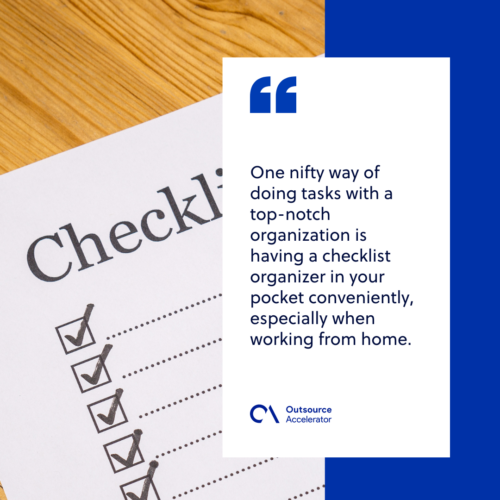
A handy checklist is a simple way to stay organized, especially when working from home. It helps you track tasks even when your mind is not fully in the zone. So one or two checklists can keep your day aligned and your time well spent. For digital options, many employee productivity apps handle this well.
4. Time trackers
A time tracker is another useful tool next to the checklist. It can bring real structure to your schedule and help you grow. In addition, it can flag tasks you may have missed. So it adds a bit of flair and focus to your daily goals.
5. Procrastinators
Procrastinators wait until the last minute to start a task. This style is common among all professionals, whether we like it or not. In short, procrastination means delaying or putting off a task again and again.
So what can we do to stop it? The clearest advice is to believe in yourself and trust that you can do the work. As a result, you build a better attitude toward tasks. So you get a calmer work space and better-managed hours.
How to prioritize your tasks with time management styles
Good scheduling is key to any workflow. But it matters even more when you work from home. Why? Because when the office and the house share one space, your schedule is the only divider. A structured approach to time management training can help you build that divider fast.
Put yourself first
Whether it is office hours or personal time, put yourself first in all you do. This helps you become a better worker in your remote space. In addition, it keeps you away from habits that lead to burnout. After all, burnout is a hard side effect of poor time management.
Make your days off sacred
When you set certain hours for rest, follow them closely. This lets you freshen up and treat that time as a break. For example, you can enjoy a hobby, play your favorite music, or watch a movie. As a result, you build a healthier work culture at home. So make yourself comfortable and relaxed during your hours off.
Try to finish work on time
The bottom line is simple: finish your work on time. Then you will not worry about unfinished tasks. Still, when home is also your office, it is tempting to work past your hours. However, that habit can wear you down over time.
Is office time management different from remote time management?
The two styles often cross over. Yet many factors set remote scheduling apart from office scheduling. One big factor is the people around you. When remote working, those people are often family you care about deeply.
So keep your working hours in check at home. This way, you do not borrow time that belongs to your kids, partner, or siblings. In short, weigh things out when you manage hours in a remote space. The tips and styles above can help you handle the work-from-home setup with ease. A good set of productivity-boosting support options can lighten the load even more.
Frequently asked questions
Which time management style is best for working from home?
There is no single best style for everyone. Single-tasking and checklists suit people who need structure. Time tracking suits those who want to measure their hours. So the best choice is the one that matches how you focus and plan.
How do I stop procrastinating when I work from home?
Start with small, clear tasks and a set time block for each one. Then remove nearby distractions, like your phone or open tabs. In addition, reward yourself after each finished task. As a result, starting gets easier over time.
Is multitasking a bad time management style?
Often, yes. Multitasking splits your focus and slows your reactions. So the quality of your work can drop. For most tasks, single-tasking gets better results in less time.
How many hours should I work from home each day?
Aim for the same core hours you would keep in an office, then stop on time. Long overtime at home can lead to burnout. So set clear start and end times and protect your breaks.
What tools help with time management at home?
Checklists, calendars, and time trackers all help. Many apps also block distractions or group your tasks for you. So pick one or two simple tools and stick with them.






 Independent






