
7 secure remote access mistakes to avoid

At a glance
- Most remote access breaches trace back to a few repeatable setup mistakes, not exotic attacks.
- The strongest fixes are layered: multi-factor authentication, least privilege, device checks, and monitoring.
- Treat remote access as an ongoing program with clean offboarding, not a one-time VPN install.
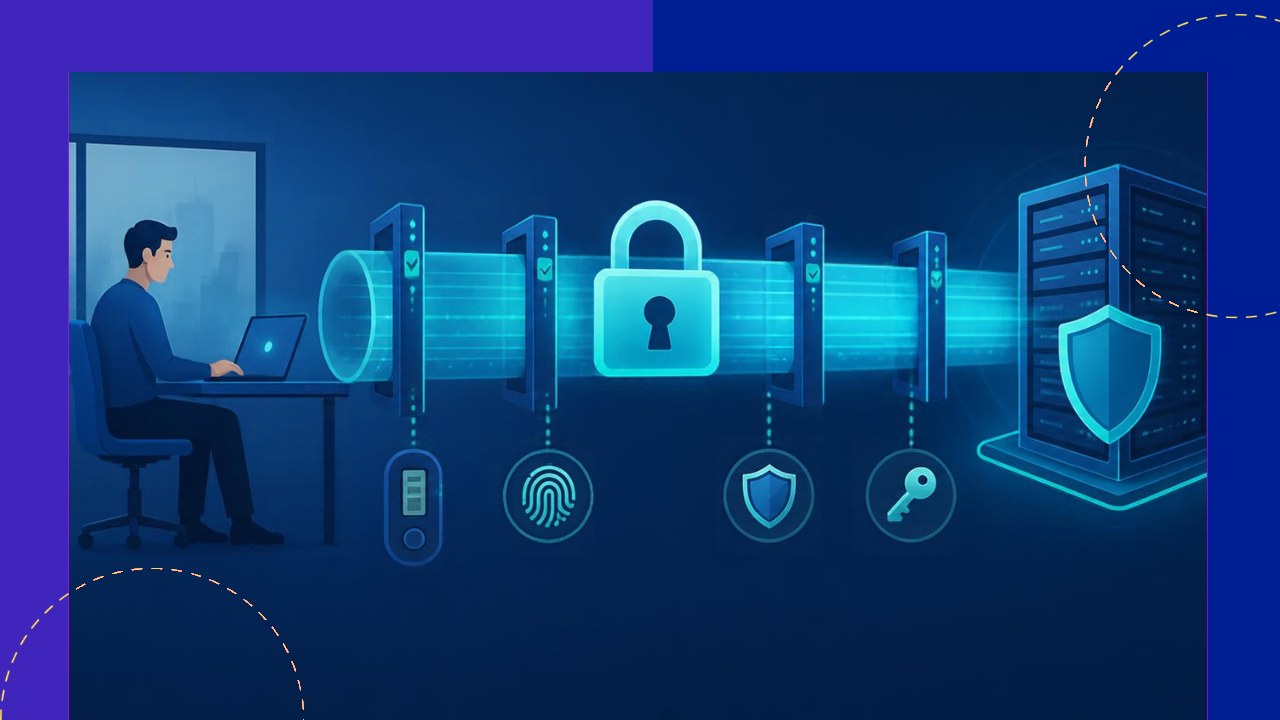
For distributed teams, secure remote access is the gate between your systems and everyone working outside the office. Get it right and people barely notice it. Get it wrong and a single stolen password can open the whole network. The good news is that most failures are predictable, so they are also preventable.
Below are seven common mistakes that weaken remote access, and the practical fix for each. None of them requires a huge budget. They mostly require a clearer model of who gets in, from what device, and for how long.
1. Relying on a flat VPN with no segmentation
A classic mistake is treating the VPN as the whole security plan. Once a user connects, they land on a flat internal network and can reach almost everything on it. That turns one compromised laptop into a path to every server.
The fix is segmentation. Split the network into zones by sensitivity, and only route each role to the resources it actually needs. Finance tools, source code, and HR records should sit behind separate controls, not on one open LAN. A VPN can still have a place, but it should be one layer, never the only one.
2. Skipping multi-factor authentication
Passwords leak constantly through phishing and reuse. If a password is the only thing standing between an attacker and your systems, you are one breach away from a bad week. This is still one of the most common gaps in remote setups.
Turn on multi-factor authentication (MFA) everywhere, especially on email, admin accounts, and the remote access gateway itself. CISA notes that users who enable MFA are “significantly less likely to get hacked”, and recommends phishing-resistant options such as FIDO or an authenticator app over SMS codes. The guiding rule is simple: any MFA beats no MFA.
3. Granting over-broad access instead of least privilege
Many teams give new hires wide access on day one because it is faster than scoping each role. Permissions then pile up over time and rarely get removed. The result is accounts that can touch far more than the job needs.
Apply least privilege instead. Grant the minimum access required for a task, and review it on a schedule. CISA frames zero trust around “least privilege per-request access decisions”, which means checking each request rather than trusting a broad standing grant. Role-based groups and short-lived access for sensitive systems keep the blast radius small.
4. Ignoring device posture and unmanaged devices
Access is not just about who logs in. It is also about what they log in from. A verified user on an outdated personal laptop can still carry malware straight through your gateway. Many breaches start on a device no one was managing.
Check device posture before granting access. Require disk encryption, current operating system patches, active endpoint protection, and a screen lock. Unmanaged or non-compliant devices should get limited or no access until they meet the bar. This matters even more when contractors and offshore staff use their own equipment.
5. Running no session timeouts or monitoring
Some teams authenticate a user once and then leave the session open for days. If a laptop is lost or walked away from, that open session is a gift to anyone nearby. Worse, if no one is watching access logs, a quiet intrusion can run for weeks.
Set sensible session timeouts and require re-authentication for sensitive actions. Then log and monitor access centrally. Watch for odd patterns, such as logins from new countries, impossible travel, or bursts of failed attempts. Alerts only help if someone reviews them, so assign that duty clearly.
6. Weak offboarding of access
When someone leaves, their accounts often linger. Orphaned logins, shared credentials, and forgotten service accounts are easy targets, and they are common. A departed contractor with live VPN access is a real risk, not a hypothetical one.
Build offboarding into the process. Revoke access the same day a person exits, and tie account removal to your HR and IT systems so it happens automatically where possible. Rotate any shared secrets they knew, and run a periodic review to catch accounts that slipped through. Clean offboarding is as important as clean onboarding.
7. Having no zero-trust direction
The underlying mistake behind the others is assuming that anything inside the network is safe. That assumption no longer holds when your “network” is laptops in a dozen cities. Without a clear direction, fixes stay scattered and gaps reopen.
Move toward zero trust. NIST describes it plainly: “zero trust assumes there is no implicit trust granted to assets or user accounts” based on where they sit. You do not have to rebuild everything at once. Verify every request, combine identity with device signals, and tighten one high-value system at a time. For a broader view of protecting distributed staff, these controls pair well with wider practices for protecting a distributed workforce.
Frequently asked questions
Is a VPN enough for secure remote access?
On its own, no. A VPN encrypts the connection, but it does not verify the device, limit what a user can reach, or stop a stolen credential. Pair it with MFA, segmentation, and least privilege, or replace it with a zero-trust access service that checks each request individually.
What is ZTNA, and how does it differ from a VPN?
Zero Trust Network Access (ZTNA) grants access to specific applications rather than the whole network. A VPN tends to place users inside the perimeter, while ZTNA brokers each connection and hides everything the user is not entitled to see. That smaller footprint limits what an attacker can reach if an account is compromised.
How often should we review remote access permissions?
Review standing access at least quarterly, and review privileged or admin accounts monthly. Trigger an immediate check whenever someone changes role, a project ends, or a contractor finishes. Automated reports that flag unused accounts make these reviews faster and harder to skip.
Does secure remote access slow workers down?
It should not when it is designed well. Single sign-on, device trust, and risk-based prompts let low-risk logins pass quietly and only add friction for sensitive actions. The aim is quiet security that asks for extra proof when the context looks unusual, not on every click.






 Independent





