
Remote workforce technology 101: the basics explained

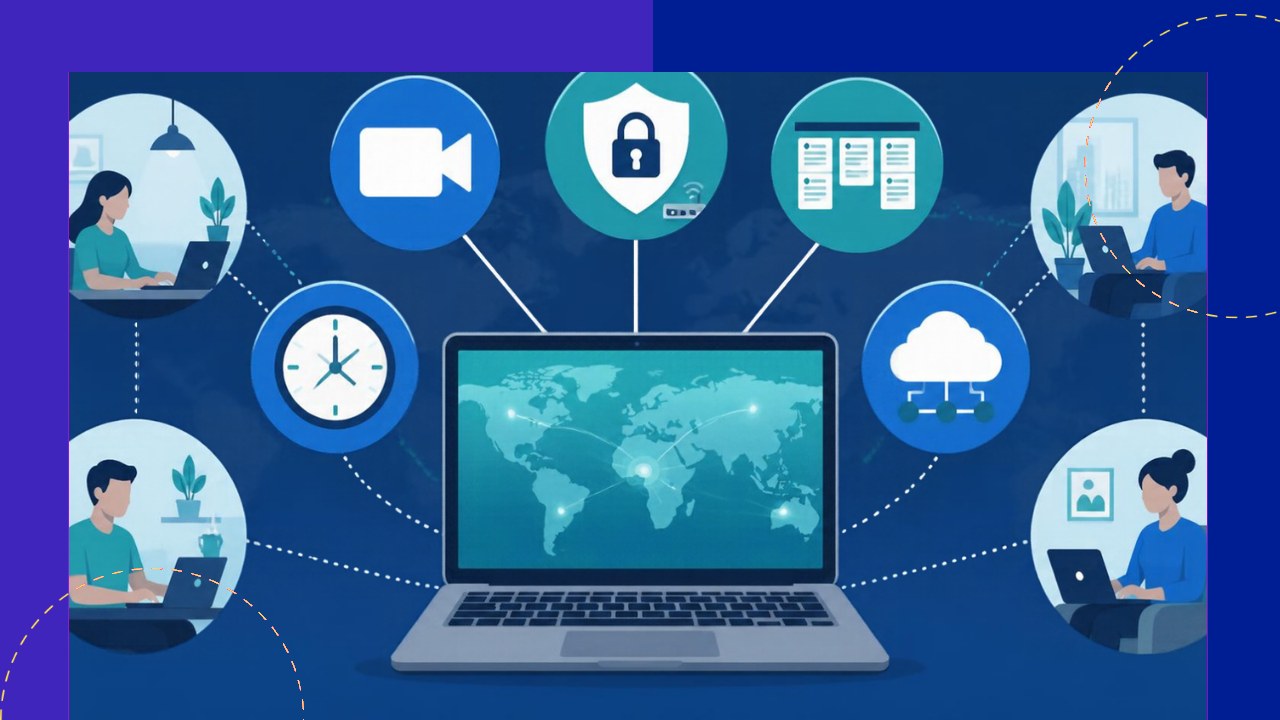
- Remote workforce technology falls into five main categories: communication, project management, security, productivity, and HR tools.
- Each category solves a different problem, so match the tool type to the gap your team actually feels.
- Start with fewer tools that connect well, then add specialized software only as the team grows.
When your team works from different cities or countries, the software you pick does the job the office used to do. Remote workforce technology is the set of digital tools that let distributed employees communicate, collaborate, stay secure, and get work done without sharing a building. Getting the mix right matters more than ever. Gallup reports that among remote-capable staff, “only two in 10 remote-capable employees are currently working fully on-site.” The rest depend on these tools every day.
This guide is a plain-language tour of the main tool categories. It explains what each one does and how to choose, so you can build a stack that fits your team rather than chasing every new app.
Communication and collaboration tools
This category replaces the hallway chat and the meeting room. It covers instant messaging, video calls, and shared workspaces where people talk in real time or leave notes for later.
Messaging apps keep quick questions moving. Video conferencing handles face-to-face discussion, demos, and team meetings. Collaborative documents let several people edit the same file at once, so there is no emailing versions back and forth.
When you choose, think about async versus real time. Teams spread across time zones lean on written updates and recorded clips, because not everyone is online together. A noisy chat tool can hurt as much as help, so look for one that separates work channels from casual ones.
Project and task management
Communication tools carry the conversation. Project management tools carry the work itself. They show who owns each task, what stage it sits in, and when it is due.
Most of these platforms use boards, lists, or timelines. A task moves from “to do” to “in progress” to “done,” and everyone can see it without asking. That visibility replaces the manager walking the floor to check progress.
For a small team, a simple shared board is often enough. As projects grow more complex, you may want features like dependencies, workload views, and automated reminders. Pick a tool your team will actually update, because an out-of-date board is worse than none.
Security and access tools
Home networks and personal laptops create risk that an office firewall used to absorb. This category protects company data wherever your people log in.
VPN
A virtual private network (VPN) creates an encrypted tunnel between a remote device and company systems. It keeps data private on public or home Wi-Fi. Many teams now pair or replace VPNs with zero-trust access, which checks every request instead of trusting the whole network.
SSO and MFA
Single sign-on (SSO) lets staff reach many apps with one secure login. Multi-factor authentication (MFA) adds a second check, such as a phone prompt, so a stolen password alone is not enough.
MDM
Mobile device management (MDM) lets IT set rules on laptops and phones, push updates, and wipe a lost device remotely. The U.S. National Institute of Standards and Technology advises that remote access technologies “should be secured against expected threats as identified through threat models.” In plain terms, decide what you are protecting against before you buy.
Productivity and time tracking
This category helps remote staff manage their hours and shows managers what is getting done. It ranges from simple timesheets to detailed activity tracking.
Time tracking tools log hours against projects, which helps with billing, payroll, and planning. Lighter focus apps help individuals block distractions and protect deep-work time. Heavier monitoring software records activity in detail, and here you should tread carefully.
Close oversight can erode trust fast, so it pays to understand the balance between oversight and employee privacy before rolling anything out. Measure output where you can, not keystrokes. A tool that treats adults like suspects usually costs you more in morale than it saves in minutes.
HR and people tools
The last category handles the employee lifecycle from a distance: hiring, onboarding, payroll, time off, and performance.
A human resources information system (HRIS) stores employee records and automates routine tasks like leave requests. Payroll tools handle pay and compliance, which gets tricky when staff sit in different regions. Onboarding tools give new hires a clear first-week path without a desk visit, and performance tools keep reviews and goals on track.
For distributed teams, these systems matter because paperwork cannot travel by hand. Good HR tech also feeds data to the other categories, so you avoid retyping the same employee details into five places.
How to choose your stack
Start with the gap you feel most. If messages get lost, fix communication first. If deadlines slip, start with project management. Resist the urge to buy one tool per problem on day one.
Favor tools that integrate, so data flows between them automatically. Check that each one works on mobile, since remote staff rarely sit at one desk. Pilot with a small group, gather honest feedback, then expand. Fewer connected tools almost always beat a pile of apps nobody opens.
Frequently asked questions
How many remote work tools does a small team really need?
Many small teams run well on three: one for communication, one for tasks, and one for files. Buying more too early often fragments information across apps and raises your monthly software bill without adding real value.
Is free remote work software safe for a business to use?
Free tiers can work for early-stage teams, but read the limits. They often cap storage, skip admin controls, and lack the audit logs that compliance may require later. Budget to upgrade once you handle sensitive client or employee data.
Who should own the remote technology stack?
Give one person or small group clear ownership, usually in IT or operations. Without an owner, teams buy overlapping tools and nobody tracks security or renewals. That owner should review the stack a couple of times a year and retire anything unused.
What is the difference between collaboration tools and project management tools?
Collaboration tools carry the conversation, such as chats, calls, and shared docs. Project management tools track the work, such as tasks, owners, and deadlines. Teams usually need both, because talking about a job is not the same as tracking it to done.






 Independent





