
Monitoring workers with remote employee tracking tools

Remote employee tracking tools to monitor remote workers
What is remote employee tracking and why does it matter?
Remote employee tracking is the use of software to monitor how remote workers spend their time, so managers can build accountability, measure output, and support their teams from afar.
Here is the quick view:
- Remote employee tracking shows how work time is used across a distributed team.
- As a result, it lifts productivity and keeps projects on track. These tools come with trade-offs, so our look at the pros and cons of employee monitoring technology weighs the productivity gains against privacy and trust.
- Still, it works best with clear consent, not micromanagement.
The shift to remote work brings unique challenges. For example, it is harder to keep output steady and judge performance from a distance.
The idea of monitoring may raise trust questions. However, remote employee tracking is not about a lack of trust. Instead, it builds accountability and clarity in a distanced work environment. So these tools bridge the gap between distance and real teamwork.
Why should you do remote employee tracking?
Teams now span the globe and many time zones. So keeping oversight becomes vital. As such, remote employee tracking helps businesses:
- Enhance productivity. It builds a sense of duty. As a result, it helps prevent distractions that slow work down.
- Facilitate communication. Good tools enable smooth chats between staff and supervisors. So check-ins and updates get easier, which fosters teamwork.
- Measure performance. Tracking tools show how staff use their time, finish tasks, and add to projects.
For a deeper dive, review these ways to boost workplace productivity across your team.
Is it good to monitor your remote workers?
Remote monitoring may raise concerns about privacy and trust. However, the goal is not to invade privacy. Instead, it is to lift operational efficiency.
Capterra asked a group of Canadian employees about the upside of remote employee tracking. The survey results show:
- 39% of the respondents said it offered their bosses better insight into everyday business operations.
- 37%, however, said it enabled problems to be identified before they escalated.
So these numbers point to a clear trend. Remote staff stay more accountable when they know their work is tracked. As a result, they manage time better and finish tasks well.
Key considerations for implementing remote employee tracking
Rolling out remote employee tracking needs a careful plan. It must respect both the firm’s needs and the employee’s rights. So take note of these two key points.
Remote employee transparency and consent
Transparency is vital when you introduce remote employee tracking. Staff should know which tools are used, what data is collected, and how it will be used.
Remote Employee’s virtual staff always respond well when monitored, since they are part of the process. This offshore staffing provider addresses worker concerns early. As a result, trust stays high.
Data privacy and security
According to 80% of business and security leaders surveyed by SONTIQ, remote work raises cyber threats. So guarding the data you collect is essential. This keeps sensitive information safe.
Remote Employee follows data protection rules. As a result, staff data is handled in an ethical and legal way.
Types of remote employee tracking tools
Many tools support remote employee tracking. Each one covers a different part of remote work management. So each brings its own features and uses.
Time tracking tool
Time tracking tools offer handy features. For example, they clock staff in and out, build timesheets, and sort tasks by project.
These tools give real-time views of how time is spent. As a result, both staff and managers see work patterns and areas to improve. For a wider list, see the top time tracking software for remote teams. Some prominent options include:
- Toggl – This user-friendly tool helps remote workers track work hours with ease.
- TimeDoctor – This tool goes beyond simple time tracking. It also offers website and app monitoring. So it shows full data on how time is spent at work.
- Clockify – Clockify is a flexible tool that suits firms of all sizes. It lets staff track time on projects and build clear reports.
Project management platforms
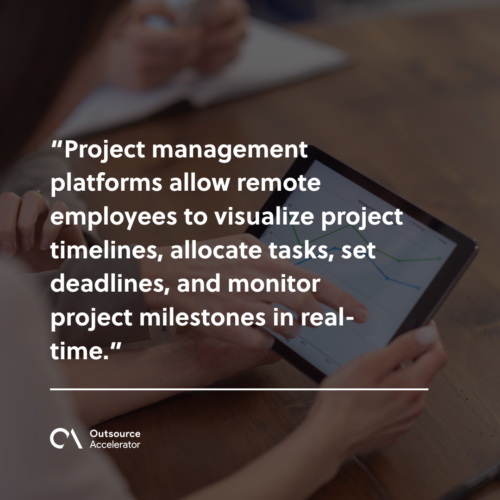
Project management platforms let remote staff map timelines, assign tasks, set deadlines, and track milestones in real time.
These platforms boost transparency. They keep project data in one place. As a result, team members stay aligned despite the distance. Some prominent options include:
- Asana – This aids project planning, task assignment, and progress tracking. So it suits remote teams on complex work.
- Trello – Known for its visual style, Trello lets staff sort tasks on digital boards. It is great for teams that like a simple task view.
- Basecamp – Basecamp offers a full suite for tasks, file sharing, and chat. So it helps streamline remote work.
Communication and collaboration tools
34% of remote employees were most likely to feel disconnected while working from home, per Forbes Advisor research.
Meanwhile, Agility PR Solutions reports that 96% of company executives feel good communication is critical for business results. So this shows why chat tools matter. As a result, they support remote employee tracking and better outcomes. These tools also unlock the wider benefits of virtual teams. Some prominent options include:
- Slack – Slack offers real-time chat, file sharing, and tool links. So it acts as a hub for remote team talk.
- Microsoft Teams – Built into Microsoft 365, Teams offers video calls, chat, and document work. So it is an all-in-one option for remote teams.
Remote employee tracking: Focus on outcomes, not micromanagement
The best tracking focuses on results, not control. So watch outcomes, not every click. For contrast, learn the signs of a micromanager and how to avoid them.
Amid this era of change, Remote Employee stands out as a collaborative workspace. The company uses top-tier remote employee tracking tools. As a result, it monitors and manages a spread-out workforce well.
Remote employee monitoring does not mean micromanaging. Instead, it helps staff do their best. So it builds accountability and transparency at the same time.
Book a consultation with Remote Employee today to get started.
Frequently asked questions about remote employee tracking
Is remote employee tracking legal?
In most places, yes, with clear consent. First, tell staff what you track and why. Next, follow local data rules. As a result, you stay legal and keep trust.
Does remote employee tracking hurt morale?
Not when it is done right. So focus on outcomes, not every keystroke. Also, be open about the tools. As a result, staff see tracking as support, not spying.
What should remote employee tracking tools measure?
Track time, tasks, and project progress. However, avoid invasive checks with no clear goal. So measure what links to real results and nothing more.
Which tools are best for small remote teams?
Start simple. For example, Toggl or Clockify handle time, while Trello handles tasks. Then add more tools as the team grows.
How do I introduce tracking without pushback?
Be transparent from day one. First, explain the reason and the data used. Next, ask for input and consent. As a result, staff feel part of the process.
Key takeaways
- Remote employee tracking shows how a distributed team uses its time.
- As a result, it lifts productivity and keeps projects on track.
- Time tools, project platforms, and chat apps each play a role.
- Still, transparency and consent matter as much as the software.
- So focus on outcomes, not micromanagement, to keep trust high.






 Independent





