
A quick guide to product prototyping

What is product prototyping?
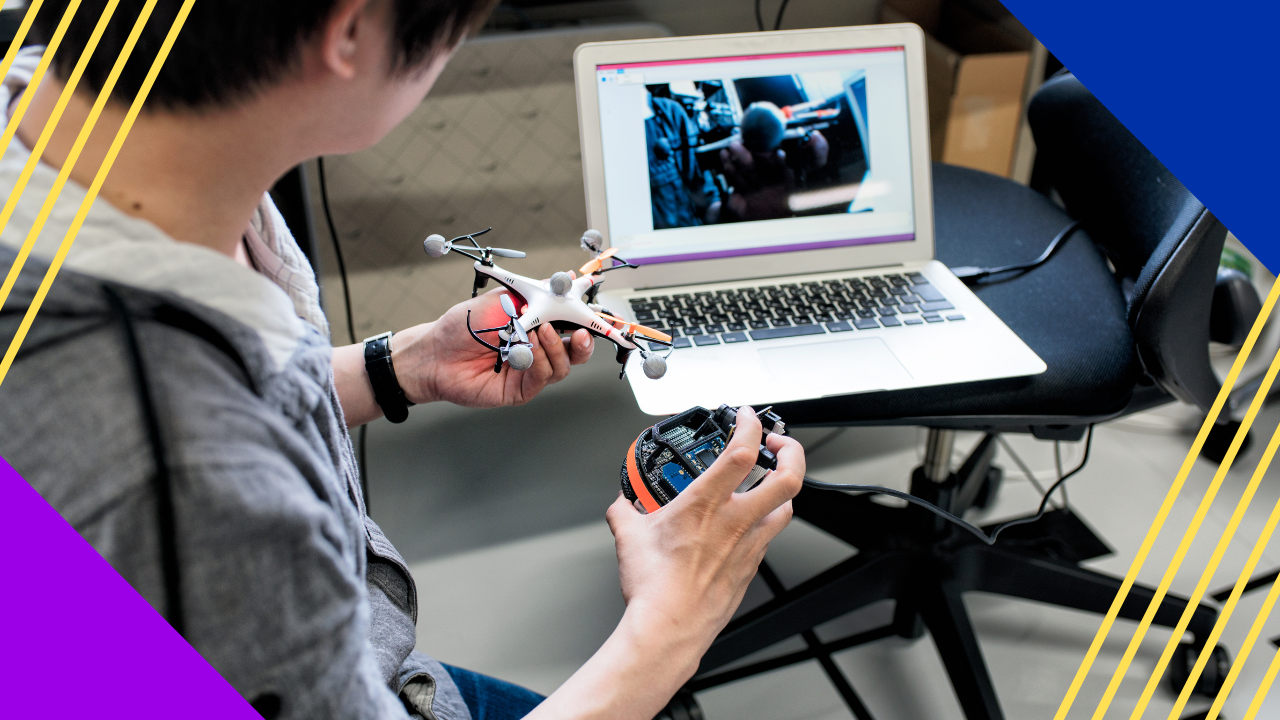
Product prototyping is the process of building an early, workable version of a product, so teams can test the design, catch issues, and refine it before mass production.
- A prototype shows how a product will look, feel, and work.
- It lets teams test ideas early, which saves time and money.
- It applies to both physical goods and software like websites and apps.
It takes a long process for a product to go from a developer’s mind to a user’s hand. Product prototyping is part of that journey. In short, it creates a workable “first version” of the product.
Software is not built by hand. Still, software applications still require testing[1] for usability and interactivity. So they also go through the product prototyping process.
What is a product prototype?
In short, a product prototype is a sample of what a product will look like when done. It lets developers test ideas early. As a result, they save time and money over the long run.
In addition, the prototype helps set design specs and details before mass production. Teams also use prototyping to test and improve designs[2] before final production.
Software prototyping works the same way. It helps teams decide how software should be built. For example, websites and mobile apps often need many rounds before they are done. This mirrors the early stages of the software development life cycle.
Prototyping is a key phase in product development. It bridges a product idea and the final product. So designers and engineers can build high-fidelity prototypes that closely match the finished item in look, feel, and function.
This step is vital for testing design concepts. It also helps teams spot issues and refine the product before it moves into mass production.
Steps in product prototyping
There are many ways to build a product prototype. Developers pick what works best for them. For example, some use rough sketches, while others go straight to code.
Here are common steps developers take when product prototyping.
Define the problem
First, understand the problem you want to solve. As a result, you can design a testable solution that users truly need.
Defining the problem sets the scope and limits of your project. This includes your target audience and how users differ. So you learn who will use it, how they will use it, and what they want from it.
Project management software can also help during this phase. It keeps every part of the work aligned and on schedule. As a result, the team collaborates with less friction.
Conduct customer research
Next, learn what people want and prefer about current products. In short, customer research is about learning from users to create something better for them.
You can run surveys, interviews, focus groups, or usability tests. Every company has different resources. So use the method that works best for you. A clear read on user experience guides this stage well.
Create a detailed diagram or sketch
The best way to start a software prototype is with a detailed diagram or sketch. For example, it may be a flowchart, a UML diagram, or another visual of how the software will work.
The sketch should cover every aspect you want to test or verify. You can also sketch any physical parts you plan to use with the final prototype.
This initial design should include an overview of the app and its screens. In addition, you should include any data flow diagrams (DFD) from your requirements phase.
Create a proof of concept
A proof of concept is a small experiment. It tests a hypothesis before you build a product. So it forms the backbone for the rest of your software testing and development work.
It is not a prototype yet. Still, it helps you generate ideas and find which features work best. You can build it quickly, often by hand instead of in code.
It is worth noting one key point. Software prototypes are often mocked up with code, while proofs of concept are not.
Part of this is the use of feasibility prototypes. These are early models that test whether the basic concept is viable. They do not focus on looks or detailed features. Instead, they check the core function and technical feasibility of the product.
Build an interactive prototype
In this stage, you create a clickable prototype that people can test. Some call it an interactive or low-fidelity prototype. Simple graphics and text links show how the app will work once built.
Here, your main goal is to show function to the user. For example, many prototyping tools, such as InVision and Marvel App, are freely available for software teams.
For physical goods, a physical prototype is often needed. This applies to products with tangible parts.
Gather feedback
Feedback is a key part of product prototyping. So you must get it from the right people.
Stakeholder feedback shows how users may react to your design. Still, feedback from your target audience matters just as much.
Gather feedback early and often. The sooner you get it, the better off you will be at full-scale production and launch.
The advantage of a product prototype
A product prototype allows testing and feedback with real users before production. As a result, teams find problems while they are still cheap to fix.
Prototyping lets designers try ideas and see if they work before they invest resources. So they avoid costly mistakes later.
Through product prototyping, ideas get refined. They also adapt to situations the designers had not first considered.
Meanwhile, the mind of a customer offers unique insight into a product. Any feature that does not make the cut can be saved for future versions. The benefit is clear. You do not have to test those ideas from scratch again.
Feedback also gives you deeper insight into customer needs. You can use this to develop a current product and other services. An MVP method can extend this idea into a full launch strategy.
Product prototyping gives your ideas extra polish. So they stand out in a competitive market. Ideas get thrown around all the time. Still, making them work is where the best companies thrive. Strong UX design services can lift a prototype even further.
Frequently asked questions about product prototyping
What is the difference between a prototype and a proof of concept?
A proof of concept tests whether an idea can work. A prototype shows how the product will look and function. So a proof of concept comes first, and a prototype builds on it.
How many prototypes does a product need?
It depends on the product. Simple items may need one or two rounds. Complex software often needs many. In short, you iterate until the design meets user needs.
What tools are used for product prototyping?
Teams use design and prototyping tools like InVision and Marvel App. For example, these let you build clickable, low-fidelity prototypes fast. Flowcharts and UML diagrams also help in early stages.
Why is feedback important in prototyping?
Feedback shows how real users react to your design. As a result, you catch issues early and refine the product. So you reduce costly changes after launch.
Key takeaways
- Product prototyping builds an early, testable version of a product.
- It saves time and money by catching issues before mass production.
- Common steps include defining the problem, research, sketching, and gathering feedback.
- Early, frequent feedback leads to a stronger final product.
References
- Software applications still require testing. Jamil, M.A., Arif, M., Abubakar, N.S.A. and Ahmad, A., 2016, November. Software testing techniques: A literature review. In 2016 6th international conference on information and communication technology for the Muslim world (ICT4M) (pp. 177-182). IEEE.
- Test and improve designs. Camburn, B., Viswanathan, V., Linsey, J., Anderson, D., Jensen, D., Crawford, R., Otto, K. and Wood, K., 2017. Design prototyping methods: state of the art in strategies, techniques, and guidelines. Design Science, 3.






 Independent





