A comprehensive guide to managed data centers


What is a managed data center?
A managed data center is a facility where a third-party provider stores, runs, and protects your data, hardware, and networks for you.
In short, it hands the heavy lifting of IT infrastructure to experts. So you get reliable storage and support without building it all yourself. Here is what a managed data center gives your business:
- High uptime through backup power and spare systems.
- Strong security and help with compliance rules.
- Lower cost than running your own in-house setup.
The global data center market keeps growing fast. In fact, analysts expect the global data center market to pass USD 500 billion by 2030, with growth of about 10% a year. So more firms now see the value of a managed data center. Let us explore the concept in this article.
Definition and importance of a managed data center
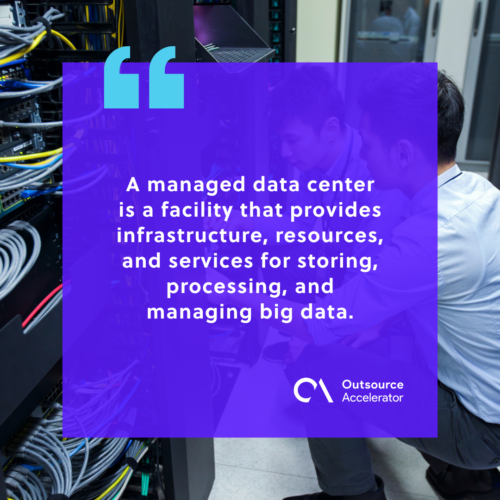
A managed data center is a facility that stores, runs, and manages big data. It comes with servers, network gear, and storage systems. So it keeps your data safe and available.
A managed data center offers several clear benefits to businesses. So let us look at the main ones.
Reliability and uptime
Managed data centers aim for high reliability and uptime. So they use spare systems, backup power, and strong network links. As a result, downtime stays low and your data stays available.
Security and compliance
Data centers use strict security to guard sensitive data. For example, they add access controls and advanced cyber defenses. So they block unauthorized access and cyber threats. In addition, they help you meet privacy and security rules. For more on this, read these tips on data security in outsourcing.
Cost efficiency and resource optimization
Building in-house infrastructure ties up a lot of capital. However, a managed data center lets you use shared resources instead. Through data center outsourcing, you can plan your IT budget and spend more on core goals. So you avoid heavy costs for hardware, setup, upgrades, and staff. In the same way, data management outsourcing can trim costs further.
Types of managed data centers
Managed data centers come in a few types. So the right fit depends on how much control and service you want.
Enterprise data center
One organization runs an enterprise data center for its own needs. So it offers full control over the setup. As a result, the firm can tailor the environment to fit its exact goals.
Managed services center
This type is run by a managed service provider (MSP). So it is a third-party site that serves many organizations. It offers server hosting, storage, network links, and system monitoring. As a result, firms can focus on core work while experts handle the rest.
Partially-managed data center
Here, the organization keeps control of some tasks, such as hardware. Meanwhile, it hands other tasks, like network or security, to an MSP. So you share the load in a way that suits you.
Fully-managed data center
A fully-managed data center covers every part of the work. This includes hardware, software, network, security, and upkeep. So you can lean on the MSP for all day-to-day tasks. As a result, your team focuses on higher-value work.
Cloud data center
A cloud data center offers virtual resources and data services. So it brings scale, on-demand setup, and pay-as-you-go pricing with no physical site to run. As a result, it is highly flexible. In fact, it suits firms of every size, from startups to large enterprises. To learn the basics, read this guide to cloud computing.
Choosing a managed data center
Like most outsourced services, a managed data center carries some risk, mostly around data security. So firms should weigh a few factors to find the best fit. Here are the key things to check.
Review your service level agreements (SLAs)
Read the service-level agreements with care. So check uptime promises, support response times, security steps, and recovery plans. As a result, you make sure the SLAs match your needs.
Assess their flexibility
Next, look at scale and flexibility. For example, can the provider handle future growth and add resources fast? In addition, check that they support the tools and platforms you use.
Evaluate their security measures
Review both physical and cyber security. So ask about compliance badges, such as SOC 2 compliance. As a result, you confirm the provider follows best practices for data protection.
Check the managed data center’s connectivity
Look at the connectivity options too. So check for diverse carriers, fiber links, and low-latency connections. As a result, your systems can talk to outside networks and cloud providers with ease.
Find out about their disaster recovery measures
Ask about disaster recovery and business continuity strategies. So look for spare systems, spread-out sites, and strong backups. In addition, check how fast they can restore service after an outage.
Support and managed services
Finally, review their support and managed services. So check for 24/7 help, proactive monitoring, and quick incident response. As a result, extras like remote hands, server management, and network admin lighten your team’s load. For a wider view, see these benefits of outsourcing cloud services, and compare leading data center companies.
Frequently asked questions about managed data centers
What is the difference between a managed data center and colocation?
With colocation, you rent space and power but run your own gear. However, a managed data center also runs and maintains that gear for you. So it needs far less effort from your in-house team.
How much does a managed data center cost?
Costs vary by space, power, and service level. So a fully-managed plan costs more than a partly-managed one. Still, it often beats the price of building and staffing your own site.
Is a managed data center secure enough for sensitive data?
Yes, top providers use strict physical and cyber controls. In addition, many hold badges like SOC 2. So always confirm their certifications before you sign.
Can small businesses use a managed data center?
Yes, many providers serve firms of every size. For example, cloud and partly-managed plans scale to small budgets. So you pay only for what you use.
How do you switch providers without downtime?
Plan the move in stages and test each step first. So a clear SLA and recovery plan help a lot here. As a result, you keep service running while you migrate.




 Independent