
10 Calendly alternatives to try in 2026


What are the best Calendly alternatives?
The best Calendly alternative depends on your needs, but strong picks include Notta, ClickUp, Doodle, Acuity Scheduling, and HubSpot, which offer free plans and more booking features.
Calendly is popular, yet it is not your only choice. Here is why many teams look elsewhere:
- The free plan is quite limited.
- Paid plans get costly for bigger teams.
- Some rivals add payments, forms, and AI notes at no extra cost.
List of Calendly alternatives
- Notta
- ClickUp
- Doodle
- Acuity Scheduling
- HubSpot Meeting Scheduler
- YouCanBookMe
- Setmore
- Picktime
- Jotform
- Timetap
Calendly is a handy scheduling tool. Companies use it to set up meetings with staff, clients, and internal teams.
The app makes booking easy. In addition, it links with popular calendars like Google Calendar, Microsoft Outlook, Zoom, and Slack. It even helps with simple appointment scheduling across time zones.
However, it is not the only option out there. So read on to learn about the best Calendly alternatives.

Why choose a Calendly alternative?
Calendly packs plenty of features. Still, it falls short in a few areas.
For starters, the free version is quite limited. It leaves out key tools like payment processing and multiple booking pages. Meanwhile, you can get those free on other apps.
You only unlock upgraded features on the paid plan. As a result, the cost adds up fast for mid to large teams.
In addition, its support gets mixed reviews. For example, some Trustpilot reviews say tech support was slow and gave few answers.
You can send emails, yet you may end up solving issues on your own. In worse cases, you may not hear back at all. Because of this, a smoother tool can also cut down on meeting fatigue across your team.
10 Calendly alternatives to consider
The market keeps growing with new Calendly alternatives. So here is a short list of the best ones.
1. Notta Scheduler
Notta Scheduler is a free tool that streamlines the whole booking process. In addition, it links with Google Calendar for easy team coordination.
Unlike Calendly, Notta lets you create many booking pages at no cost. As a result, people from anywhere can join your meetings.
Notta also comes with an AI assistant. So it can record, transcribe, and summarize meetings. It then keeps those notes in one place for quick access.
2. ClickUp
ClickUp is an all-in-one tool for planning and scheduling. So booking meetings, calls, and appointments feels simple.
Its calendar view shows your tasks and appointments clearly. From there, you can build timelines, plan work, and share your schedule with the team.
ClickUp forms also make booking easy. For example, you can set custom fields and turn each reply into a task. It pairs well with other virtual assistant tools your team already uses.
3. Doodle
Doodle handles group scheduling and appointment setting. In addition, it links with any calendar app, so you can see team availability at a glance.
It supports group scheduling for up to 1,000 people. As a result, it fits teams of any size. You can also run polls to check availability, with reminders sent to everyone.
Users get handy customization too. For example, you can add logos, cap daily bookings, or set buffer times.
4. Acuity Scheduling
Acuity Scheduling lets you build detailed, custom booking pages. It even has a self-scheduling feature, so clients can book their own slots. This makes it a strong fit for appointment setting teams.
It also links with Google Calendar, Outlook, Exchange, and Office 365. As a result, coordination stays simple and users get instant updates on changes.
Acuity is more than a meeting tool. In addition, it adds payment features and workflow automation to speed up the booking process.
5. HubSpot Meeting Scheduler
HubSpot’s free scheduler is great for managing contacts. So it handles meetings with people, teams, and clients with ease.
The tool works on iOS, Android, and the web. Because of this, it is ideal on the go. You can also brand your booking page with your own logo and colors.
Its main strength is easy navigation. For example, you can view others’ availability and book slots without switching windows.
6. YouCanBookMe
YouCanBookMe is a light, simple option. As a result, it suits beginners and new hires well.
It allows custom booking pages and uses automation for a better client experience. In addition, one page can serve clients worldwide, since it supports many languages.
It also links easily with Google or Microsoft Calendar. So you just share a link, and the slot is booked. Still, it supports several people and bookings in one time slot, which helps large events.
7. Setmore
Setmore is another great pick for beginners and small firms. It is known for a simple, efficient booking process.
You get unlimited appointments, auto notifications, and easy payments. In addition, it works on iOS and Android, so mobile users are covered.
It also links with social media and productivity apps. As a result, Setmore reaches well beyond simple scheduling.
8. Picktime
Picktime scores well on simplicity and clean design. Still, its rich features are where it shines.
It handles appointment scheduling with ease. So businesses of any size can manage class bookings, with unlimited scheduling and third-party links.
Picktime also goes further. For example, it adds invoicing, sales reports, and customer and team management.
9. Jotform
Jotform is an easy form builder. So you can book and schedule appointments by filling out a simple form.
Its templates let you set up a meeting in seconds. First, you fill in the time and details. Then the form does the rest.
Jotform also comes with payment forms and mobile forms for quick data collection. In addition, you can edit these forms and sync them to your calendar.
10. Timetap
With Timetap, booking stays simple yet effective. So teams of any size can create unlimited appointments and custom booking forms.
Its automation and beginner-friendly design make admin work easier. As a result, routine tasks take less time.
Its mobile design offers many features, from payments to time zone support. In addition, Timetap stresses data security, so your company data stays safe.
How to choose the best Calendly alternative
With so many tools to weigh, the choice can feel hard. So use the criteria below to pick the best Calendly alternative.
- Pricing – Some tools have free plans, yet these often limit features. So look for the most cost-effective plan.
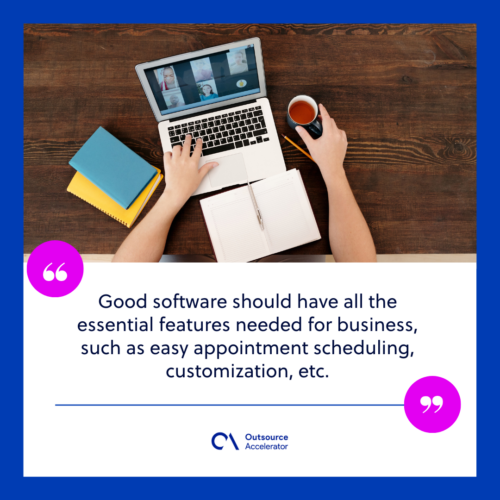
- Features – Good software should cover the basics, such as easy scheduling and customization.
- Ease of use – Your whole team will use this tool, so pick one that is simple and clear. The easier it is, the more your team will use it.
- Integrations – Links with outside apps add speed and ease. So choose software that handles them well.
In addition, weigh how each tool fits your daily workflow. For a wider view of scheduling and planning, compare it against dedicated time management software too.
Frequently asked questions about Calendly alternatives
What is the best free Calendly alternative?
Notta Scheduler and HubSpot Meeting Scheduler are strong free picks. Both offer multiple booking pages and calendar links at no cost.
Why do people switch from Calendly?
Most switch because the free plan is limited and paid plans get pricey. In addition, some users want built-in payments, forms, or AI notes.
Do Calendly alternatives work with Google Calendar?
Yes. Notta, Acuity, YouCanBookMe, and most others link with Google Calendar. As a result, your bookings sync in real time.
Which Calendly alternative is best for large teams?
Doodle suits large groups, since it supports up to 1,000 people. Meanwhile, ClickUp works well for teams that also need task management.
Key takeaways
- Calendly is strong, but its free plan is limited and paid plans get costly.
- Notta, ClickUp, and HubSpot offer solid free scheduling features.
- Match the tool to your team size, budget, and must-have features.
- Check that any tool links with your calendar and other apps.






 Independent





