
10 best animation software for beginners and pros

What is the best animation software for beginners and pros?
The best animation software fits your skill level and goals, and top choices range from beginner-friendly Adobe Animate and Powtoon to pro tools like Blender, Autodesk Maya, and Houdini.
- Beginners do well with Adobe Animate, VistaCreate, and Powtoon.
- Pros lean on Blender, Autodesk Maya, Cinema 4D, and Houdini.
- Pick based on price, features, ease of use, and learning curve.
List of best animation software to try
Animation is a powerful medium. People use it to tell stories, and artists use it to express themselves. So the right tool matters a lot.
The best animation software brings your ideas to life, down to the tiniest detail. Whether you are a beginner or a pro, the right tool lifts your work to the next level. Some teams even scale their output through animation outsourcing when demand grows.
Below are some of the best animation software programs to bring your projects to life. They can also help get your company’s name out there.
What is animation software?
Animation software helps you meet all your animation needs. These programs give you the tools to build simple or complex projects from scratch.
In short, they support 2D drawing, 3D modeling, character design, editing, and rendering. So you get a full workflow in one place.
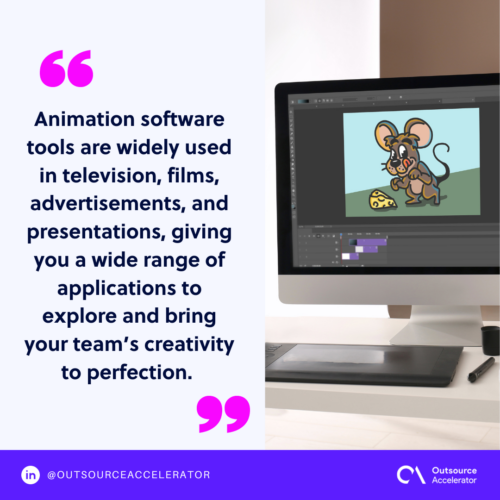
People use animation software in TV, film, ads, and presentations. As a result, you get a wide range of ways to explore and refine your team’s creativity.
Top 10 animation software to use
Listed below are ten highly recommended animation software programs. They suit beginners, professionals, or outsourced animators. So choose the one that suits your needs best.
1. Adobe Animate
First, Adobe Animate is a user-friendly tool. With it, you can build your skills and control your animation. So it is a great starting point for beginners and new fans. You can polish the basics before you move to advanced programs. It also suits 2D practice, since it comes with ready characters, backgrounds, and motion tools.
2. Blender
Blender is a free, open-source 3D tool that many pros use. Despite its advanced features, animators of all levels can still use it. For example, you can create films and sculpt models. This tool is for anyone who wants to level up and make refined work. Teams that need extra hands often turn to outsource 3D modeling support.
What makes Blender stand out is its community. Fellow artists and developers build plugins to upgrade the program for everyone.
3. Autodesk Maya
Next, Autodesk Maya is another 3D animation tool. It is ideal for all your rendering and modeling needs. Its advanced features reach the tiniest details, so you can build lifelike animations.
The possibilities feel endless with this program. For example, you can design realistic worlds, characters, and visual effects to a pro standard.
Do not let its interface scare you. Autodesk offers a beginner tutorial with practice projects to help you start.
4. Cinema 4D
Do you want to focus on motion graphics and 3D modeling? Cinema 4D offers a broad package where you can build almost anything. There is also a beginner tutorial, since the program packs advanced tools for complex work.
Several upgrades have made this tool easier to use. So it stays beginner-friendly and keeps the process simple to follow. Studios often pair it with graphic design outsourcing to speed up delivery.
5. VistaCreate
VistaCreate is the tool you need to boost your social media presence. You get a huge library of ready animations and styles. So you can add them to your ads, posts, stories, and videos.
In addition, this tool suits marketers, influencers, and anyone who wants eye-catching visuals. Best of all, you need no prior animation experience, since it is very beginner-friendly.
6. Unity
Meanwhile, Unity is great for game development. It works well for real-time 3D, so you can bring your creations to life. You can also use “View mode” and “Game mode” to preview your game and its parts with ease.
Of course, Unity is not just for games. Any animator can use it to model characters, buildings, and vehicles.
7. Powtoon
In addition, Powtoon is a handy tool for visual and video presentations and infographics. It comes with ready characters, templates, and animations for your next deck. So it stays beginner-friendly while still looking professional at work.
8. Houdini
Do you want a versatile tool? Look no further than Houdini. This powerhouse handles all things animation, from 3D modeling to rendering, realistic VFX, and gaming.
It uses procedural techniques in its design. As a result, complex work gets easier to build. If you are serious about your craft, you can even make full-length films with it.
9. Toon Boom Harmony
Are you passionate about cartoons? Toon Boom Harmony is the perfect tool. It specializes in 2D animation, so you can draw your own characters or import and export them.
Despite its learning curve, this tool sits behind some of the most popular cartoons. So it is a great choice for those who want to go pro.
10. Moho
Finally, Moho is another industry-standard tool for high-quality 2D animation. Its powerful rigging and Smart Bones feature bring characters to life. For example, it captures facial expressions and movement in fine detail.
You can also draw your own characters with the vector tools. On top of that, you can add visual effects and audio to boost your story. Many creators then polish the final cut through outsource video editing services.
Things to consider when buying animation software
Animation software can be tricky to use, above all for beginners. So picking the right one may feel hard at first. Here are a few factors to help you choose the best fit.
Pricing
Start with a budget, then find a tool that fits it. Some programs are free, while others charge for advanced features. So assess what you need and whether the extra features are worth the cost. Otherwise, the free version may be enough.
Features
Next, think about the tools and features your project needs. As noted, more features usually mean a higher price. So weigh what you truly need.
For example, some programs come with ready characters and templates. Others offer vector tools so you can draw your own elements from scratch.
Ease of use
Animation tools can look intimidating. So it helps to pick one that is easy and intuitive, above all for beginners. Fortunately, most programs come with a tutorial. As a result, you can learn the interface and functions with less stress.
Learning curve
Ease of use ties closely to the learning curve. Ideally, you want a tool that is quick to learn. Naturally, pro programs have a steeper curve and take more time. Still, beginners and intermediate animators can manage them with practice.
Changing the animation industry
Animation is not an easy medium to master. Still, you can learn it with the right software in your arsenal. Any of these tools give you what you need to practice and improve. To see where the field is heading, explore how the animation industry keeps evolving.
Frequently asked questions about animation software
What is the best animation software for beginners?
Adobe Animate, VistaCreate, and Powtoon are great for beginners. They are easy to learn and come with ready templates.
What animation software do professionals use?
Pros often use Blender, Autodesk Maya, Cinema 4D, and Houdini. These tools offer advanced 3D modeling, rendering, and VFX.
Is there free animation software?
Yes. Blender is free and open-source, yet still powerful. So it suits both new and pro animators.
What is the difference between 2D and 3D animation software?
2D tools like Toon Boom Harmony focus on flat, drawn characters. 3D tools like Maya build depth, models, and realistic worlds.
How do I choose the right animation software?
Look at price, features, ease of use, and learning curve. Then match those to your skill level and project goals.
Key takeaways
- The best animation software depends on your skill level and goals.
- Beginners do well with Adobe Animate, VistaCreate, and Powtoon.
- Pros favor Blender, Autodesk Maya, Cinema 4D, and Houdini.
- Compare price, features, ease of use, and learning curve.
- Growing teams can scale output through animation outsourcing.






 Independent





