
AI adoption in business: How to prioritize use cases by value, risk, and readiness

This article is a submission by WiserBrand, a New York-based digital solutions company serving SMBs globally. WiserBrand specializes in AI development, custom software, digital marketing, and BPO services across industries including eCommerce, fintech, and SaaS.
AI adoption in business fails more often at the selection stage than at the technical one. A small or mid-sized company can usually build what it decides to build.
The harder problem is deciding which of twenty plausible ideas deserves the first three months, given that the team has one available engineer, imperfect data, and no appetite for an expensive experiment that produces a demo and nothing else.
This guide gives a prioritization method for AI adoption in business that you can run in a week: how to define candidate workflows, how to score them against value, risk, and readiness, how to read the score, and what to do with the workflows that do not pass.
It includes a scoring model, a worked example with four candidates, and the metrics to define before a pilot starts. It is aimed at owners and operations leaders in companies from roughly 20 to 500 employees.
Key takeaways
- Score workflows, not technologies. “Use AI in customer service” is not a candidate; “resolve order-status inquiries from the last 90 days” is.
- Value, risk, and readiness are independent screens. A high-value workflow with no reliable data is not a first project.
- The first project should be reversible, measurable, and small enough that failure costs a quarter rather than a year.
- Some qualifying workflows should be automated with deterministic rules, which is a good outcome, not a failure of the exercise.
Why an idea list is not a plan
Most companies do not lack ideas. They have a list assembled from vendor demos, competitor announcements, and internal requests, with no basis for comparison.
The list mixes items at different levels of specificity, ignores dependencies, and treats a workflow with clean data in one system the same as one that spans four systems and a shared inbox.
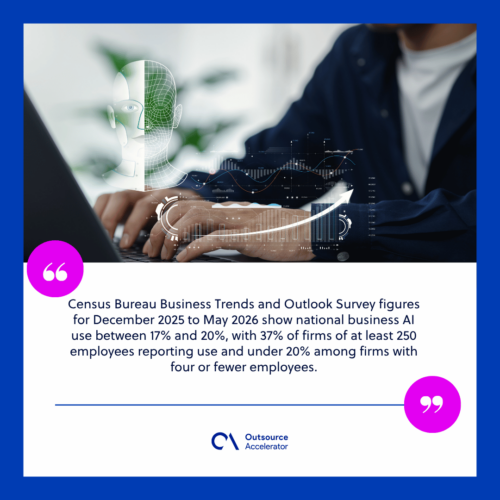
The adoption data suggests this selection problem is where smaller firms lose ground. Census Bureau Business Trends and Outlook Survey figures for December 2025 to May 2026 show national business AI use between 17% and 20%, with 37% of firms of at least 250 employees reporting use and under 20% among firms with four or fewer employees.
Use grew among firms with at least 20 employees and did not change significantly among the smallest. Larger firms are not choosing better models. They are more likely to have someone whose job includes picking the workflow, funding it, and following through.
Definitions also matter when you compare yourself to a benchmark. A Federal Reserve review of AI adoption measurement notes that estimates differ substantially by survey and respondent type, with business-level surveys reporting around 18% of firms adopting AI at the end of 2025 while individual and executive surveys report much higher rates.
Broad self-reported numbers mostly capture personal tool use. Do not use them to justify a systems project.
Start with the workflow, not the tool
A candidate use case is a specific, repeated piece of work with a beginning and an end. Write each one in a single sentence containing a trigger and an outcome.
Weak candidate: Improve customer support with AI.
Usable candidate: When a customer emails asking where their order is, retrieve the current shipment status and draft a reply for an agent to send.
Once written this way, a candidate can be described in seven fields. If you cannot fill them in, the idea is not ready for scoring.
| Field | Question |
|---|---|
| Trigger | What starts this work? |
| Volume | How many times per month? |
| Current cost | Minutes per instance and who does it |
| Data | Which systems hold the information needed? |
| Action | What changes when the work is done? |
| Reversibility | Can a wrong outcome be undone routinely? |
| Owner | Who in the business is accountable for the result? |
Screen one: Value
Value comes from volume multiplied by the cost of each instance, adjusted for what the change actually removes. Three questions keep this honest.
What is the baseline? Measure current handling time and cycle time before anything is built. Estimated baselines produce arguments later, and there is no way to reconstruct them after deployment.
What work is removed rather than moved? If the model drafts a reply that a person reads carefully anyway, you saved typing, not decision time. Real reduction comes from removing steps such as looking up data across systems, re-keying information, or waiting for a colleague.
Does the value appear in cost, revenue, or risk? Faster invoice processing shows up in cost and in early-payment discount capture. Faster lead response shows up in conversion. Fewer duplicate payments shows up as avoided loss. Name which one, because they are measured differently and defended differently.
Be explicit about released capacity. Hours freed are not automatically money saved. If the team keeps its headcount and absorbs backlog instead, that is a legitimate outcome, but describe it as capacity rather than savings.
Screen two: Risk
Risk here means the consequence of the system being wrong, not the probability that it is.
The primary test is reversibility. Can a mistake be corrected with a routine operation, or does it require a customer conversation, a credit note, a legal review, or a regulator notification? Sort candidates into three groups: reversible internally, reversible with customer contact, and not practically reversible.
Secondary factors: Does the workflow touch regulated data such as health, payment, or employment information; does the output reach a customer without a person seeing it; does an error compound across systems; and does the workflow sit inside a control that an auditor tests.
A high-risk workflow is not disqualified. It is redesigned so the model prepares and a person decides. One AI refund and return agent for a fashion retailer follows that shape: eligibility is checked against configured policy rules, routine cases inside the policy are resolved automatically, and anything outside it goes to a person with the reason attached.

Screen three: Readiness
Readiness is where optimistic plans usually break. Four dimensions:
Data
Does the information exist, in a system, with consistent identifiers, updated at a useful frequency? Data that lives in individual inboxes, PDFs with inconsistent formats, or a spreadsheet one person maintains is a project of its own.
Integration
Can the systems involved be reached programmatically, and does someone in the company have or can get credentials and permission? A platform without an accessible interface turns a two-month project into a six-month one.
Process stability
Has the workflow changed materially in the last six months, and will it change again soon? Automating a process that is about to be redesigned wastes the work twice.
Ownership
Is there a named person who will use the output, report problems, and decide on changes? Projects without a user-side owner tend to launch and then quietly stop being used.
A scoring model you can apply
Score each candidate 1 to 5 on the criteria below. Multiply by the weight, then sum. Risk is scored inversely, so a low-consequence workflow scores high.
| Criterion | Weight | 1 | 3 | 5 |
|---|---|---|---|---|
| Volume | 2 | Under 50 per month | 200 to 500 per month | Over 1,000 per month |
| Time per instance | 2 | Under 3 minutes | 5 to 15 minutes | Over 30 minutes |
| Measurability | 2 | No baseline available | Partial data | Clear baseline in a system |
| Reversibility | 3 | Not practically reversible | Reversible with customer contact | Reversible internally |
| Regulatory exposure | 2 | Regulated decision | Regulated data, no decision | No regulated element |
| Data quality | 3 | Unstructured, scattered | Mostly in systems, some gaps | Structured and current |
| Integration access | 3 | No API, manual only | Partial access | Documented API in place |
| Process stability | 2 | Changing now | Some change expected | Stable for 12 months |
| Business owner | 2 | None identified | Interested, no time | Named, with capacity |
Maximum is 105. The thresholds that matter in practice: any candidate scoring 1 on integration access or data quality is not a first project regardless of total, and any candidate scoring 1 on reversibility needs an approval gate designed before the build, not after.
Worked example: Four candidates
A 180-person distributor scores four workflows.
| Workflow | Value | Risk profile | Readiness | Total | Decision |
|---|---|---|---|---|---|
| Draft replies to order-status emails | High volume, 6 minutes each | Reversible internally, no regulated data | Order data in ERP with API, support lead available | 88 | First pilot |
| Extract and code supplier invoices | High volume, 12 minutes each | Reversible before posting, financial control applies | Documents in mixed formats, ERP accessible, controller engaged | 74 | Second, after document handling is tested |
| Score and route inbound leads | Medium volume, 8 minutes each | Reversible, no customer-facing output | CRM data incomplete, no owner in sales operations | 52 | Deferred, fix CRM data first |
| Screen job applications | Medium volume, 20 minutes each | Employment decision, hard to reverse | ATS accessible, HR interested | 41 | Not automated as a decision; assistive summarization only |
Two things are worth noting. The lead-scoring case was deferred for a data reason, not a technical one, and the fix is a CRM hygiene project that has value on its own.
The screening case was not rejected outright; it was reframed to a form where a person still makes the decision.
Where deterministic automation wins
A prioritization exercise done properly will disqualify some candidates from AI specifically, and that is a useful result. Deterministic rules are the better tool when the logic is stable and expressible, when the same input must always produce the same output, when the step is a validation or a threshold check, and when an auditor needs to see the rule rather than infer it.
Many strong workflows are hybrids. The model interprets an unstructured document or an ambiguous request; fixed logic applies the policy, checks the limit, and performs the write.
Designing this split up front usually reduces both cost and failure modes.
Use cases that are not ready yet
Common patterns worth deferring:
- Workflows where the required information exists only in people’s heads or in unstructured email threads;
- Decisions that require judgment your team cannot articulate as criteria;
- Processes with fewer than about 50 instances a month, where maintenance exceeds benefit;
- Work that is currently done inconsistently, since automating it locks in the inconsistency;
- Anything depending on a system due for replacement in the next year.
Deferred does not mean rejected. Most items on this list become viable after a specific, nameable fix.
From score to pilot: A practical sequence
- Write the shortlist as workflow sentences with trigger and outcome.
- Measure the baseline for the top candidate: volume, handling time, cycle time, error or rework rate.
- Define the action boundary in writing, including what requires approval and what happens on missing data.
- Confirm system access and permissions before the build, with real credentials in a test environment.
- Build the narrowest useful version, covering the common path and one clear failure path.
- Run against historical cases before live traffic, checking outcomes rather than only text quality.
- Pilot with a defined user group, a defined period, and pre-agreed criteria for continuing, changing, or stopping.
- Review against the baseline and decide. Keeping a project alive because it was expensive is the most common way small programs lose their budget for the next one.
Companies without internal capacity for steps 2 through 4 often bring in help specifically for that stage, which is the narrow scope AI adoption services cover before any build work begins.
Metrics to define before the pilot
Agree on these in writing before development starts:
- Baseline handling time and cycle time for the workflow;
- Straight-through completion rate, meaning cases finished without human handling;
- Escalation rate and the reasons behind escalations;
- Human override rate on proposed outputs;
- Error or rework rate, with the error unit defined precisely;
- Cost per completed case, including review time and model usage;
- User adoption, since a tool people avoid produces no result.
Set a target and an acceptable trade-off for each. A workflow that halves cycle time while doubling rework has not improved.
Choosing the first AI use case to build
The decision rule for AI adoption in business is simple to state and harder to follow: pick the workflow with the highest volume among those that are reversible, measurable, and technically reachable today. Not the most impressive one, and not the one a vendor demoed well.
Take your current idea list this week and rewrite each item as a trigger-and-outcome sentence. Most lists shrink by half in that step alone, because several entries turn out to be the same workflow and several others turn out not to be workflows at all.
Score what remains, measure the baseline for the top candidate, and give yourself a real stop decision at the end of the pilot.






 Independent





