
Colocation services: Definition, benefits, and implementation


What is colocation and why does it matter?
Colocation lets a business rent space, power, and cooling in a shared data center to house its own servers.
- You keep your own hardware, but the provider runs the building and its systems.
- Colocation cuts cost, boosts uptime, and scales as your needs grow.
- The right provider offers strong security, good links, and clear service terms.
Modern businesses lean on data centers to store and handle their data. However, running these centers in-house can be complex and costly. This is where colocation services come in.
In this guide, we explain how colocation improves your infrastructure. Next, we cover how to set it up, from picking a provider to installing gear.
What is colocation?
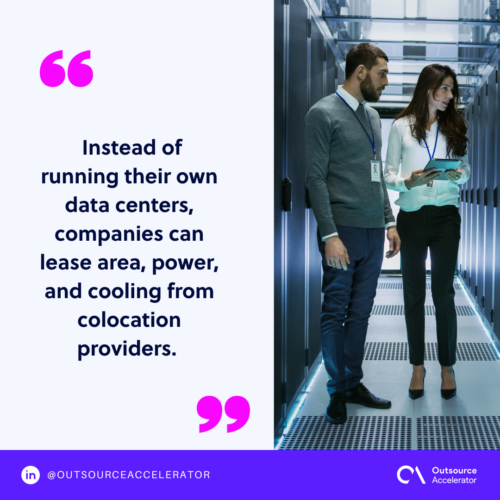
Colocation means placing servers and IT tools in an outside data center. So instead of running their own site, firms rent space, power, and cooling from a provider.
These providers give you a safe, well-run home for your key systems. As a result, your team can focus on the work that matters. Many firms compare providers the same way they vet data center companies for any project.
Advantages of colocation services
Colocation services bring many gains for firms that want a reliable data center setup. Here are the key benefits:
Reliability and uptime
Colocation brings a big win in reliability and uptime. Providers run advanced infrastructure that includes:
- Backup power
- Generators
- Cooling systems
So your servers keep running even during a power cut or fault. As a result, downtime drops and your business stays open.
Scalability and flexibility
The speed at which you can adjust your setup is vital. Colocation services let you change server capacity as you need.
Adding or removing servers is simple, without big hardware bills. So your infrastructure grows in step with your business. A hosted cloud server can add even more room when demand spikes.
Cost-efficiency
Building and running an on-site data center can be very costly. For example, hardware, power, cooling, and IT staff all add up fast.
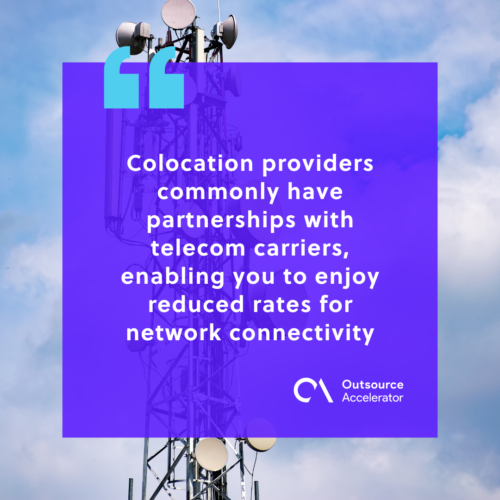
Colocation services offer a budget-friendly path. By sharing costs with other firms, you can cut your spend a lot. In addition, providers often have telecom deals, so you get lower rates for network links.
Backup and disaster recovery
Data loss can hit a business hard. However, colocation sites are built to handle floods, quakes, and other events.
They also run backup systems to keep your data safe. So in an emergency, providers offer backup power, data copies, and off-site storage. As a result, you recover quickly and keep working with little disruption.
Factors to consider when selecting a colocation provider
When you pick a colocation provider, weigh a few things first. This makes sure they fit your business needs. So consider the points below before you decide.
Location
The data center location is a key factor. A provider near your business or users is best, because it cuts delays and speeds up access.
Also check the distance to transport hubs and disaster-prone areas. As a result, you can judge the risks.
Security measures
Security matters most when you trust your gear to a facility. So look for strong physical controls, such as:
- Constant surveillance
- Access control
- Biometric authentication
Also ask about their cyber defenses, including firewalls, intrusion detection, and data encryption. In the same way you plan for cybersecurity in outsourcing, these steps shield your data.
Connectivity and network services
Strong, steady links are vital for any firm that leans on its IT setup. So check if the provider allows carrier choice from different telecom firms.
This lets you pick network services that fit your needs. In addition, ask about network capacity, redundancy, and peering deals for top performance.
Network infrastructure
A strong network setup is key to your colocation plan. So check if the provider has backup gear and several internet service providers (ISPs). This removes single points of failure.
Also ask about their network monitoring. As a result, they can catch and fix issues before they grow.
Interconnection options
Colocation centers often offer interconnection choices. These links join your business with other groups and providers. So they boost speed, cut delays, and support teamwork.
Check if the provider links directly to key cloud service providers, internet exchanges, and other partners.
SLAs and contracts
Read the service level agreements (SLAs) and contracts with care. These set out what each side must do.
Focus on uptime promises, support times, and any extra fees. As a result, your expectations match the service you get.
Setting up equipment in a colocation facility
Once you pick a provider, you can set up your gear. This works best in three clear steps.
Equipment preparation and packaging
Before you move servers to the site, prep and pack them well. So make a list of all items, label cables and parts, and note the setup.
Then pack each piece with care to keep it safe in transit. As a result, your gear arrives ready to install.
Data center migration process
Moving your gear to the facility is called migration. Working with an expert provider is key here.
Your provider handles the logistics, such as transport, handling, and unpacking. So follow their guidance and stick to the steps for a smooth move. Many firms treat this like other IT outsourcing services and lean on the provider’s know-how.
Rack deployment and configuration
Once your gear is on site, it must sit in the racks correctly. So work with the provider’s technicians for safe mounting and tidy cables.
They also set up power and network links the right way. Then check that each device works and finish any needed setup.
Colocation services improve infrastructure management
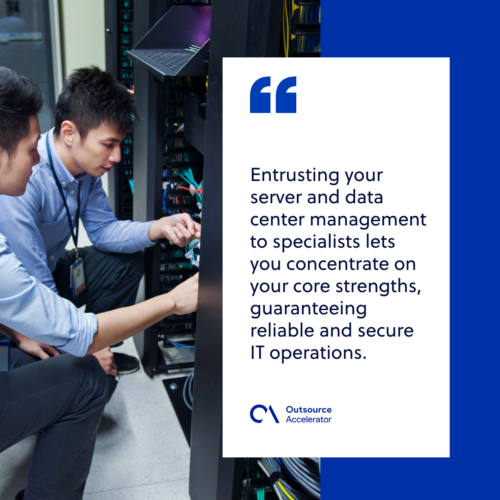
Colocation services give your infrastructure a real boost. By trusting your servers to experts, you can focus on your core strengths. As a result, your IT stays reliable and secure.
Still, good setup steps matter for success. So prep your gear, plan the move, and set up racks with care. A managed data center option can take on even more of this work for you.
In the end, colocation lets your business tap expert skill and strong infrastructure. So it supports both your IT and your growth plans.
Key takeaways
- Colocation lets you house your own servers in a provider’s data center.
- The main gains are lower cost, high uptime, easy scaling, and disaster recovery.
- Vet each provider on location, security, connectivity, and clear SLAs.
- Careful prep, migration, and rack setup lead to a smooth launch.
Frequently asked questions
What is the difference between colocation and cloud hosting?
With colocation, you own the servers and rent space to house them. With cloud hosting, you rent virtual resources instead. So colocation gives more control, while the cloud gives more flexibility.
How much does colocation cost?
Cost depends on space, power use, and the provider’s location. However, sharing the building with other firms usually makes it cheaper than an on-site data center.
Is colocation secure?
Yes, good providers use strong physical and cyber controls. For example, they add surveillance, access control, firewalls, and encryption to protect your data.
Who should use colocation services?
Firms that own hardware but want to skip building a data center are a good fit. So it suits growing businesses that need uptime, security, and room to scale.
How do I move my servers to a colocation facility?
You prep and pack your gear, then plan the migration with your provider. Next, their team mounts the racks and sets up power and network links.






 Independent





